Text-first households
For households that mainly print forms, letters and other black-text pages, the key decision is whether colour or integrated scanning is needed.


Choose a cartridge inkjet if you need flexible colour printing, a refillable ink-tank model if you print colour regularly and are comfortable managing refills, or a mono laser if most of your pages are black text. Then decide whether you need copying and scanning: for batches of originals, check for an automatic document feeder, and confirm duplex scanning separately if you need to capture both sides.
For households that mainly print forms, letters and other black-text pages, the key decision is whether colour or integrated scanning is needed.
For people who print as well as copy or scan paper originals, batch size and whether documents are double-sided can determine which scanner features are useful.
For households that print colour documents often, the choice includes the type of ink system and which replacement supplies the exact model uses.
When it fits: Choose this type when colour documents or occasional photographs matter and a refillable tank is not needed for your expected use.
Trade-off: Check the exact cartridge requirements; Which? notes that ink can dry out after long periods without use.
When it fits: Consider this type for regular colour printing if you are happy to refill its tanks.
Trade-off: Check the replacement bottle codes for the exact model and follow its refill instructions.
When it fits: Consider a mono laser when most of your printing is black text and colour is unnecessary.
Trade-off: It cannot print colour; Which? notes that toner does not have the liquid-ink drying issue associated with inkjets.
| Concern | What to check when buying | Who this matters to |
|---|---|---|
| Black-text printing | Check whether you need colour, whether the printer is mono or colour, and whether copying or scanning is included. | If most of my pages are forms or letters, I want a printer suited to black-text documents without features I will not use. About 33% of consumers put black-text printing first. |
| Copying and scanning | Confirm print, copy and scan functions; check for an automatic document feeder if you handle batches, and explicit duplex scanning for double-sided originals. | When I regularly need to copy or digitise paperwork, I want to know whether the scanner can handle my originals and batch size. About 25% of consumers prioritise copying and scanning. |
| Colour refills | Check the exact compatible bottle or cartridge codes and the refill instructions for the model. | If I print colour documents regularly, I want to understand which supplies the printer needs before choosing it. About 25% of consumers put regular colour printing and refills first. |
| Occasional mixed printing | Consider how often you print, whether occasional colour is necessary, and whether you need integrated copying or scanning. | If I print only now and then, I want a model that fits the pages and functions I actually use. About 17% of consumers prioritise occasional mixed printing. |
Automatic duplex printing describes how a printer handles printed pages. It does not establish that the scanner can capture both sides of an original automatically.
For two-sided paperwork, check the exact model’s scanner and feeder specifications for an explicit duplex-scanning function.
A difference in a model suffix can matter when checking which supplies or service terms apply to a particular printer.
Match the full model identifier and confirm the compatible supplies and any service terms for that exact version before ordering.
Brother’s mono laser range includes print-only and multifunction models for black-text documents and paperwork.
The EcoTank ET-2950 is a refillable colour inkjet with print, copy and scan functions.
The PIXMA TS7650i is a colour all-in-one for mixed document printing and occasional photographs.
The DeskJet 2910 is a colour cartridge all-in-one with print, copy and scan functions.
These Joybuy options cover home printing with copying and scanning, including inkjet and ink-tank models with different document-handling features.
 No image available
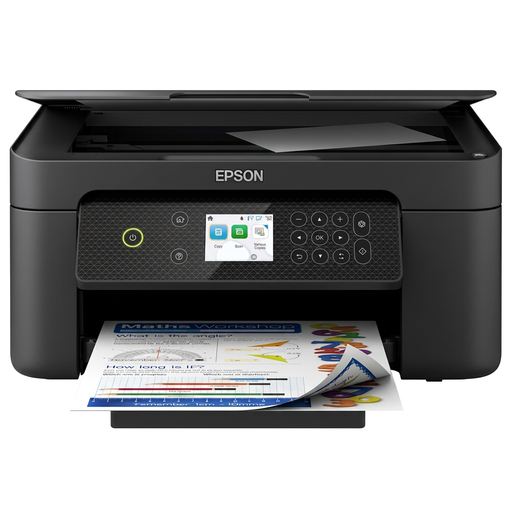
Consider it if you need an all-in-one for home printing, copying and scanning.
Wi-Fi; automatic duplex printing; 100-sheet tray; 5760 × 1440 dpi; ReadyPrint compatible.
 No image available
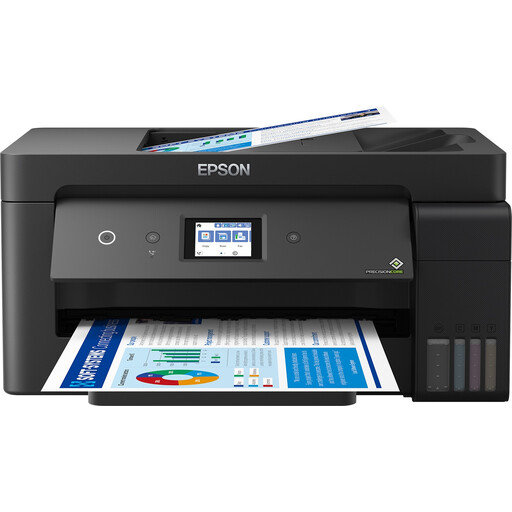
Consider it if your home-office paperwork needs an all-in-one with an automatic document feeder.
A3+; print, copy and scan functions; 35-page automatic document feeder; automatic duplex printing.
 No image available
Consider it if you need a colour ink-tank model for home printing, copying and scanning.
A4; Wi-Fi; print, copy and scan functions; automatic duplex printing.
 No image available
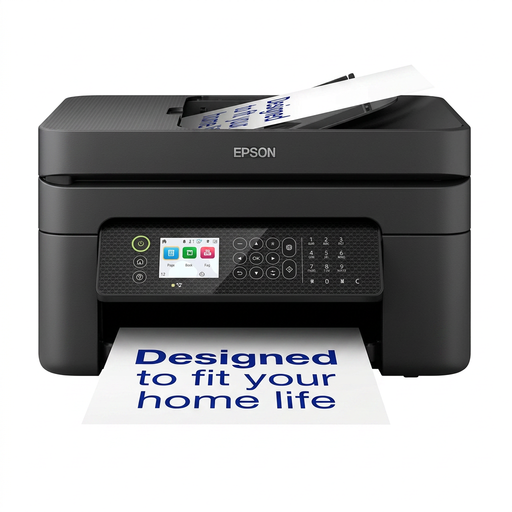
Consider it if you need an all-in-one with a feeder for multipage paperwork.
Print, scan, copy and fax functions; automatic document feeder; automatic duplex printing; Wi-Fi; Apple AirPrint and Mopria Print and Scan.
 No image available
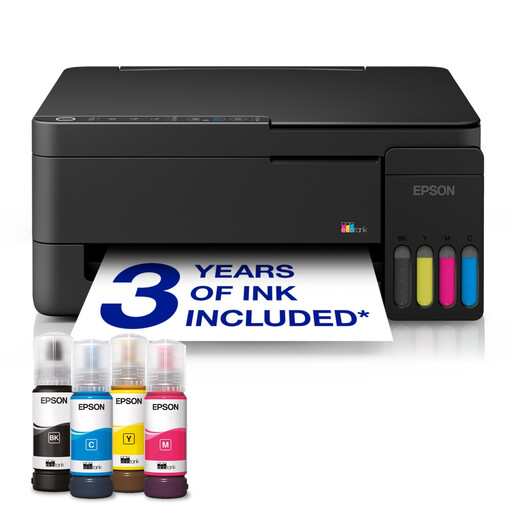
Consider it if you want an ink-tank all-in-one for home documents and photographs.
Refillable ink tanks; flatbed scanner; print, copy and scan functions; Wi-Fi; AirPrint and Mopria support.
No. Duplex printing describes the printed output, so check the exact model’s scanner and feeder specifications if you need automatic capture of both sides. A feeder or all-in-one label alone does not confirm duplex scanning.
Check the selected model’s setup and maintenance instructions. Which? notes that liquid ink can dry out after long periods without use and that some inkjets use ink for print-head cleaning; toner does not have the same liquid-ink issue. Do not assume one maintenance schedule applies to every model.
An automatic document feeder is useful when you regularly copy or scan multiple pages, because it feeds a batch of originals rather than requiring one-at-a-time placement. If the originals are double-sided, check separately for an explicit duplex-scanning specification.
Your statutory consumer rights apply independently of a manufacturer’s warranty. GOV.UK says a retailer must repair or replace goods returned within six months unless it can prove they were not faulty when bought; the remedy depends on the circumstances. Keep your purchase details and raise the fault with the seller.
GOV.UK guidance requires electrical-equipment distributors to offer take-back for waste equipment of the same type or function, including for online purchases. The guidance says the in-store service must be free, while collection from a home can incur transport costs; check the retailer’s stated arrangements.