For mainly black-text coursework and forms, a mono laser is worth considering; if colour documents recur, compare a refillable ink-tank printer with a cartridge inkjet and the supplies each uses. If you also scan or copy paperwork, choose an all-in-one in the print type that suits you, then check the exact model’s scanning, duplex and device-compatibility details. Which? identifies print type, scanning needs and ongoing ink or toner requirements as relevant home-printer considerations.
Who these printers may suit
Households that mainly print black text
If coursework and forms are mostly monochrome, a black-text printer may fit the main task; scanning or copying can be an occasional extra. Which? identifies print type and scanner needs as considerations when choosing a home printer.
Households with recurring colour coursework
If colour diagrams or other colour documents come up regularly, compare cartridge and ink-tank printers by the replacement supplies they use. Which? highlights ongoing ink requirements as a factor when choosing.
Households sharing paperwork tasks
If several devices are used, check their compatibility with the exact printer. If paper originals also need scanning or copying, check those functions separately rather than assuming wireless printing covers the whole workflow.
What to consider before buying
Start with whether your documents need colour and how often you print; then check the scanning, copying and device-sharing features your household will actually use.
| Concern |
What to check when buying |
Who this matters to |
| Replacement supplies |
Estimate your black and colour pages, then check the supplies required by the exact model, including any separately replaced drum. |
If I print regularly, I want to know which supplies the printer will need over time. Around 31% of consumers put replacement-supply needs first. |
| Black-text printing |
Check whether coursework and forms can be printed in black and white, and review the model’s duplex and supply details. |
If my documents are mainly text, colour may not be essential to my choice. Around 25% of consumers prioritise black-text printing. |
| Colour documents |
Check how often colour is essential and which ink supplies the exact printer uses. |
When colour diagrams or other colour documents are a regular requirement, that capability comes first. Around 19% of consumers prioritise colour documents. |
| Scanning and copying |
Confirm that print, scan and copy are all listed. For batches of originals, check for an automatic document feeder and whether two-sided scanning is specified separately. |
If I need to digitise or copy paper forms as well as print, those functions matter to my choice. Around 13% of consumers put handling paper originals first. |
| Household device sharing |
Check the exact model’s supported operating systems, mobile-print options and scanning software against the household’s devices. |
When several people use different devices, I want printing and scanning to work with the ones we have. Around 12% of consumers prioritise device compatibility. |
Common printer-buying pitfalls
-
Choosing without considering replacement supplies
The printer type and your expected document volume affect which ink, toner or other supplies you will need. Brother specifies a separate toner and drum for the DCP-L2620DW, so toner is not the only supply to consider for that model.
Estimate your black and colour pages and check the required supplies for the exact model. Which? also advises considering ongoing ink requirements when choosing a printer.
Some laser models use a separate drum as well as toner, so check whether both supplies need replacing.
-
Assuming wireless, duplex and scanning describe the same workflow
These labels refer to different functions. An automatic document feeder can feed multiple originals, while automatic two-sided printing and two-sided scanning need separate confirmation.
Check each required operation in the exact model’s specifications and confirm compatibility with the household’s devices.
Without a feeder, handling a batch of paper originals may involve feeding them individually.
-
Assuming every replacement cartridge will work
HP says the OfficeJet Pro 8122e uses dynamic security to block cartridges with non-HP chips. HP also says an active Instant Ink account is required to use Instant Ink cartridges.
Read the terms for the exact printer and any cartridge or subscription plan before choosing supplies. HP advises using regular HP cartridges if an Instant Ink account is cancelled or inactive; this applies to Instant Ink cartridges, not every printer or cartridge.
-
Treating a listing or promotion as a current buying opportunity
Availability and offer terms can change, so an old listing or promotion may not reflect what is currently offered.
Check the current product page and its terms before making a decision.
Printer brands to know
These examples relate to specific UK product lines and models; they are not endorsements of every printer from each brand or an indication of current availability.
Brother
The DCP-L2620DW illustrates a monochrome laser route for households that mainly print black text and may also scan or copy.
- Brother specifies automatic two-sided printing, wireless and USB connections for this model.
- It prints in monochrome and uses separate toner and drum supplies.
Epson
The UK EcoTank ET-2950 is an example of an A4 colour ink-tank multifunction printer.
- Epson specifies printing, copying, scanning and two-sided printing for the ET-2950.
- Check the exact model’s functions and supplies against your document needs; published ink-yield claims do not determine how many pages an individual household will print.
Canon
The UK PIXMA G3570 series illustrates a refillable-tank colour print, scan and copy option.
- Canon specifies Wi-Fi, a 100-sheet rear tray and support for Mac, Windows and Chrome for this series.
- Check the exact model specifications for any required feature, including automatic two-sided printing.
HP
The UK OfficeJet Pro 8122e is an example of a colour cartridge-based all-in-one printer with an automatic document feeder.
- HP specifies print, copy, scan and a document feeder for this model.
- HP says this model’s dynamic security blocks cartridges with non-HP chips; check the model-specific cartridge terms if you are considering alternatives.
Joybuy printer options
These Joybuy listings focus on Epson multifunction printers for home printing and paperwork, including Expression Home, EcoTank and WorkForce models.
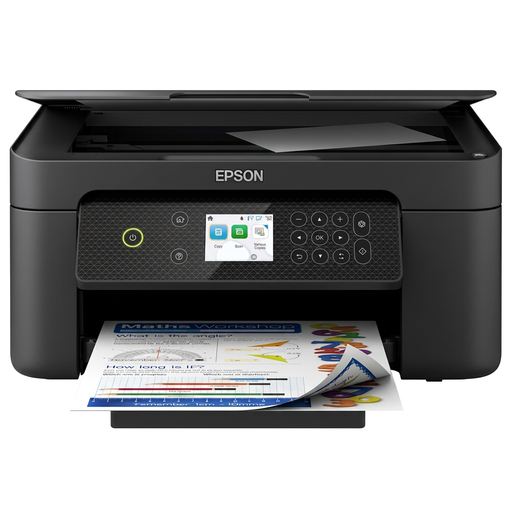 Image unavailable
Epson Expression Home XP-4200 All-in-One Printer
Consider this model if its listed wireless and duplex features match your household’s printing needs.
- The product name lists Wi-Fi, Duplex and 5760x1440 dpi.
- ReadyPrint Compatible.
- Check the exact duplex operation you need before relying on it.
Joybuy
 Image unavailable
Epson EcoTank ET-2951 A4 Wireless Colour All-in-One Ink Tank Printer
Its listed print, scan and copy functions may suit a household that needs colour documents and paperwork handling in one printer.
- The product name identifies an A4 wireless colour ink-tank printer.
- Print, scan and copy; Auto Duplex.
Joybuy
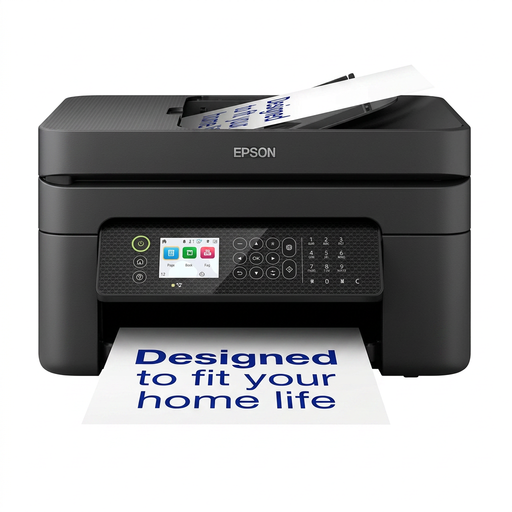 Image unavailable
Epson WorkForce WF-2950DWF Multifunction Inkjet Printer
The listed feeder and scan and copy functions may be relevant when household paperwork includes multiple originals.
- Scan, copy and fax; wireless and duplex features are listed.
- ADF, Apple AirPrint and Mopria Print and Scan are listed.
- Check which duplex operation is supported for your intended task.
Joybuy
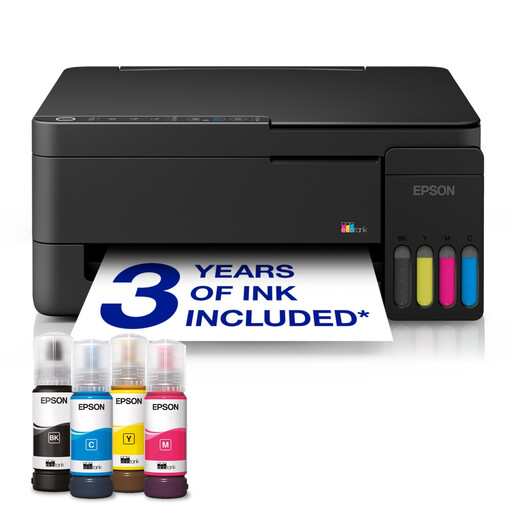 Image unavailable
Epson EcoTank ET-2912 Multifunction Inkjet Printer
This listing may suit home document tasks that need printing alongside scanning or copying.
- The product name lists ink tanks, Wi-Fi, AirPrint and Mopria.
- Scan and copy functions are listed.
Joybuy
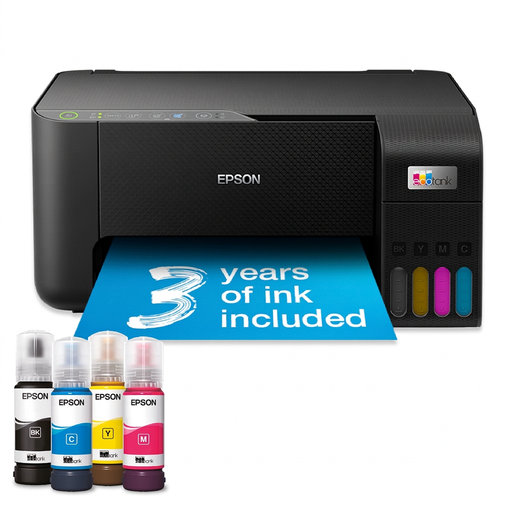 Image unavailable
Epson EcoTank ET-2862 Multifunction Inkjet Printer
Its listed multifunction features may fit household printing where scanning and copying are also needed.
- The product name lists ink tanks and Wi-Fi.
- Print, scan and copy functions are listed.
Joybuy
Printer questions answered
Does an all-in-one printer automatically scan a stack of double-sided forms?
No; the all-in-one label alone does not establish that it can do this. An automatic document feeder can feed multiple originals, but check the exact model’s specifications separately for automatic two-sided scanning.
What should a household check before setting up a shared printer?
Check the exact model’s supported operating systems, mobile-print route and scanning software against each household device. Follow the manufacturer’s setup guidance, and do not assume that support for one device means every device is compatible.
What happens to HP Instant Ink cartridges if the subscription ends?
HP says an active Instant Ink account is required to use Instant Ink cartridges. If the account is cancelled or inactive, HP advises using regular HP cartridges instead; this applies to Instant Ink cartridges, not every cartridge or printer.
What rights apply if a UK online purchase arrives faulty or the buyer changes their mind?
GOV.UK guidance distinguishes faulty goods from online cancellation: a buyer can generally notify the seller within 14 days of receiving an item that they wish to cancel, then has another 14 days to return it. Faulty goods have separate repair, replacement and refund rights; the circumstances matter.
How should an old printer be disposed of in the UK?
Use an appropriate electrical-waste collection or take-back route rather than assuming an old printer belongs in ordinary household waste. GOV.UK guidance describes retailer duties to take back waste of the same type when a customer buys a replacement, subject to the applicable take-back arrangements.


