Occasional black-text printers
If you mainly print bills, forms or text homework, a mono multifunction printer may suit you if you also need copies or scans. Brother UK specifies mono printing, scanning and copying for the DCP-L2620DW.


For occasional bills and homework, start with a mono laser if you print almost entirely black text; consider a cartridge inkjet for occasional colour, or a refillable tank if colour printing is regular enough to justify a higher initial outlay. If you mainly need digital copies, a standalone scanner may avoid paying for print capability. Check each model’s scanning, copying, duplex and wireless functions, as well as its replacement supplies and maintenance needs, before choosing.
If you mainly print bills, forms or text homework, a mono multifunction printer may suit you if you also need copies or scans. Brother UK specifies mono printing, scanning and copying for the DCP-L2620DW.
If you need colour for some worksheets or documents, consider how often you will print in colour when comparing cartridge and refillable-ink models. Canon UK’s PIXMA TS7650i and Epson’s ET-2850 illustrate those different routes.
If your main task is turning paperwork into digital files, decide whether you need a printer at all. Canon UK describes the CanoScan LiDE 400 as an A4 flatbed scanner powered by USB; check software support for your computer.
Start by deciding whether you need colour on paper, then check whether scanning or copying must be built in. Compare replacement supplies against how often you expect to print.
| Concern | What to check when buying | Who this matters to |
|---|---|---|
| Reliable black-text printing | Check A4 support, scan and copy needs, automatic duplex, connectivity, and the exact replacement toner and drum. | When bills, forms and homework are almost always black text, I would avoid paying for colour I rarely use. About 33% of consumers put dependable black-text printing first. |
| Occasional colour | Confirm print, copy and scan functions, whether duplex is automatic, and which compatible black and colour cartridges the model uses. | If colour is needed for some homework but not every week, I would weigh that occasional use against the cost of replacement supplies. Around 25% of consumers prioritise occasional colour. |
| Scanning before printing | Decide whether you need paper copies or printed homework; for a scanner, check page handling, computer connection and software support. | When I mainly need digital copies of household paperwork, a scanner may be enough without buying print capability. Roughly 17% of consumers put scanning ahead of printing. |
| Regular colour and refill costs | Estimate your own black and colour pages, then compare the exact printer and replacement-ink costs with the model’s maintenance instructions. | If colour documents or homework recur, I would compare ongoing ink needs with the higher initial outlay of a refillable model. About 17% of consumers prioritise refill costs for regular colour printing. |
| Colour laser or LED printing | Check the precise model’s functions and fit, then compare the separate black, cyan, magenta and yellow toner supplies. | If I specifically want colour laser or LED document handling, I would allow for multiple replacement toners even if colour pages are occasional. Around 8% of consumers put colour laser or LED printing first. |
Some models have more than one replaceable part. Brother lists separate toner and drum supplies for the DCP-L2620DW, while Canon specifies a user-replaceable maintenance cartridge for the PIXMA TS7650i.
List every replaceable supply for the exact model before comparing ownership costs. Treat stated yields as test figures, not a guarantee of how many pages your household will print.
Epson’s stated 102-series ink yields do not establish whether a refillable printer will suit a household that prints infrequently. Epson’s inkjet guidance also describes nozzle checks and head cleaning when print quality deteriorates.
Estimate your own colour and black-page use over the time you expect to keep the printer, and follow the exact model’s maintenance instructions.
HP identifies its Envy 6120 as model C2WS0B#687, while a Joybuy listing identifies the Envy 6120e as model 714L8B. The different model identifiers are a reason to check the exact product rather than assume supplies or firmware conditions match.
Match the complete model identifier and confirm compatible supplies on the product details before choosing.
Brother’s UK examples include mono laser multifunction and colour LED multifunction printers.
Canon’s UK examples cover a cartridge all-in-one printer and a standalone scanner.
Epson’s UK EcoTank ET-2850 illustrates a refillable-ink colour multifunction route.
The HP Envy 6120 is a UK colour cartridge multifunction example with wireless and automatic two-sided printing.
These Epson options cover refillable-ink and inkjet printers for household documents, including both single-function and multifunction models. Check each model’s listed functions if you need scanning or copying built in.
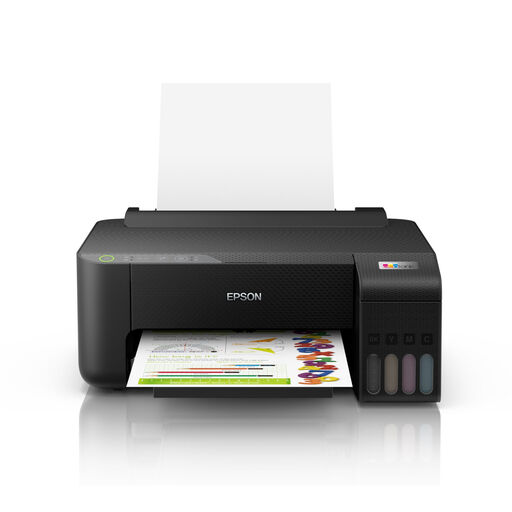 No image available
Consider it if you need A4 colour printing but do not need scanning or copying built in.
The product name specifies wireless connectivity and manual double-sided printing.
 No image available
Consider it for colour household documents when you also need scanning and copying.
The product name specifies A4, Wi-Fi and automatic duplex printing.
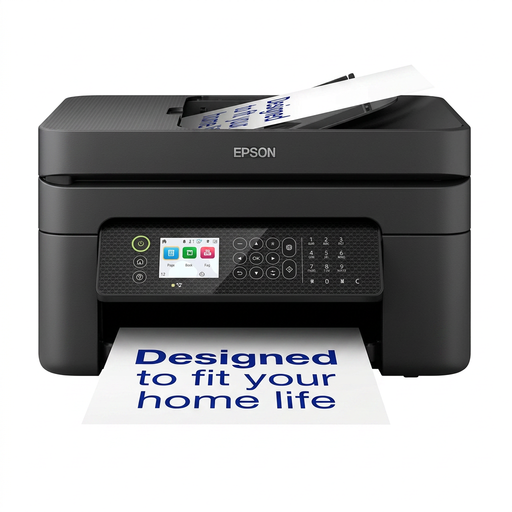 No image available
Consider it for household document tasks that need printing, scanning, copying and faxing.
The product name lists wireless connectivity, duplex printing, an automatic document feeder, Apple AirPrint and Mopria.
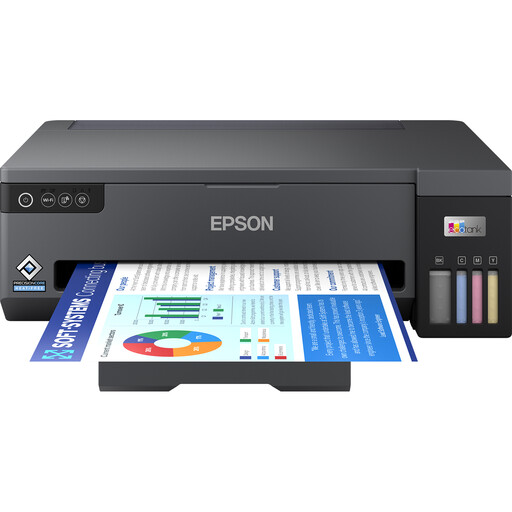 No image available
Consider it if A3 printing fits your needs and you do not need scanning or copying built in; the product name identifies it as a single-function printer.
The product name also specifies wireless connectivity and refillable ink tanks.
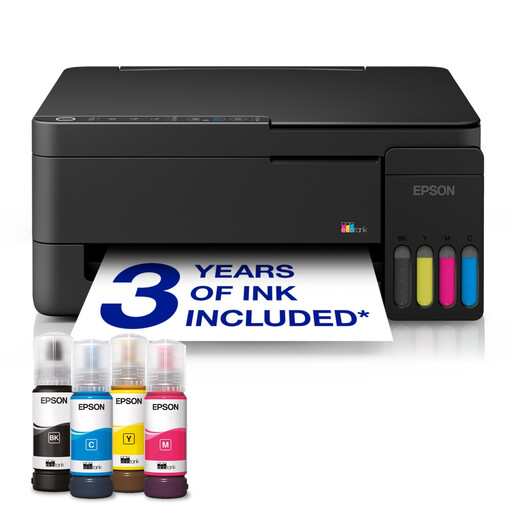 No image available
Consider it for wireless household printing when you also need scanning and copying.
The product name lists ink tanks, Wi-Fi, AirPrint and Mopria.
Compare compatible supply identifiers and stated yields for the exact printer, then consider your own black and colour page use. Brother UK and Canon UK publish model-specific supply information, but their different printers and yield conditions are not directly comparable as a complete cost per household page.
No: print, scan and copy describe functions, not every paper-handling or connection feature. Check the exact model; Brother UK specifies automatic two-sided printing and Wi-Fi for the DCP-L2620DW, while Canon UK specifies A4 automatic duplex and Wi-Fi for the PIXMA TS7650i.
Follow the guidance for the exact model. Epson advises checking ink levels, running a nozzle check and then head cleaning for the covered models; it warns that cleaning with ink below the tank’s lower-limit line can damage the printer.
Do not assume it will on a dynamic-security-enabled model. HP identifies the Envy 6120 as having dynamic security and says firmware can block cartridges using non-HP chips or circuitry, including cartridges that previously worked. Check the full model and intended cartridge before buying.
GOV.UK guidance says distance-sale customers generally have 14 days from receiving an item to notify the seller they are cancelling, followed by another 14 days to return it. Faulty goods have separate rights, and a manufacturer warranty does not remove statutory rights; check the relevant retailer’s procedure for a change-of-mind return.