Households with regular paperwork
You often print forms, revision materials or text-heavy documents and want readable black text without overlooking replacement supplies.


For frequent black-text paperwork, consider a mono laser printer; for regular coursework that needs colour, compare cartridge and refillable-tank inkjets according to your expected use and replacement supplies. Choose scanning and copying functions if those tasks are routine, but weigh a local print service against owning a device when printing is rare.
You often print forms, revision materials or text-heavy documents and want readable black text without overlooking replacement supplies.
Your work includes colour diagrams or mixed documents, and you may also need to copy or scan pages from several household devices.
You print infrequently, or your main task is turning paper records into digital files. A print service or a separate scanner may deserve consideration before you buy a printer.
Decide whether you need a printer at home, then choose a print method for your volume and colour requirements. Treat scanning and copying as features to check separately: a multifunction printer can use either an inkjet or a laser print method.
| Concern | What to check | Who this matters to |
|---|---|---|
| Print volume and supplies | Estimate your usual black-text and colour pages. Check the exact model’s replacement supplies, stated yields and any optional page plan. | If I print forms and revision packs every week, I need a supply system that fits repeated use. Around 31% of consumers put recurring supplies first. |
| Colour and document types | Confirm whether colour or glossy paper is required, then check the model’s supported media and colour capability. | When coursework includes diagrams or images, plain black-text output will not cover everything I need. For around 25% of consumers, colour and document versatility are the primary concern. |
| Scanning and copying | Check print, copy and scan functions separately; for repeated batches, check for an automatic document feeder (ADF) and the required mobile-device compatibility. | If I regularly digitise signed forms or copy several pages, handling each sheet by hand matters to me. Scanning and workflow come first for around 25% of consumers. |
| Whether to own a printer | Compare how often you print with local service access, turnaround, collection and the space needed for a device. | For a few occasional documents, I would rather collect a print job than keep equipment at home. Avoiding ownership is the main concern for around 19% of consumers. |
A printer used regularly for coursework also needs a steady supply of ink or toner. Cartridge, refillable-tank and toner models involve different replacement routines.
Estimate a normal month’s black-text and colour pages, then check the supplies and stated yield for the exact model. If considering a subscription, read its terms separately.
A mono laser can suit text-heavy work, but it will not produce the colour charts or images some coursework requires. Which? also distinguishes laser text output from printing on standard glossy photo paper.
Gather examples of the pages you expect to print before deciding whether mono output is enough.
Pages that require colour would need another printing arrangement.
Printing, copying and scanning do not establish whether a device has an ADF or can handle two-sided pages automatically.
Check the exact model’s scanner type, feeder capacity, automatic two-sided printing and two-sided scanning if those functions matter to your paperwork.
A service can spare you device storage for rare assignments, provided its turnaround works with your deadline. Repeated trips may be less convenient for routine forms.
Compare a typical month’s jobs with your local service’s availability and collection arrangements before deciding.
Travel and collection time can become a practical burden close to a deadline.
Brother offers mono laser, colour inkjet and multifunction routes relevant to home documents.
Epson is relevant if you are considering refillable-tank printing or a separate document scanner.
Canon’s home range includes multifunction inkjets, refillable-tank options and separate flatbed scanners.
HP is relevant when an optional ink subscription forms part of the supply decision.
These models cover refillable-tank choices for recurring colour documents and mono laser choices for black-text paperwork. Decide separately whether their scanning and copying arrangements fit your household tasks.
 No image available
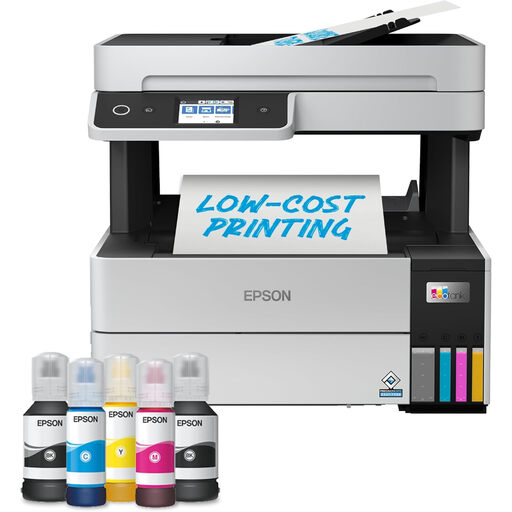
Consider this model for recurring mixed paperwork when a refillable-tank printer and scanning are both relevant. Its product name specifies A4, Wi-Fi and multifunction use; check replacement-bottle availability and the scanning functions you need.
 No image available
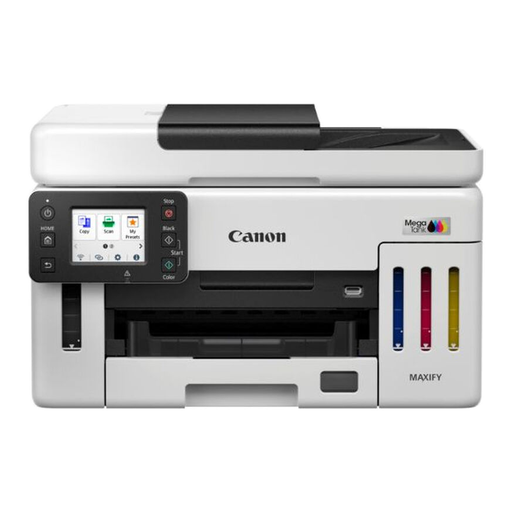
Consider this refillable-tank model if repeated colour documents and household paperwork are your priority. Check the exact print, copy and scan functions alongside compatible refill bottles before choosing it.
 No image available
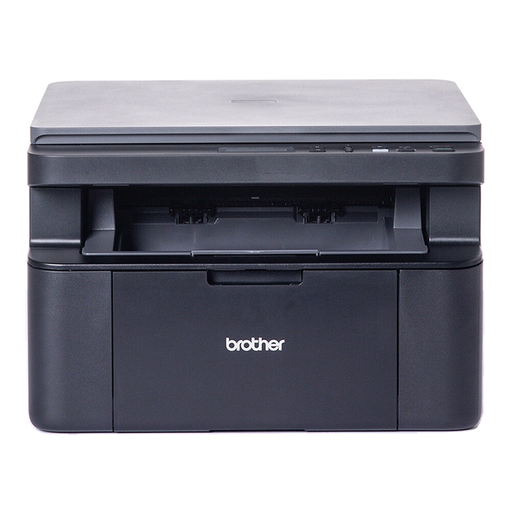
This mono laser model suits households whose printing is mainly black-text forms and documents, not colour coursework. If you also scan multi-page records, check whether handling them on a flatbed meets your needs.
 No image available
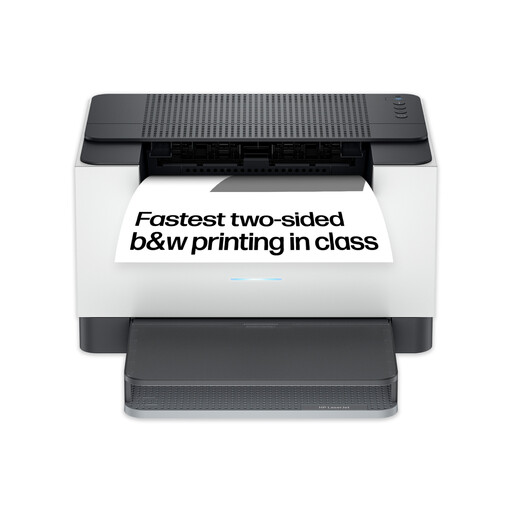
Consider this model for black-text documents when wireless and two-sided printing matter more than colour output. It has a 150-sheet input tray; confirm the exact model’s scanning and copying functions before relying on either.
No: a mono laser is worth considering for recurring black-text pages, while an inkjet is more relevant when coursework requires colour images or glossy paper. Which? notes that ink can dry out after long periods without use; check the exact printer’s supplies and colour capability against your workload.
Choose a multifunction printer if you regularly need printing and scanning in one device; consider a separate scanner if digitising paper is your main task and you rarely print. Epson’s scanner guidance identifies an ADF as the feature for feeding multiple pages, so check for one if batch scanning matters.
A local service may suit occasional assignments or forms if you can meet its collection timetable. Ryman offers document printing as one such option; check your chosen service’s current arrangements before relying on it for a deadline.
Check electrical-recycling options with your local authority or ask the retailer about take-back. GOV.UK describes same-type electrical-waste take-back when a customer buys an equivalent item, subject to the applicable retailer arrangements; ask what route is available for your printer.