
24/7 Customer Support

Free returns

Same-day & Next-day Delivery

Quality Guaranteed

Unlock Your Welcome Offers: FREE Delivery | Up to 80% OFF | Free 30-day JoyPlus trial
Download the APP
Buying one of the many home printers available in the UK can seem straightforward until you compare ink systems, connectivity, paper sizes and running costs. A low purchase price may not remain economical if replacement cartridges are expensive, while a compact wireless printer may not suit a household that regularly prints homework, forms or business paperwork.
This guide explains the practical specifications to check before buying, then matches selected models to different household and work requirements.
A cheap colour printer may use small cartridges that need frequent replacement. Before ordering, check:
Ink tank printers generally require a higher initial outlay but use refillable bottles rather than conventional cartridges. This can be more suitable for households, students or home offices with regular printing needs. Actual ink consumption varies according to page coverage, print mode and the type of documents produced.
“Wireless” can refer to different connection options. Wi-Fi printers usually connect through a home network, while Wi-Fi Direct can allow a compatible device to connect without a router. Bluetooth printers typically pair directly with a smartphone or tablet through a dedicated app.
Check compatibility with your devices before buying. Apple AirPrint, Mopria, Android support, Windows drivers and macOS support are not universal across every printer.
Manufacturers may list a fast draft speed, but standard or ISO print speeds can be lower. For example, the Epson XP-3200 has ISO speeds of up to 10 pages per minute in black and 5 pages per minute in colour, while its maximum draft figures are higher.
If you mainly print letters, schoolwork or invoices, compare the standard black-and-white speed rather than relying only on the maximum figure.
All-in-one printers, also called multifunction printers, combine printing, scanning and copying. They are practical for households that need to scan identification documents, copy forms or digitise photographs without purchasing separate devices.
A flatbed scanner is useful for books, receipts and individual sheets. Check the optical scan resolution if you plan to scan photographs or detailed documents. The Epson Expression Home XP-3200, for example, has a flatbed CIS scanner with an optical resolution of 1200 × 2400 dpi.
Most UK households need an A4 printer, but consider whether you also require:
Automatic duplex printing can reduce paper use, although paper compatibility and print speed may differ between one-sided and two-sided jobs. A 100-sheet tray is generally sufficient for occasional home use, while frequent printing may justify a higher-capacity model.
Colour inkjet printers are versatile for documents and photographs, but they need ink cartridges or tanks and may require maintenance if left unused for long periods.
Direct thermal label printers use heat-sensitive labels and do not require ink, toner or ribbons. They are designed for labels rather than ordinary A4 documents.
Dedicated photo printers use photo-specific media and often connect to a smartphone app. Check the required paper or cartridge system, as these consumables may be specific to the printer.
Portable printers prioritise compact dimensions and battery operation. They are convenient for travel, mobile work and occasional documents, but they may not replace a full-size A4 printer for household paperwork.
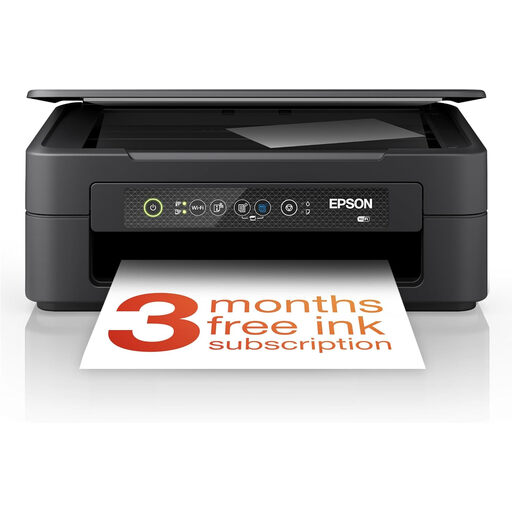
Why This Fits Their Persona: A compact option for students, renters and households needing occasional A4 printing, scanning and copying from a phone or laptop.
Its individual ink cartridges allow the depleted colour to be replaced separately, rather than replacing a combined colour cartridge.
Print, scan and copy functions, Wi-Fi connectivity, mobile printing support and a compact design.

Why This Fits Their Persona: Suitable for households wanting a balanced device for everyday documents, occasional photographs and home-office administration.
Its listed ISO speeds provide a more realistic comparison than relying only on maximum draft-speed figures.
Automatic duplex printing, borderless printing, Wi-Fi Direct, Apple AirPrint and a 1200 × 2400 dpi flatbed scanner.

Why This Fits Their Persona: A practical match for busy home offices, small businesses and families printing documents regularly.
The refillable tank design avoids frequent cartridge changes, although ink usage and yield still depend on the content printed.
Print, scan and copy functions, automatic A4 duplex printing, Wi-Fi, Wi-Fi Direct, USB and a 100-sheet paper tray.

Why This Fits Their Persona: Designed for online sellers, retailers and home businesses producing address, shipping, filing or barcode labels.
Direct thermal printing requires no ink, toner or ribbon, but it is intended for compatible DK labels rather than ordinary paper documents.
Print speeds of up to 71 mm per second, 300 × 600 dpi resolution, an integrated cutter and USB connectivity.
We have compiled a complete, real-time list of products that fully satisfy these strict selection criteria and UK safety regulations.
Most modern wireless printers guide you through network setup using a control panel or mobile application. Place the printer within reliable range of your router, install the relevant app or driver and select the printer from your phone, tablet or computer. Wi-Fi Direct can be useful where a home network is unavailable.
Running costs depend on print volume, page coverage, ink prices and whether you print in colour. For occasional documents, an individual-cartridge inkjet may be adequate. For regular printing, compare refill bottle prices and stated yields from ink tank printers. Remember that photo printing usually consumes more colour ink than ordinary text pages.
Usually not. Portable models are convenient for occasional mobile documents and may use inkless or thermal technology, but they can have narrower paper formats and fewer functions. Choose a full-size A4 multifunction printer for household forms, schoolwork, scanning and copying. A dedicated portable or photo printer is more suitable as a supplementary device for travel or personal prints.