Living-room sport and film hosts
If the screen will be shared in a lounge that still has daylight or lamps on, start with room light and planned image size. Portability matters less if the projector can stay in one place.


Choose for the room’s light and the projector’s placement before deciding on resolution: a portable model makes more sense for occasional viewing when you can darken the room, while regular viewing in a lounge with ambient light calls for a brighter model or better light control. Check the exact model’s streaming apps, sound connections and update information rather than assuming those features come with every smart projector.
If the screen will be shared in a lounge that still has daylight or lamps on, start with room light and planned image size. Portability matters less if the projector can stay in one place.
If you will move the projector between rooms and can usually dim the lights, straightforward positioning, built-in sound and access to your preferred streaming services may matter most.
A darker, more permanent viewing space lets you plan projector placement, image size and audio together. Check that the intended screen and throw distance fit the room before settling on a model.
Decide where and when you will watch first. A separate sound system or streaming device can be added to any suitable setup, so neither needs to define the projector type on its own.
Choose it when: Movie nights are occasional, the projector moves between rooms and you can control the light.
Trade-off: Convenient positioning and integrated features do not establish that a compact model will suit a normally lit lounge.
Choose it when: Films are the priority and you can plan a lasting setup in a dark or well-controlled room.
Trade-off: Placement, screen size and audio need more advance planning than a projector moved between rooms.
Choose it when: Shared sport or films will often be watched with some ambient light.
Trade-off: Higher stated brightness does not remove the need to consider curtains, screen placement and image size.
| Concern | What to check | Who this matters to |
|---|---|---|
| Room light and brightness | Compare the stated brightness unit and intended viewing conditions with your room light and planned image size. Epson’s UK guide places portable use in controlled light at 500–1,500 lumens and living rooms with some ambient light at 2,500–3,500 lumens. | I want daytime sport to remain watchable without fully darkening the lounge. Around 33% of consumers put room light and usable brightness first. |
| Streaming access | Confirm the exact model’s platform and named UK apps; check for a suitable HDMI input if you plan to use a separate streaming device. | If my household mainly watches subscription services, I need the ones we use to play without relying on phone mirroring. For around 27% of consumers, streaming access is the primary concern. |
| Portability and setup | Check size, power requirements and the stated focus and image-adjustment controls; confirm battery operation if you need it. | For occasional films in different rooms, I want positioning and starting a session to be manageable each time. Portability and setup come first for around 20% of consumers. |
| Sound and connections | Check the speaker arrangement and the precise audio outputs against any speaker or soundbar you intend to use. | When several of us watch together, clear dialogue matters more to me than carrying a single compact unit. Around 20% of consumers make sound their primary concern. |
A compact projector suited to controlled light may disappoint during daytime sport in a lounge. Brightness figures also need to be read alongside their stated units, viewing conditions and intended image size.
Decide how much light you can block, then compare models described for that environment rather than treating one brightness number as a complete picture assessment.
You may need to darken the room or reconsider the planned screen and projector position.
An interface or wireless casting feature does not establish that your subscription service will play. BenQ notes that copy protection can prevent paid streaming apps from mirroring from a phone.
Check named app support for the exact model and, if needed, whether its HDMI input works with your intended streaming device.
A separate streaming device and a suitable cable may be needed.
Which? reports meaningful sound-quality differences between the home projectors it tests; an integrated speaker specification alone does not settle whether dialogue will be clear for your group.
Check the model’s sound and audio-output options against the room and any external speaker you plan to connect.
A separate speaker or soundbar can add equipment, cables and placement decisions.
XGIMI’s MoGo 2 Pro (New) UK page specifies Google TV and 430 ISO lumens; the Joybuy MoGo 2 Pro listing cited in the product research specifies Android TV 11 and 400 ISO lumens. Those are consequential differences when choosing for apps and room light.
Match the complete model version, platform and stated brightness unit before treating two listings as the same projector.
Epson’s UK range includes portable smart projectors and models intended for more permanent home viewing.
BenQ offers distinct UK models for living-room entertainment and more controlled home-cinema spaces.
XGIMI’s UK range spans compact streaming projectors and separate home-projector models.
Nebula describes portable smart projectors alongside home-theatre products in its UK range.
These projectors are options for shared home viewing, including portable and smart setups. Compare each model’s stated features with the light in your room, the services you use and your sound plans.
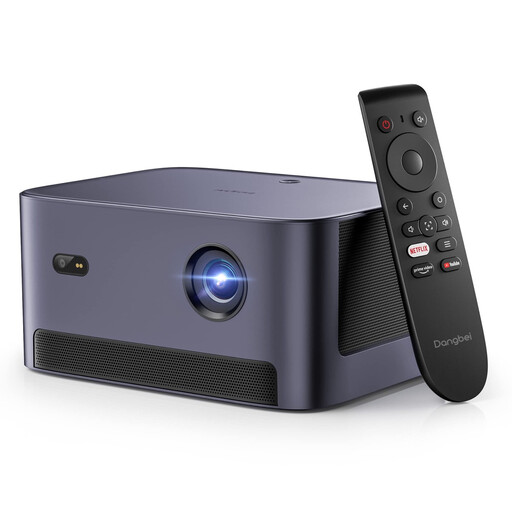 No image available
Consider it for film nights if you want the listing’s built-in Netflix access and automatic image setup. The title states 1080P Full HD, 540 ISO lumens and Dolby Audio; confirm the operating system and your other preferred UK apps, as the platform descriptions conflict. Check the planned image size against your room lighting.
 No image available
This portable model is worth considering when you can control the room light and move the projector between viewing spots. Its title states 1080P FHD and 4K support, not native 4K projection; check the intended image size and the streaming services you need.
 No image available
Consider this bundle if named built-in apps appeal for a flexible film or sport setup. Its title claims native 1080P, licensed Netflix and Dolby Audio, but the focus descriptions conflict; confirm how the supplied unit focuses, which bundle items are included and whether your preferred apps work in the UK. Assess brightness against your room and planned image size.
 No image available
This model may suit viewers who expect to reposition their projector and want automatic image adjustment. Its title states native 1080P, 900 ANSI lumens and Android 14; the separate 8K support claim does not mean native 8K projection. Check your preferred built-in apps and whether the stated brightness fits the viewing room.
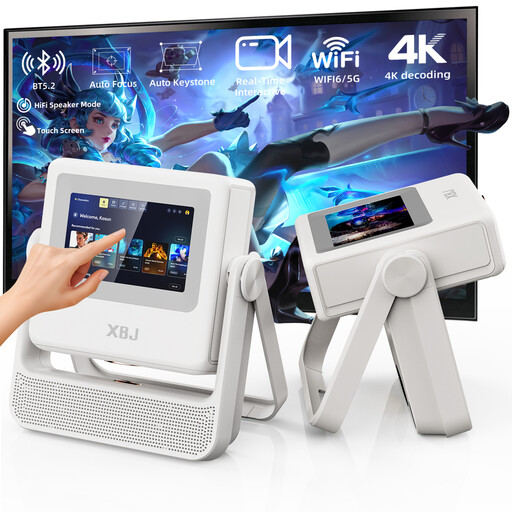 No image available
Consider this model if adjustable positioning and automatic image setup are useful for your viewing space. Its title states native 1080P, 900 ANSI lumens, an Android system and auto focus and keystone adjustment; 4K support is not a native-resolution claim. Confirm UK access to the apps you use and whether its sound and brightness suit the room.
Choose brightness for the light you cannot block and the image size you plan to use. Epson’s UK buying guide places 2,500–3,500 lumens in living rooms with some ambient light, compared with 500–1,500 lumens for portable indoor use or controlled lighting; these are Epson’s guidance ranges, not a guarantee for a particular room or projector.
Do not assume phone mirroring will play Netflix on a smart projector. BenQ says copy protection can block mirroring of paid streaming apps, so check the exact model’s named app support or its HDMI compatibility with a suitable streaming device.
Not necessarily: decide using the sound of the specific projector and the size of your viewing space. Which? reports significant sound-quality differences between projectors, so check audio outputs against your intended speaker or soundbar before planning an external setup.