Choose a projector around the room before choosing its features: a portable model suits occasional viewing in a darkened room, while a home-entertainment model is worth considering when some ambient light remains. If there is little distance between the projector and wall, consider an ultra-short-throw model instead; whichever route fits, check the exact model’s placement chart, streaming compatibility, sound connections and gaming input lag where relevant.
Who is this for?
Occasional movie-night hosts
If you want a shared screen you can put away afterwards, decide whether you can darken the room enough for a portable projector. Epson’s buying guidance distinguishes controlled-light viewing from living rooms with some ambient light.
Small-flat big-screen seekers
If furniture limits where the projector can sit, measure the lens-to-wall distance before choosing an image size. BenQ’s placement guidance and Epson’s ultra-short-throw range show why the exact model’s throw distance matters.
Social console gamers
If game nights include fast-paced play, check input lag at the resolution and refresh rate your console or PC will use. BenQ lists different lag figures for different signal modes on its TK710, so one headline figure cannot describe every setup.
What matters when choosing?
Start with the light you can control and the distance available between projector and wall. Then work out how the group will access films and games, and whether the projector’s sound will be sufficient.
| Concern | What to check | Who this matters to |
|---|
| Image visibility |
Compare stated brightness using the same measurement unit and check the model’s intended lighting conditions. Epson places 2,500–3,500 lumens in its range for living rooms with some ambient light. |
If I cannot fully darken our shared room, I need to know whether the picture will remain visible during our usual viewing time; around 31% of consumers would put room-light visibility first. |
| Placement and image size |
Measure from the planned lens position to the wall, then consult the exact model’s image-size and distance chart. Throw ratio relates throw distance to image width. |
When our furniture leaves little space behind the seating area, getting a useful image from an available position is my deciding need; around 31% of consumers would prioritise placement. |
| Streaming and sound |
Confirm direct support for the services you use or a suitable HDMI source. Check the connections needed for your intended speaker or soundbar. |
I want everyone to follow the film and hear dialogue without an awkward setup each time; streaming and shared sound would be the primary concern for around 23% of consumers. |
| Gaming response |
Find the input-lag figure for the resolution and refresh rate your console or PC will output, rather than relying on the lowest advertised figure. |
If fast-paced games are a regular part of our evenings, responsive controls matter more to me than a headline resolution; around 15% of consumers would put gaming response first. |
Common buying mistakes
-
Choosing a screen size before measuring the room
The desired image may not fit the distance between the planned projector position and wall. Throw distance depends on the model and image size, as BenQ’s placement guidance explains.
Measure from the lens position and use that model’s throw chart before deciding between conventional, short-throw and ultra-short-throw placement.
A different stand, mount or projection surface may be needed if the original position does not work.
-
Assuming a smart operating system includes every streaming app
Netflix says direct app compatibility depends on the projector model and its partnership arrangements, not simply the operating-system name.
Check direct support for the services you use. If necessary, confirm that the projector can accept a supported external streaming device through an appropriate input.
Using a separate streaming device adds equipment and a connection to the setup.
-
Comparing gaming projectors by one input-lag figure
Lag can change with resolution and refresh rate. BenQ, for example, specifies different figures for different signal modes on its TK710.
Compare the figure for the output mode you will actually use, then check that the projector also fits your room and lighting.
-
Treating similarly named projectors as the same version
The XGIMI MoGo 2 Pro listing on Joybuy specifies Android TV 11 and 400 ISO lumens, while XGIMI UK describes its MoGo 2 Pro (New) with Google TV and 430 ISO lumens. Those descriptions should not be treated as interchangeable.
Compare the full version name, brightness specification, operating system, streaming compatibility and included accessories for the product you intend to order.
Relevant brands to consider
Epson
Epson’s UK projector range includes portable, home-entertainment and ultra-short-throw models.
- The range offers different placement and room-light options, including a close-to-wall ultra-short-throw model.
- Brightness, streaming platform, sound and placement requirements differ by model; check the specification of the version under consideration.
BenQ
BenQ has home-entertainment, short-throw and gaming-oriented projector options, alongside model-specific placement guidance.
- Its TK710 specifications distinguish gaming input lag by resolution and refresh rate.
- TK710 figures do not apply to every BenQ model; room-light suitability and throw distance also need checking individually.
XGIMI
XGIMI’s portable range is relevant to movable, occasional shared viewing.
- XGIMI UK lists Google TV and licensed Netflix for its MoGo 2 Pro (New).
- Similarly named versions can have different operating systems, brightness specifications and app arrangements; confirm the exact version.
Portable projector choices on Joybuy
These portable options are relevant if you can control the room light and want to move or store the projector after shared viewing. Check the placement chart and direct app support for the exact model; their portable format alone does not establish suitability for a bright room or fast-paced games.
 No image available
Magcubic HY350Max Portable Projector, Native 1080P, 900 ANSI
Consider this portable model for occasional viewing where you can manage the room lighting.
The listing names native 1080P resolution, 900 ANSI brightness, Android 14, 180° rotation and auto keystone correction. Check the image size available from your planned position and direct support for your streaming services.
If responsive gaming matters, check input lag for the signal mode you intend to use.
View on Joybuy
 No image available
Magcubic HY300 Pro Mini Projector, Grey, Native 720p
This compact option suits occasional viewing when you need to move or put away the projector.
The listing specifies native 720p, Android 14, auto keystone correction and a 180° rotating stand. Its stated support for higher-resolution input does not change the native resolution.
Check the image size at your available distance and confirm direct access to the streaming apps you use.
View on Joybuy
 No image available
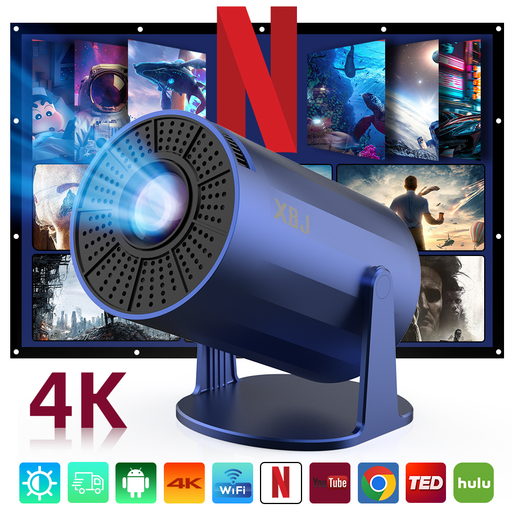
XBJ Portable Blue Projector, Android 11, 200 ANSI
Consider this portable projector for a movie night in a room you can darken.
The listing names 200 ANSI brightness, 4K decoding, Android 11 and auto keystone correction. Decoding support should not be read as a native-resolution specification.
Confirm the image size at your available distance, the required streaming apps and the rotation arrangement for this version before ordering.
View on Joybuy
 No image available
XBJ 360° Portable Projector, Full HD 1080P, European Version
This is another movable option for shared viewing where the room light can be controlled.
The title lists 360° rotation, 500 lumens, auto keystone correction and HDMI compatibility. Confirm how brightness and resolution are specified for this exact version before comparing it with other models.
Check its image-size and distance chart, direct streaming-app support and mode-specific input lag if gaming is important.
View on Joybuy
Questions about setup and use
Does Google TV or Android TV mean Netflix will work directly?
No. Netflix says direct app compatibility depends on the projector model and advises checking whether it works in your region. Confirm support for the exact version rather than relying on its operating-system name.
What if a projector does not support my streaming app?
A supported external streaming device may provide another way to watch. Netflix advises using a compatible computer, streaming stick or mobile device with a suitable video connection; check the projector’s input and the device’s service support before buying.
How can I tell whether a 100-inch image will fit my room?
Measure the planned lens-to-wall or lens-to-screen distance and consult the exact projector’s throw chart for a 100-inch image. BenQ explains throw ratio as throw distance divided by image width; a distance shown for one model will not apply to every projector.
Can I use a projector with some daylight or lamps on?
Yes, if you choose for the light you can realistically control, but a brightness specification alone cannot guarantee the picture in your room. Epson places 2,500–3,500 lumens in its guidance for living rooms with some ambient light; also check the intended image size and projection surface.


