
24/7 Customer Support

Free returns

Same-day & Next-day Delivery

Quality Guaranteed

Unlock Your Welcome Offers: FREE Delivery | Up to 80% OFF | Free 30-day JoyPlus trial
Download the APP
As a Joybuy Product Recommendation Officer, my role is to help you navigate the crowded market of home technology. Choosing a home security camera can seem straightforward, but many UK buyers find themselves disappointed by devices that over-promise and under-deliver. The goal is simple: peace of mind, whether you're keeping an eye on your property, checking in on a pet or using it as a baby monitor camera.
However, the path to finding a reliable camera is filled with marketing traps. Before you buy, be aware of these common pitfalls that can lead to frustration and wasted money.
colour night vision camera is a feature worth looking for, but its quality varies dramatically.security camera with app that is more of a nuisance than a help.To avoid these issues, focus on a few core specifications that determine a camera's real-world performance.
While 1080p (Full HD) is a good starting point, a camera with 2K or 4K resolution provides significantly more detail. This is the difference between seeing a blurry figure and being able to clearly identify a person's face or the text on a package. Equally important is the lens aperture (e.g., f/1.6), as a wider aperture lets in more light, dramatically improving the clarity of night-time footage. This is a key component of a functional colour night vision camera.
A wifi security camera is only as good as its connection. Models that support both 2.4GHz and 5GHz dual-band WiFi offer greater flexibility. The 2.4GHz band provides better range and can penetrate walls more effectively, while the 5GHz band offers faster speeds and less interference, which is ideal for smooth live streaming. A well-designed and regularly updated app is also non-negotiable for reliable remote access and timely notifications.
Consider how your footage will be stored.
Many modern cameras offer both options, giving you the flexibility to choose. Also, look for features like "Privacy Mode," which physically or digitally blocks the lens when you are home.
Based on these practical criteria, here are some recommendations matched to different user needs.
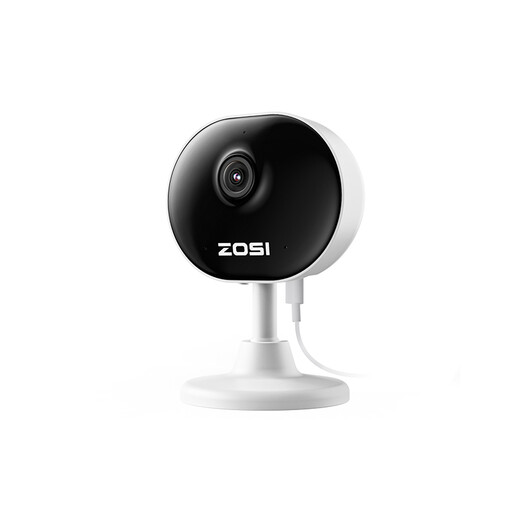
Why This Fits Their Persona: Ideal for renters or anyone needing a simple, affordable `indoor security camera`. Its small footprint and magnetic base allow for damage-free installation on a shelf or metal surface, providing basic but reliable monitoring without a large upfront investment.
It provides all core functions—1080p video, night vision and motion alerts—with local SD card storage (card not included), steering clear of the mandatory subscription trap for basic functionality.
Its main advantage is the discreet, pocket-sized design and flexible mounting. It also includes `security camera with audio` for two-way talk, a useful feature at this price point.
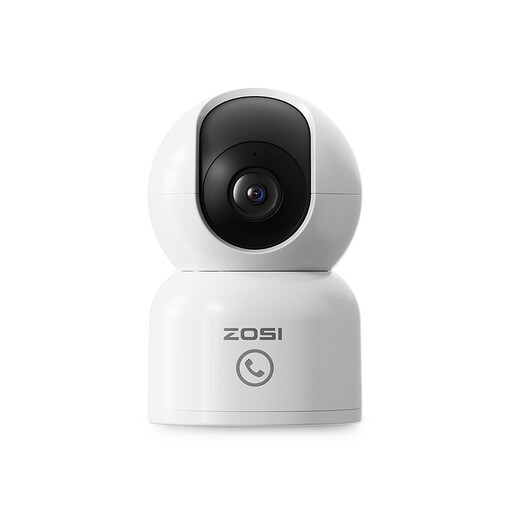
Why This Fits Their Persona: Perfect for those who need to monitor a whole room, such as a nursery or living area with a new puppy. The `360 security camera` pan-and-tilt function combined with AI tracking ensures nothing is missed, making it an excellent `pet camera` or baby monitor.
It tackles the false alert problem with its AI human and pet tracking. The 2.5K (4MP) resolution offers a clear step up from basic 1080p, avoiding the "HD Deception" by delivering genuinely sharp details.
The "One-Touch Call" button on the camera is a standout feature, allowing children or elderly relatives to easily initiate a call to your phone, adding a layer of communication not found on most cameras.
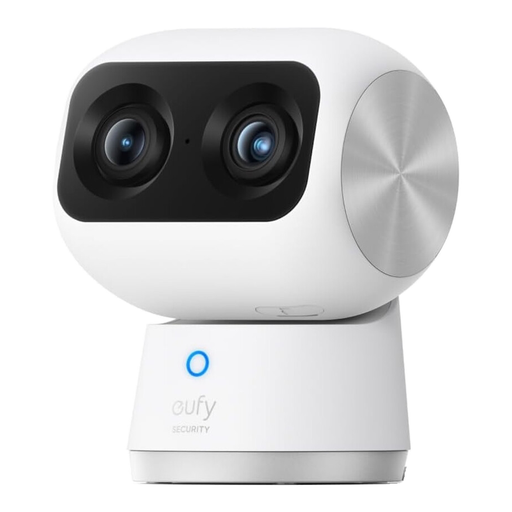
Why This Fits Their Persona: For the tech-savvy homeowner who wants high-end performance and future-proof features. This camera is for those who prioritise image clarity, intelligent tracking and a fast, stable connection above all else.
It directly counters all three pitfalls. Its on-device AI and local storage commitment avoid subscription fees for core features. The dual-camera 4K system provides exceptional clarity, and Dual-Band Wi-Fi 6 support ensures a robust connection.
The dual-camera system, combining a 4K wide-angle lens with a 2K telephoto lens, enables an 8x hybrid zoom with remarkable detail. This is a significant step up from the purely digital zoom on most other cameras.
We have compiled a complete, real-time list of products that fully satisfy these strict selection criteria and UK safety regulations.
While you can point a standard indoor security camera out of a window, the results are often poor. At night, the camera's infrared (IR) lights will reflect off the glass, creating a white glare that completely obscures the view. During the day, reflections can also be an issue. For this specific purpose, look for a dedicated window camera like the ZOSI C680, which uses anti-glare technology and forward-facing lights to see clearly through glass without reflections.
It depends on the model and your settings. Most cameras offer two main recording modes:
Data usage varies based on the video resolution and how often you are live-streaming. As a rough guide, a 1080p camera might use 1-2 GB of data per day if recording continuously to the cloud, while a 2K or 4K camera could use significantly more. If you are only using motion-triggered recording and check the live feed occasionally, the data usage will be much lower. This is an important consideration if you have a capped broadband plan.