
24/7 Customer Support

Free returns

Same-day & Next-day Delivery

Quality Guaranteed

Unlock Your Welcome Offers: FREE Delivery | Up to 80% OFF | Free 30-day JoyPlus trial
Download the APP
Choosing a home security camera can feel overwhelming. You want peace of mind, but the market is flooded with technical jargon and enticing deals that often hide significant drawbacks. As a Joybuy Product Recommendation Officer, my role is to help you see past the marketing clutter and focus on what truly matters for your home's security. Many UK buyers fall into common traps that lead to frustration and wasted money. Before you buy, let's look at the pitfalls to avoid.
The most common issues we see are:
To make a confident choice, focus on a few key specifications that determine a camera's real-world performance.
While resolution numbers like 1080p, 2K or 4K are important, they don't tell the whole story. The quality of the image sensor and lens aperture are just as critical. A camera with a larger aperture (e.g., f/1.6) lets in more light, resulting in a clearer picture, especially in low-light conditions.
For a security camera with night vision, look beyond basic infrared. Many modern cameras now offer full-colour night vision, using sensitive sensors and sometimes a small spotlight to capture video in colour after dark. This can be invaluable for identifying details like clothing or car colour.
How your camera stores footage is a crucial decision that impacts both cost and security.
Some of the most flexible models offer both options, allowing you to use a microSD card for daily recording and a cloud plan for backing up critical events.
The right power source depends on where you plan to place your camera.
Based on these practical considerations, we've matched a few standout products to different user needs. These recommendations focus on delivering reliable performance and value without the hidden costs.
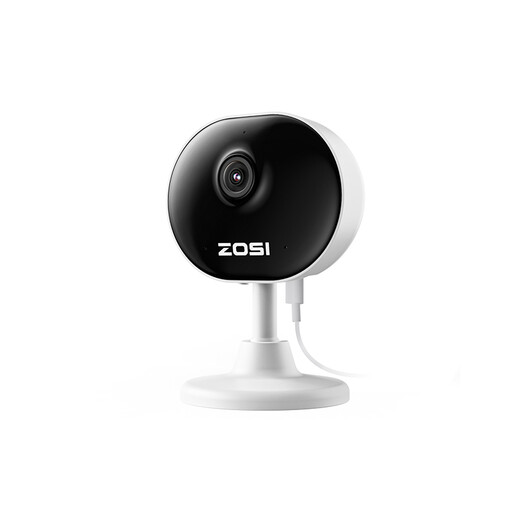
Why This Fits Their Persona: Ideal for those in flats or wanting to monitor a single room. It provides reliable 1080p video, two-way audio and motion alerts without a hefty price tag or complex setup. Its small footprint makes it easy to place on a shelf or desk discreetly.
It sidesteps the subscription trap by relying on local microSD card storage for all recordings. You own your data and face no recurring fees for core functionality.
Its main advantage is its discreet, 85g pocket-sized design and no-drill magnetic base, allowing for quick, damage-free installation anywhere indoors.
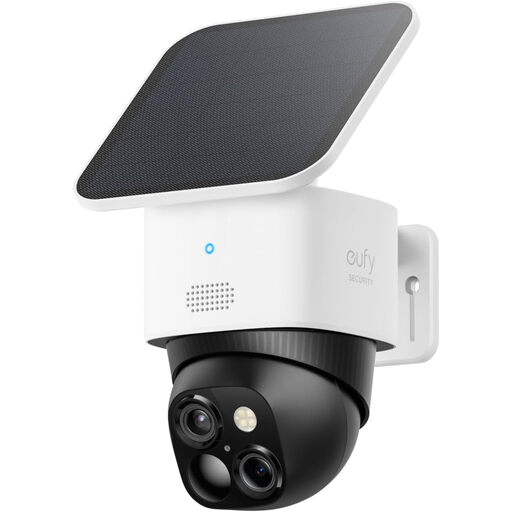
Why This Fits Their Persona: Perfect for homeowners wanting comprehensive outdoor coverage without running wires. This solar powered security camera is designed to monitor gardens, driveways and property perimeters with 360° coverage.
It completely avoids ongoing costs. The solar panel provides continuous power, and with its built-in local storage, there are no mandatory monthly fees for recording or alerts.
The dual-camera system provides both a wide-angle and a telephoto view simultaneously, while the 360 security camera pan-and-tilt function eliminates blind spots entirely.
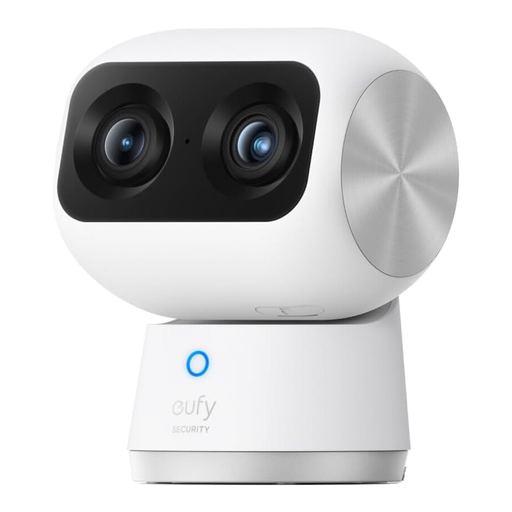
Why This Fits Their Persona: For those who want to keep a close eye on children, elderly relatives or pets. This advanced pet camera and baby monitor offers exceptional detail and smart tracking features to monitor activity with precision.
It defeats the "resolution myth" by pairing a true 4K UHD sensor with an 8x hybrid zoom. Its on-device AI for tracking people and pets works without needing a subscription.
The dual-camera system provides both a wide-angle overview and a zoomed-in telephoto view in the same frame. The AI-powered tracking automatically follows subjects around the room.
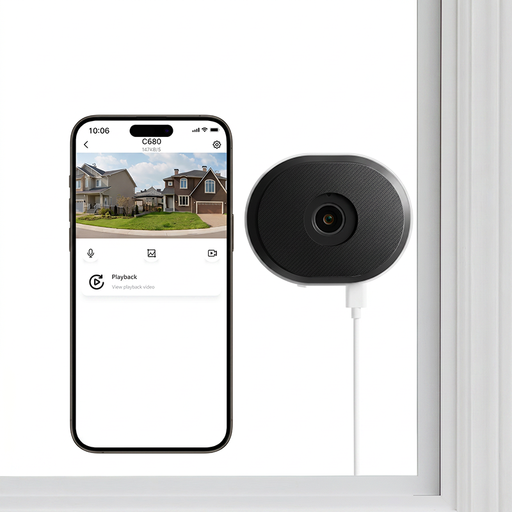
Why This Fits Their Persona: Specifically designed for renters or flat dwellers who need to monitor the outside from a window. It solves the problem of glare and reflections that make standard cameras useless when pointed through glass.
This camera avoids the installation trap. Its no-drill, hook-and-loop mount attaches directly to glass without causing damage, making it perfect for rental properties.
Its standout feature is the anti-glare lens technology, which provides clear footage through glass, even at night. It also supports both 2.4GHz and 5GHz WiFi for a stable connection.
We have compiled a complete, real-time list of products that fully satisfy these strict selection criteria and UK safety regulations.
The amount of data a WiFi camera for home uses depends heavily on the video resolution and how often it records. A camera recording continuously in 1080p could use over 60GB of data per month, whereas one that only records short clips when motion is detected will use significantly less. It's wise to check your broadband plan's data limits if you plan on 24/7 recording.
Absolutely. Many cameras are designed to work without a subscription by using a microSD card for local storage. This allows you to record, store and review your footage without any monthly fees. When browsing, look for terms like "local storage," "SD card slot" or "no monthly fee" in the product description to ensure it meets your needs.
This refers to the wireless frequency the camera uses to connect to your router. 2.4GHz has a longer range and is better at penetrating walls, making it a reliable choice for an outdoor or garage camera. 5GHz offers faster speeds and is less prone to interference from other household devices, which is ideal for streaming high-resolution 4K video from an indoor camera. Some models support both (dual-band) for the best of both worlds.