
24/7 Customer Support

Free returns

Same-day & Next-day Delivery

Quality Guaranteed

Unlock Your Welcome Offers: FREE Delivery | Up to 80% OFF | Free 30-day JoyPlus trial
Download the APP
Choosing a home security camera can feel overwhelming. The market is flooded with options, all promising total peace of mind. Yet, many UK residents find themselves disappointed with a device that either costs more than expected or fails to deliver when it matters most. As a Joybuy Product Recommendation Officer, my role is to help you navigate the marketing clutter and focus on what truly counts.
Before you add any camera to your basket, be aware of these common pitfalls that can lead to buyer's remorse:
To ensure your new camera meets your expectations, focus on these core specifications. Getting these right is the first step to a worthwhile purchase.
While 1080p (Full HD) is a common standard, a 2K security camera offers a noticeable improvement in detail, making it easier to identify faces or read number plates. For complete coverage of a room without multiple devices, a pan tilt security camera is an excellent choice. It can be controlled via a smart camera with app to rotate horizontally and vertically, eliminating blind spots. This is particularly useful for monitoring large living areas, keeping an eye on a new puppy or using it as a versatile pet camera.
This is where you can avoid the subscription trap.
Many modern cameras offer both, giving you the flexibility to choose. For budget-conscious users or those concerned with privacy, a model with reliable local storage is a must-have.
A good WiFi security camera should connect seamlessly to your home network. Some models now support both 2.4GHz (for better range through walls) and 5GHz (for faster speeds) bands. Beyond the connection, look for practical features that enhance security. A two-way audio camera lets you speak with family members or warn off intruders, while a model with security camera with colour night vision uses advanced sensors to provide full-colour video in low-light conditions, offering far more detail than traditional infrared.
We've matched some popular models to the needs of different UK households.
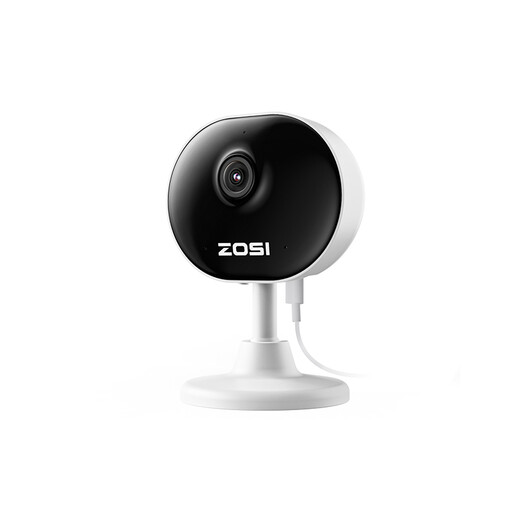
Why This Fits Their Persona: This is an ideal starting point for anyone needing a simple, effective indoor security camera without a hefty price tag. Its compact size and straightforward setup make it perfect for tenants who need a non-permanent solution to monitor their flat, check on pets or use as a basic baby monitor camera.
It supports local storage via a microSD card, allowing you to record footage without mandatory monthly fees. The setup is genuinely simple, with a magnetic base and 3M tape options that mean no drilling is required—a key feature for any camera for renters.
Provides solid 1080p HD clarity and two-way audio in a very small, discreet package. The plug-and-play design means you can be up and running in minutes.
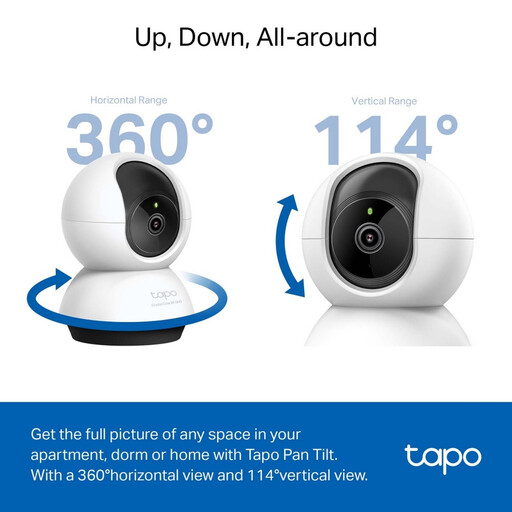
Why This Fits Their Persona: For homeowners who want a significant step-up in quality without a premium price. The 2K resolution and pan/tilt function provide excellent coverage of larger indoor spaces. Its AI detection can distinguish between people and pets, making it a smart choice for busy family homes.
It supports a large capacity microSD card (up to 512GB), offering extensive local storage to bypass mandatory cloud fees. The enhanced night vision provides genuinely clear footage up to 9 metres, avoiding the pitfall of poor low-light performance.
The combination of 2K QHD resolution and 360° pan/tilt offers superior monitoring capabilities. Smart AI detection for people, pets and specific sounds (like a baby crying) reduces false alerts.
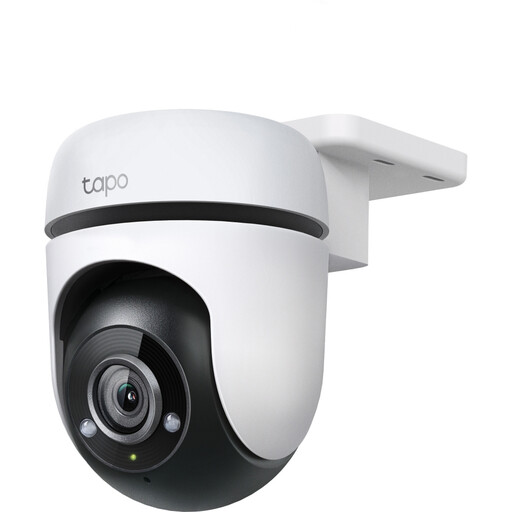
Why This Fits Their Persona: This camera is built for those who need to monitor the outside of their property. Its weatherproof design and pan/tilt functionality allow it to cover a wide area like a garden, driveway or alleyway, providing a comprehensive view from a single installation point.
The IP65 weatherproof rating ensures it withstands the British weather, avoiding failure due to rain or dust. It also supports local storage up to 512GB, giving you a subscription-free option for your outdoor CCTV camera for home.
Its main advantage is the 360° pan/tilt coverage in a durable outdoor body. The advanced night vision provides visibility up to 30 metres, ensuring your property's perimeter is monitored effectively around the clock.
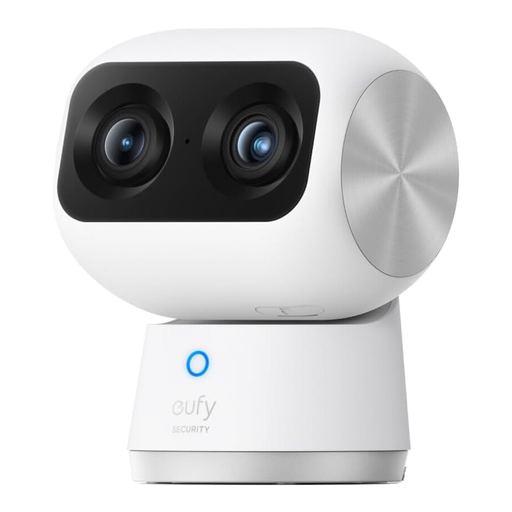
Why This Fits Their Persona: This camera is for those who want high-end performance and cutting-edge features. The dual-camera system provides both a wide-angle view and a telephoto zoom, while the 4K resolution delivers exceptional detail. It's perfect for monitoring large spaces or for users who want to zoom in on details without losing clarity.
Like other eufy Security products, it is designed to work with local storage, freeing you from mandatory subscriptions for core functions. The exceptional night vision and AI-powered tracking deliver on performance promises, avoiding the disappointment of subpar features.
The standout feature is the dual-camera system with 4K UHD resolution and 8x hybrid zoom. This, combined with intelligent AI tracking that follows people or pets, provides a level of monitoring detail that single-lens cameras cannot match.
We have compiled a complete, real-time list of products that fully satisfy these strict selection criteria and UK safety regulations.
Not necessarily. Many excellent cameras, including those highlighted above, offer local storage via a microSD card. This allows you to record, store and review footage without paying any monthly fees. Subscriptions are typically for optional cloud storage, which provides an off-site backup of your videos. Always check for a local storage option if you want to avoid recurring costs.
Absolutely. Many modern indoor cameras are designed specifically with renters in mind. Look for "plug-and-play" models that are lightweight and come with non-damaging mounting options, such as an adhesive pad or a magnetic base. These can be set up in minutes and removed without leaving a mark, making them a perfect camera for renters.
Data usage depends on the video resolution, frame rate and how often the camera is recording. A camera recording continuously in 1080p can use a significant amount of data, whereas a camera set to record only when motion is detected will use far less. If you have a data cap on your home internet, consider a model that allows you to adjust the video quality or primarily use motion-activated recording to manage data consumption.