
24/7 Customer Support

Free returns

Same-day & Next-day Delivery

Quality Guaranteed

Unlock Your Welcome Offers: FREE Delivery | Up to 80% OFF | Free 30-day JoyPlus trial
Download the APP
Choosing a home security camera should bring peace of mind, not a headache. Yet, many UK residents find themselves tangled in confusing marketing claims and hidden costs. Before you invest in a system to protect your property, it's crucial to understand the common pitfalls that can lead to a poor purchase. As your Joybuy Product Recommendation Officer, my role is to help you see past the hype and select a device that genuinely meets your needs.
Let's start by sidestepping the three most common traps:
To make a confident choice, focus on the specifications that actually matter for day-to-day use. Here are the three non-negotiable factors to analyse.
The clarity of your camera's footage is paramount. A blurry image is of little use when you need to identify a person or read a vehicle registration.
How you power and connect your camera will define its reliability and where you can place it.
Where your video recordings are saved impacts both cost and privacy.
To help you match a camera to your specific needs, we've filtered our selection based on how well they solve the common problems UK homeowners face.
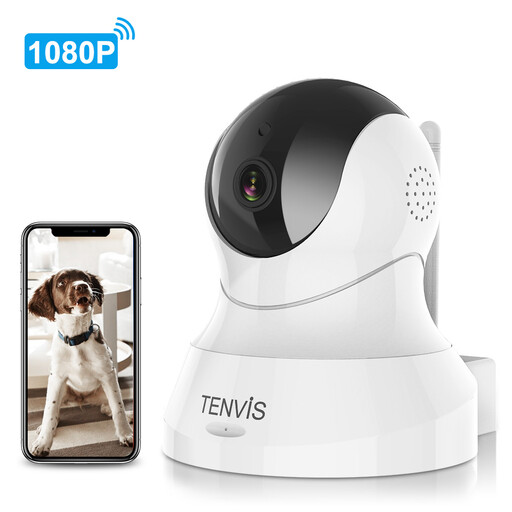
Why This Fits Their Persona: An ideal first indoor camera for renters or homeowners wanting to monitor a single room, like a nursery or living area, without a large initial investment. It provides all the core functions needed for basic peace of mind.
This is a straightforward plug-and-play model, eliminating any confusion about "wireless" power. It relies on local storage (SD card, not included), allowing you to avoid mandatory monthly cloud fees.
Features 355° pan and 120° tilt coverage, allowing you to see an entire room with one device. The two-way audio is useful for checking in on family or pets.
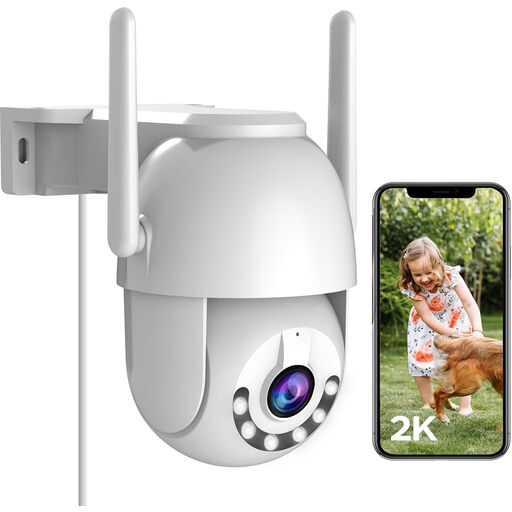
Why This Fits Their Persona: Perfect for UK homeowners who need robust, comprehensive surveillance of their property's exterior, including gardens, driveways and side alleys. Its weatherproofing and full-coverage view are ideal for the unpredictable British weather.
It offers both cloud and local MicroSD card storage (up to 256GB), giving you the freedom to bypass monthly fees. The full-colour night vision provides genuinely useful footage after dark, avoiding the trap of poor-quality IR video.
The 360° PTZ function allows you to cover a large area with a single camera. Its IP66 weatherproof rating ensures it can withstand rain and wind, and the 2K resolution provides sharp, clear images.
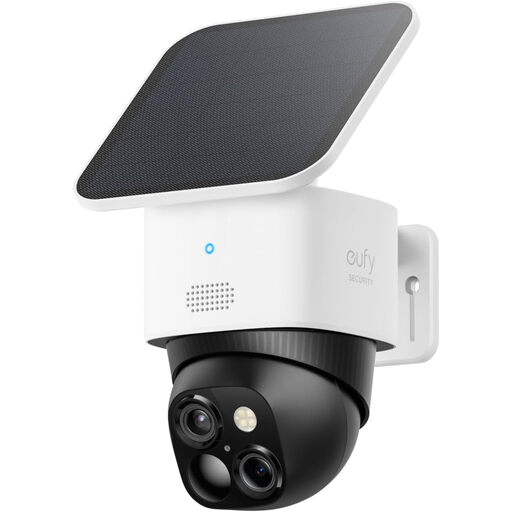
Why This Fits Their Persona: For the homeowner who wants advanced technology with minimal fuss. The solar power means no cables and no recharging, making it a true 'fit-and-forget' solution for monitoring large outdoor spaces without blind spots.
This model directly confronts all three pitfalls. It is truly wireless thanks to the integrated battery and solar panel. It operates with no mandatory monthly fees for its core features and local storage. The 3K resolution ensures high-quality footage day and night.
The dual-camera system provides both a wide-angle overview and a telephoto zoom simultaneously. The solar panel provides continuous power, making it exceptionally low-maintenance.
Of course, your front door is a key vulnerability. While the cameras above are excellent for general surveillance, a dedicated video doorbell offers a specialised solution for screening visitors and monitoring parcels.
We have compiled a complete, real-time list of products that fully satisfy these strict selection criteria and UK safety regulations.
Yes, it is legal to install a CCTV camera for home use on your own property. However, you must comply with data protection laws. Your cameras should not capture footage of your neighbours' private property (like their gardens or inside their windows) or public spaces where people have a reasonable expectation of privacy. If your camera does overlook a public path or a neighbour's property, it's good practice to inform them and display a small, clear sign stating that recording is in progress.
Data usage depends on the camera's resolution, how often it records and whether you are live-streaming frequently. A camera recording motion-activated clips in 1080p might use between 1GB and 5GB of data per month. A camera set to record 24/7 in 4K will use significantly more. If you have a data cap on your home broadband, opting for a camera with local SD card storage can help, as it only uses data when you stream live or receive notifications.
Absolutely. The vast majority of modern smart security camera systems are designed for easy DIY installation. Plug-in indoor cameras often take just minutes to set up. Outdoor models may require drilling to mount a bracket, but they typically come with all the necessary hardware and clear instructions. The key is to ensure any outdoor power connections are properly weatherproofed.