
24/7 Customer Support

Free returns

Same-day & Next-day Delivery

Quality Guaranteed

Unlock Your Welcome Offers: FREE Delivery | Up to 80% OFF | Free 30-day JoyPlus trial
Download the APP
Choosing home security cameras is not simply a matter of selecting the highest resolution or the longest feature list. The right model depends on where it will be installed, how footage will be stored and whether you need alerts, two-way communication or remote access through a phone app.
As the Joybuy Product Recommendation Officer, my approach is to separate useful specifications from attractive but potentially misleading marketing language. These are the main pitfalls to consider before buying.
A 2K or 4MP camera can provide more image detail than a 1080p model, but positioning, lighting, lens quality and Wi-Fi stability also affect the result. A high-resolution camera may still produce blurred or delayed footage if it is pointed towards glare, installed too far from the router or recording through reflective glass.
For a small room, a 1080p indoor security camera may be adequate. A driveway, garden or shop entrance may benefit from a 2K security camera with a wider field of view and suitable night vision.
Many wireless security cameras use Wi-Fi for data but still require a cable and socket for power. Battery-powered options offer more flexible placement, but they need charging and may record differently to mains-powered cameras.
Check whether the product is genuinely battery-operated or simply a Wi-Fi camera with a power adapter. For continuous recording, a wired power supply is generally more practical.
Some cameras support a microSD card, cloud storage or both. Cloud plans may provide remote backup, but they can involve monthly charges and account restrictions. Local storage avoids a compulsory subscription in some models, although the card is often sold separately and can eventually fill up.
Before purchasing, check the maximum card capacity, whether 24/7 recording is supported and what happens when the card reaches its limit. Also review the app’s storage terms rather than assuming that a free trial continues indefinitely.
A fixed camera is suitable for a front door, hallway or a specific cot position. A PTZ security camera can pan and tilt remotely, while a 360° security camera may cover a larger room from one mounting point.
Remember that “360°” may refer to horizontal rotation rather than a full spherical view. Check the stated pan and tilt ranges. Auto-tracking can follow movement, but it should not replace careful positioning or additional cameras for blind spots.
A night vision camera may use infrared black-and-white footage, colour night vision supported by ambient light or a built-in spotlight. Colour can help distinguish visible details, but a bright spotlight may be unsuitable in a bedroom or may attract attention outdoors.
Look for the quoted night-vision distance and consider whether nearby street lighting, garden lighting or window reflections could affect the image.
A Wi-Fi security camera should be placed within reliable router range. 2.4GHz Wi-Fi generally travels further through walls, while 5GHz can offer faster local connections over shorter distances. Some models also include Ethernet, which can be useful for an outdoor camera or small business installation.
Motion detection settings, activity zones and person or vehicle detection can help reduce irrelevant notifications. However, detection systems can still respond to shadows, pets or changing light, so adjustable sensitivity is useful.
A two-way audio camera allows you to speak through the app, but it is not a substitute for emergency services or direct supervision. For babies, choose a dedicated baby monitor camera if you need a parent screen, temperature information or a connection that does not rely on home broadband.
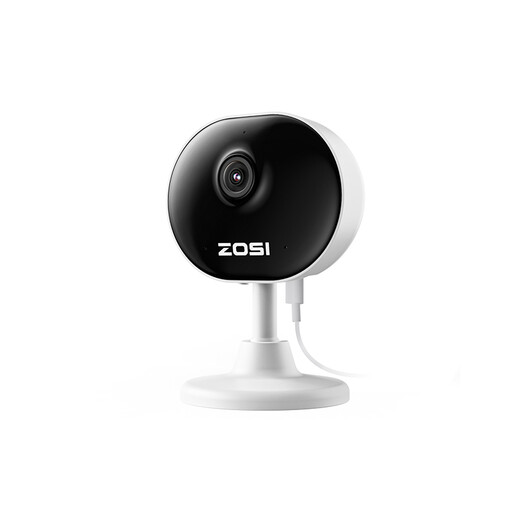
Why This Fits Their Persona: A compact option for renters, pet owners or anyone starting with indoor monitoring in a flat, bedroom or home office.
It provides motion zones, app alerts and local 24/7 recording support, helping buyers avoid paying for features they may not need.
1080p video, 33-foot night vision, two-way audio and a magnetic or adhesive mounting option.
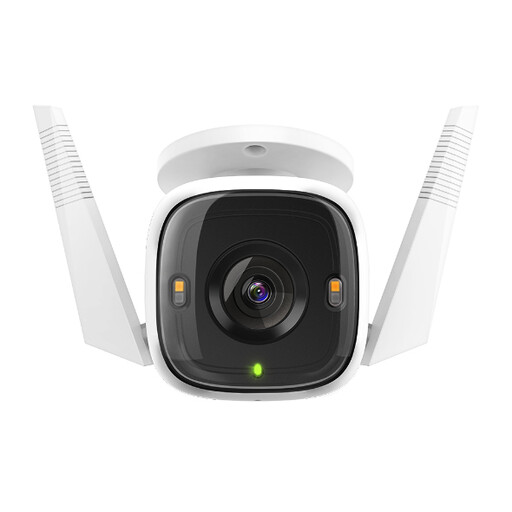
Why This Fits Their Persona: Suits homeowners wanting detailed outdoor monitoring for a drive, garden or entrance, with a choice of Wi-Fi or Ethernet connection.
Its IP66 rating is stated for outdoor use, while Ethernet provides an alternative if garden Wi-Fi is unreliable. Connections still need protected installation.
2K QHD resolution, colour night vision with spotlight, person and vehicle detection and microSD support up to 256GB.
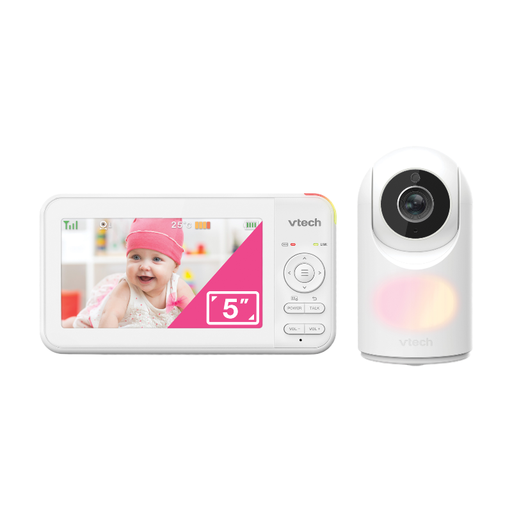
Why This Fits Their Persona: Designed for parents who prefer a dedicated parent unit rather than relying entirely on a cameras-with-phone-app setup.
It does not depend on app alerts for basic viewing and includes a secure digital connection between the camera and parent unit.
Five-inch colour display, remote pan and tilt, infrared night vision, two-way talk and a temperature sensor.
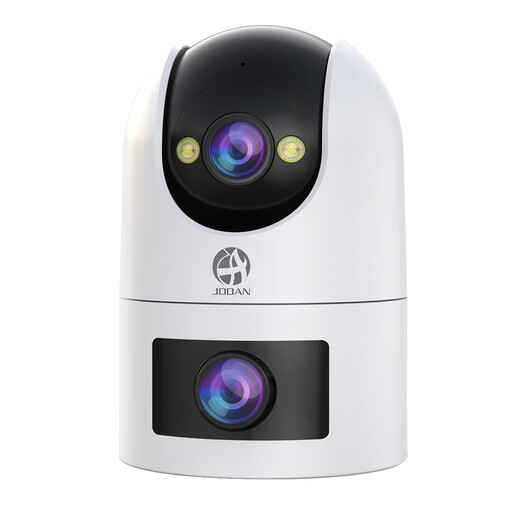
Why This Fits Their Persona: Useful for larger gardens, courtyards or small business premises where a fixed view and a remotely controlled view may be helpful.
Its 2.4GHz and 5GHz support gives placement flexibility, while local microSD recording provides an alternative to paid cloud storage.
Dual lenses, PTZ viewing, colour or infrared night vision, two-way audio and IP66-rated housing.
Position the camera to monitor your own property and avoid neighbours’ windows, public paths and private areas. If recording shared entrances, staff areas or customers, consider your responsibilities under UK data protection and privacy rules. Clear notices, restricted access and sensible retention periods may be appropriate.
For outdoor installation, protect the plug, adapter and cable connections even when the camera housing has an IP66 rating. IP66 indicates protection from dust and powerful water jets; it does not mean the camera can be submerged.
Before fixing the camera, test live viewing, motion alerts and night footage from the intended position. Keep firmware and app software updated, use a strong unique password and enable account security features where available.
We have compiled a complete, real-time list of products that fully satisfy these strict selection criteria and UK safety regulations.
Most app-connected indoor and outdoor cameras need Wi-Fi for remote viewing and phone notifications. Some models support Ethernet, while certain dedicated baby monitors use a separate parent unit. Local recording may continue during an internet interruption, but remote access and alerts may not work.
Mains-powered cameras use electricity continuously, while battery models require periodic charging. Cloud storage may add a monthly cost, depending on the provider and plan. A microSD card can reduce recurring fees, but it is a separate purchase and should be checked for compatibility.
Lifespan depends on heat, moisture, power quality, software support and installation. Keep indoor cameras away from damp areas and direct sunlight. For outdoor cameras, use suitable seals and mounting hardware, inspect cables periodically and replace damaged components rather than exposing connections to rain.