Start with the task that must work reliably: a computer or phone for administration, suitable audio and video for regular calls, or stable lighting and framing for product images. Add dedicated camera or streaming equipment when the work calls for it, bearing in mind the extra demands on compatibility, file handling and your network connection.
Who needs which setup?
The useful starting point is the work you do most often, not a complete collection of creator equipment.
Home administrators who also take video calls
If you mainly manage listings, communicate with customers and handle routine online work, check that your main device runs the required software and supports the calls you make. A more elaborate capture setup need not be your first purchase.
Product sellers making repeatable visual listings
Photographing or filming a series of physical products calls for consistent framing and lighting. Consider how you will position each item and repeat the setup, as well as which phone or camera you will use.
Regular streamers and tutorial creators
Live audio and video, screen sharing or external capture equipment add connection and setup decisions. YouTube Help describes mobile, webcam and encoder streaming as different routes; choose the one that accommodates what you need to show live.
What should you check before buying?
For a home-based online side hustle, make the task that would hold up your work your primary equipment priority. The other parts of the setup can then be checked against it.
| Concern |
What to check |
Who this matters to |
| Core device |
Check the software's operating-system requirements and the ports and storage needed for your files and peripherals. |
If I mainly manage listings and calls, I need a computer or phone that can handle those tasks before I add capture gear. Around 29% of consumers put core-device suitability first. |
| Repeatable visual capture |
Check working distance, stable mounting and where lighting can be placed; assess the detail and colour your images need. |
When I photograph products repeatedly, I need consistent framing and lighting so the images represent each item clearly. For around 36% of consumers, repeatable capture is the primary concern. |
| Audio and live reliability |
Check microphone connections and software compatibility. For livestreaming, test upload capacity against the intended stream bitrate. |
If I teach or demonstrate live, people need to hear me and the stream needs to stay connected. Clear audio or a dependable livestream comes first for around 21% of consumers. |
| Storage and transfer |
Match the recording device's card format and requirements to the reader, host connector and storage you plan to use. |
Once I regularly capture photos or footage, I need a way to retain and move the files between devices. Roughly 14% of consumers make storage and transfer their primary equipment concern. |
Purchasing pitfalls
-
Buying a camera to fix an upload problem
A camera upgrade cannot make an unreliable livestream connection stable. YouTube Help says the total stream bitrate must not exceed the available upload bandwidth.
Test upload capacity where you intend to stream, then try the complete setup before deciding whether you need more capture equipment.
-
Assuming every USB device will work together
A matching-looking connector does not settle operating-system, software or media-format compatibility. Elgato's Wave Neo, for example, has specified operating-system and USB connection requirements.
Compare the exact peripheral's requirements with your host device, its ports and the software you intend to use.
An adapter, cable or dock may also be needed to make the planned connections.
-
Choosing a memory card by capacity alone
The recording device must accept the card format and required recording performance, while the reader must fit both the card and your computer. SanDisk notes that the reader associated with its Creator microSD card is sold separately.
Confirm the card, recording requirements, reader slot and host connection before choosing capacity.
Allow for a separate reader if the one you need is not included.
-
Expecting a higher-spec camera to solve the whole image setup
Product size, reflections, lighting position and repeatable framing still affect a listing shoot. Canon's product-photography guidance treats the subject and shooting environment as part of the equipment decision.
Plan the background, working distance, mount and lighting position before deciding whether a different capture device is needed.
Brands to consider by equipment type
These examples illustrate equipment routes, not a recommendation of every product a brand makes. Check the requirements of the particular model you choose.
Logitech
A desk-based webcam option, illustrated by the MX Brio.
- Logitech specifies 4K at 30 fps or 1080p at 60 fps for the MX Brio, alongside a tripod mount and integrated microphones.
- Check computer compatibility and lighting, and decide whether its integrated audio meets your needs.
Elgato
USB audio equipment for desk-based recording and communication, illustrated by the Wave Neo.
- Elgato lists Wave Neo connection and system requirements for supported Mac, iPad, Windows and Android devices.
- Check the specified operating-system version, USB connection and any adapter your device requires; performance in your room is a separate consideration.
Canon
A camera route for product imagery or a more involved video setup.
- Canon describes USB streaming with compatible cameras and identifies resolution and colour accuracy as product-photography considerations.
- Confirm the exact camera and software combination; its guidance does not mean a dedicated camera is necessary for every seller.
Sony
Dedicated cameras for portable video creation, illustrated by the ZV-1 II.
- Sony describes the ZV-1 II with a wide-angle zoom lens and integrated three-capsule microphone.
- A camera-based workflow still needs suitable lighting, mounting, media handling and a compatible connection if you intend to stream.
SanDisk
Memory cards and readers for moving captured files between compatible devices.
- SanDisk offers card and reader options across formats and host interfaces.
- Match the exact card format and recording requirements to your capture device, and check whether a reader is included.
Apple
A laptop route for administration and creative applications compatible with macOS.
- Apple's MacBook Air specifications list memory and storage configurations, Thunderbolt 4 USB-C ports and external-display support.
- Check the exact configuration against your applications, peripherals and display setup rather than assuming every MacBook Air suits the same workload.
Joybuy equipment choices
These products cover several parts of a home setup: a core laptop, desk video and audio, additional capture lighting, and external file storage. Choose the part that addresses your own workflow before adding the others.
 No image available
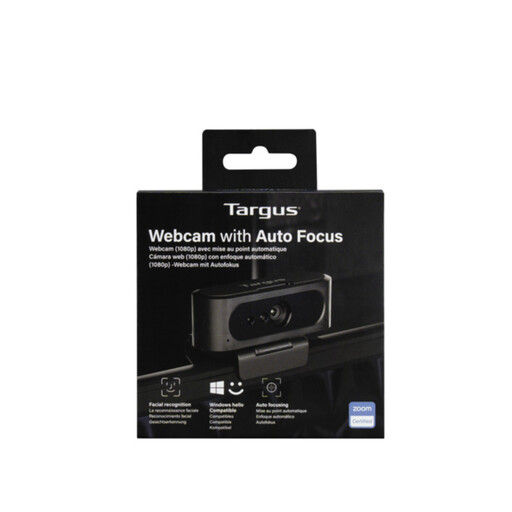
Targus webcam with autofocus
Consider this for desk calls or demonstrations when a separate webcam would help you position the picture. The title says 2K, while the detailed listing says Full HD 1080p, so confirm the model's resolution and compatibility with your device and conferencing software before buying.
View on Joybuy
 No image available
ASUS Vivobook 15 X1504VA, 15.6-inch, Core 5 120U, 24 GB RAM, 1 TB SSD, Cool Silver
This laptop is a core-device option for administration, calls and file handling. Check the requirements of any demanding editing or streaming applications you plan to run rather than judging their suitability from memory and storage alone.
View on Joybuy
 No image available
FIFINE AM8 USB/XLR dynamic microphone with desktop stand
For desk-based tutorials or voice recording, decide whether your setup calls for USB or XLR before buying. XLR use requires a separate cable and compatible audio interface or mixer; check operating-system and recording-software compatibility for your chosen connection.
View on Joybuy
 No image available
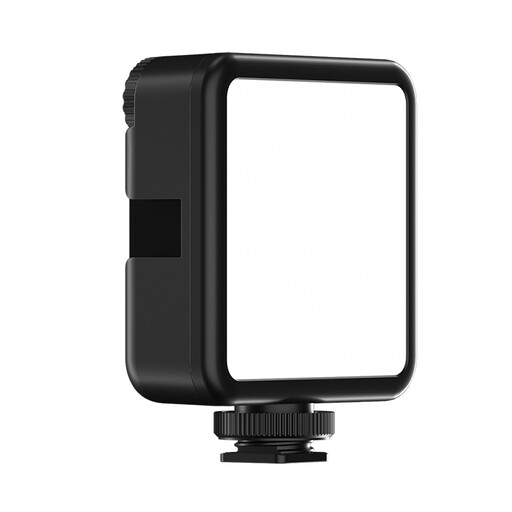
ULANZI VL81 rechargeable camera light, 3000 mAh
Consider additional light when your photo or video setup needs it. Check the brightness and colour-temperature ranges, battery runtime and cold-shoe mount fit against the subjects and support you intend to use.
View on Joybuy
 No image available
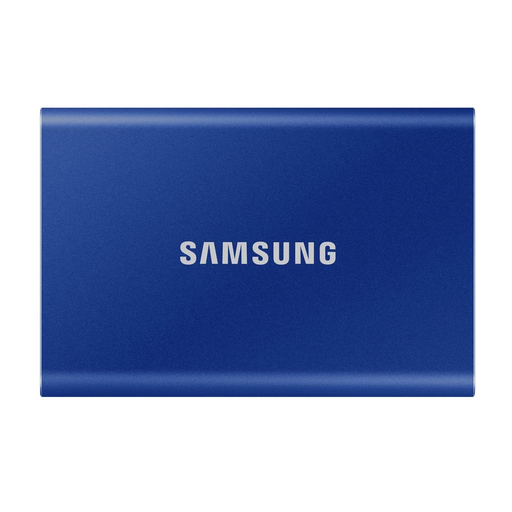
Samsung Portable SSD T7, 1 TB, USB 3.2 Gen 2, Blue
External storage is useful when captured files need to be retained or moved between compatible devices. Check connections with your capture device and computer, and keep separate backups rather than relying on one drive as the complete backup plan.
View on Joybuy
Questions about choosing equipment
Do I need a dedicated camera for product photographs?
Not necessarily: choose the capture device after deciding what size and detail your products require and whether you can light and frame them consistently. Canon's product-photography guidance treats colour accuracy, resolution and the shooting environment as separate considerations; a dedicated camera is worth considering when your current setup cannot meet the images you need.
What should I test before buying livestream equipment?
Test your upload connection and a complete stream using the camera, microphone and lighting you intend to use. YouTube Help says total stream bitrate must not exceed available upload bandwidth, so extra capture equipment cannot by itself resolve a weak connection.
Will a USB microphone work with any computer or tablet?
No USB connection alone guarantees compatibility. Elgato specifies operating-system and USB requirements for the Wave Neo; compare the requirements of the exact microphone you choose with your device, software and any adapter needed.


