Households calling across several apps
If relatives, friends and service providers use different calling services, app and operating-system compatibility matter more than a dedicated calling screen.


Choose a home video-call setup around the services used by the people you need to reach. A tablet offers a portable app-based route, an Echo Show suits contacts reachable through Alexa calling, and a webcam makes sense when a suitable computer is already in the calling room. Whichever route you choose, check camera placement, sound, account access and ongoing software support.
If relatives, friends and service providers use different calling services, app and operating-system compatibility matter more than a dedicated calling screen.
A fixed screen can suit regular calls from the same room when important contacts already use compatible Alexa calling.
If the computer already supports the required service, a webcam or audio accessory may address awkward framing or microphone placement without replacing it.
Start with the calling service, then choose the device type that fits where and how the household will make calls. Accessories can improve an existing setup, but they cannot make an unsupported service work.
Choose when: Calls need a portable screen and apps used by different contacts.
Allow for: Charging, stable placement, app updates and decisions about whose account stays signed in.
Choose when: The main contacts can be reached through Alexa calling and a fixed, hands-free screen suits the room.
Allow for: Amazon describes Alexa calls between supported Echo devices and the Alexa app; other essential calling services need separate compatibility checks.
Choose when: A supported computer already runs the required calling service, but its camera position or audio setup needs attention.
Allow for: Computer and browser permissions, a suitable connection for the accessory and space for cables or mounting.
| Concern | What to check | Who this matters to |
|---|---|---|
| Calling-service compatibility | List essential contacts and their services. Check the required app or browser, account and supported operating-system version. | When my contacts use different services, I need one setup that can reach them rather than a screen limited to the wrong calling system. Around 36% of consumers put service compatibility first. |
| Placement and shared use | Check a stable calling position, mounting options and whether the controls are practical for everyone who will use the device. | If several people use the same room, I want calls to start without holding a device or repeatedly adjusting the camera. For around 29% of consumers, straightforward shared use and framing come first. |
| Audio and connection | Consider microphone position and the usual room noise; check the calling service’s bandwidth guidance against the home connection. | I need others to hear me in the room where I actually call, without the video connection disrupting the conversation. Clear audio and a usable connection are the primary concern for around 21% of consumers. |
| Privacy and updates | Review account ownership, camera controls and whether the exact device still receives software and app updates. | On a communal device, I want control over visible contacts, call history and the camera between calls. Around 14% of consumers put privacy and upkeep first. |
A dedicated screen may be convenient yet unable to reach someone through their preferred service. Microsoft says Skype was retired on 5 May 2025, so an old Skype compatibility claim is not a reason to choose new hardware.
Write down the services essential contacts use, then check current app, browser, account and device support before choosing a tablet, screen or computer accessory.
A camera specification does not establish whether callers will be framed well, heard clearly or supported by the home connection.
Start with the usual chair and room. Check mounting, field of view, microphone position and the calling service’s connection guidance before deciding whether higher resolution matters.
Household members may encounter the same contacts, call history and camera permissions. Apple’s Shared iPad mode requires organisation-managed accounts and device management; it should not be assumed to provide separate private profiles on an ordinary household iPad.
Decide who owns the account, review calling permissions and choose accessible camera-off controls where available. Set a routine for locking, charging and updating the device.
Calling-app support and security updates can change over time. The National Cyber Security Centre advises applying device and app updates promptly.
For used or older hardware, check support for the exact model and operating-system version against every calling app the household needs.
The iPad route is relevant when the household needs a tablet for supported calling apps, particularly if essential contacts use FaceTime.
Echo Show screens are relevant to a fixed, hands-free calling position when important contacts use compatible Alexa calling.
A webcam is an option when the household intends to keep a compatible computer but change its camera placement or audio arrangement.
These tablets and webcams are options for app-based calls on a tablet or calls through an existing computer. Match each one to the household’s calling service, room and account arrangements before deciding.
 No image available
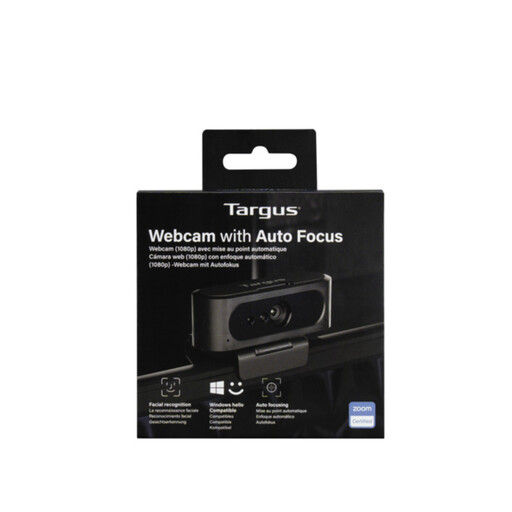
Consider this webcam if an existing computer needs an external camera. The product information describes an adjustable clip, tripod thread and privacy slider; confirm compatibility with the computer and calling service. Its title says 2K while its technical details say Full HD 1080p at 30 fps, so check the output resolution if that affects your choice.
 No image available
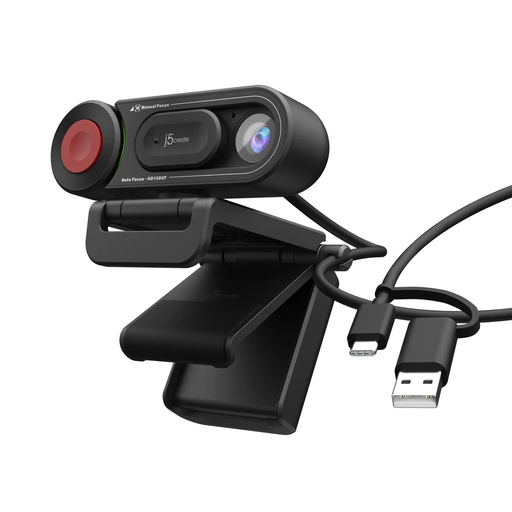
Consider this computer accessory when a call needs both a camera and built-in audio components. The product name specifies fixed focus and an adjustable 98° field of view. Check computer and service compatibility, and confirm how its privacy control works if a physical shutter matters to your household.
 No image available
This is an external-camera option for a household keeping its computer. The product information describes a USB-A connection, adjustable mounting and a built-in microphone. Check the current calling service and the microphone’s suitability for your usual seating position; do not rely on an older Skype compatibility claim, as Microsoft says Skype was retired in May 2025.
 No image available
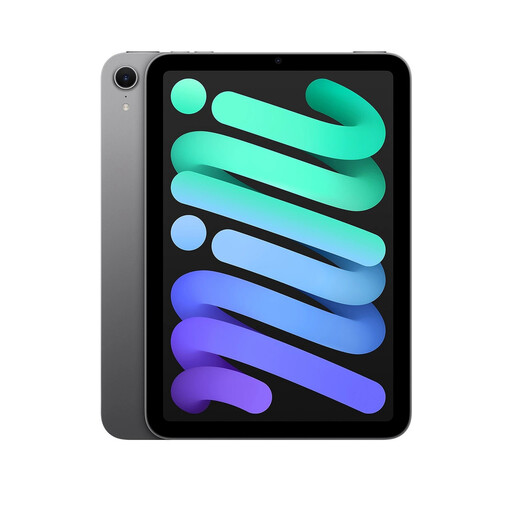
Consider a portable tablet when calls need to move between rooms. The product information describes an 8.3-inch screen and a front camera with Center Stage. Check each required calling app for this exact model, and decide how the household will manage sign-in, call history and a stable position during calls.
 No image available
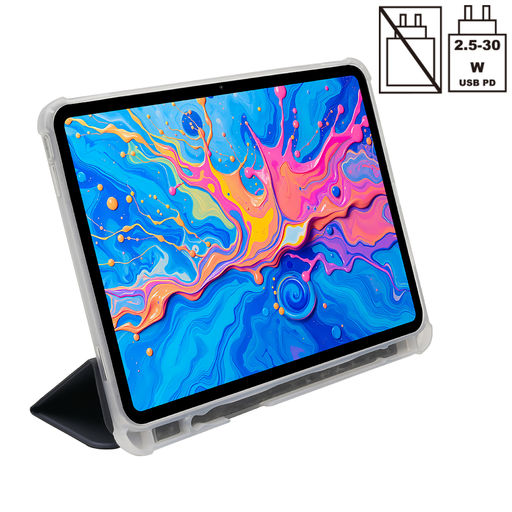
This tablet is another route to consider for calls away from a fixed computer. The product information specifies Android 15 and an 8MP front camera; its name also lists 5G WiFi and a 10000mAh battery. Confirm that the required calling apps support this exact model and operating-system version, and check its update support and hands-free placement before relying on it for regular calls.
Do not choose new hardware on the basis of Skype support: Microsoft says Skype was retired on 5 May 2025. Ask the people you called on Skype which current service they use, then check that both sides can access it.
For the Zoom Web App, Zoom lists 600 kbps upload and download for high-quality one-to-one video, rising to 1.2 Mbps in each direction for 720p. These figures are service guidance, not a promise of call quality; check Wi-Fi coverage and other traffic in the room where you will call.
Do not assume an ordinary household iPad provides separate private calling profiles. Apple says its Shared iPad mode requires supervision, device management and organisation-issued Managed Apple Accounts. Decide who will own the household tablet’s account and which contacts and call history other users may see.