Frequent callers in shared or noisy homes
If other people struggle to hear you, or you need to listen privately during calls, assess your microphone and listening setup before changing the camera.


Start with the problem that most disrupts your regular work calls: choose a headset for a close microphone and private listening, a desk microphone for voice capture at a fixed position, or a webcam or light when being seen is the issue. Consider a monitor and dock separately if you need a repeatable laptop desk setup, and check the laptop’s display and charging capabilities before buying.
If other people struggle to hear you, or you need to listen privately during calls, assess your microphone and listening setup before changing the camera.
If the recurring problem is a dim image or awkward framing, check the room lighting and camera position to work out which needs changing.
If you repeatedly connect a screen and call accessories at home, check your laptop’s ports and display support before choosing a hub or dock.
For regular home video calls, resolve the clearest audio or visibility problem first. Treat a dock as a separate desk-workflow purchase rather than a substitute for call equipment.
| Concern | What to check when buying | Who this matters to |
|---|---|---|
| Clear call audio | Decide whether you need a headset for listening and speaking together or a separate microphone at a fixed desk. Check connection and meeting-app compatibility. | If others have trouble understanding me, I want to address voice capture before changing my video setup; around 42% of consumers put call audio first. |
| Visibility on camera | Identify whether the limitation is lighting, camera position or the camera itself. Check whether any desired framing feature requires software. | When my face looks dim or the camera angle is awkward, I want to fix that visual problem first; roughly 33% of consumers prioritise visibility. |
| Desk connections | Match the exact laptop’s video-output and display support to the monitor and dock. Check charging requirements and required cables. | If I reconnect a screen and accessories for every working day, a dependable desk arrangement matters most; about 25% of consumers place desk connectivity first. |
A USB-C socket alone does not establish the display output you need. Microsoft specifies USB-C Alt Mode for its Surface USB-C Travel Hub, while Apple says external-display support depends on the Mac model and its ports.
Check your exact laptop’s display specifications, then match its output to the dock, cable and monitor input.
An incompatible display connection can leave you needing a different hub, cable or adapter.
Anker lists up to 100 W pass-through charging for its 555 USB-C Hub (8-in-1), with 15 W used to operate the hub; it also says a wall charger is not included.
Compare the power available to your laptop with its charging requirement, and check which power supply you will use.
Camera position, illumination and camera features solve different problems. Logitech lists auto light correction for Brio 500, but its auto-framing feature requires Logi Tune.
View your current camera image at your usual meeting time and position. Choose a light for an illumination problem, a webcam for a camera or framing problem, or both if both need attention.
The Health and Safety Executive says display screen equipment rules can apply to people working at home permanently or long term. An assessment may affect what workstation equipment is needed.
If you use a home workstation regularly as an employee, ask whether your employer’s assessment process applies before purchasing equipment for it yourself.
The Evolve2 65 Flex represents the portable headset route for calls requiring a microphone and personal listening.
Brio 500 is an external-camera option for a home desk where camera placement or features matter.
Wave:3 MK.2 represents the separate desktop-microphone route for callers who normally speak from one position.
The 555 USB-C Hub (8-in-1) illustrates the connection route for a regular laptop desk.
These choices cover distinct parts of a regular home-call setup: a desk microphone, webcam, wired headset, laptop dock and movable light. Choose the part that addresses your own call or desk problem rather than treating them as a set to buy together.
 No image available
Consider this separate microphone if you usually take calls from one desk and want to address voice capture without changing your listening device.
The product name specifies USB and XLR connections, a mute button, headphone jack and desktop stand. Check computer and meeting-app compatibility; an XLR setup may require separate equipment.
 No image available
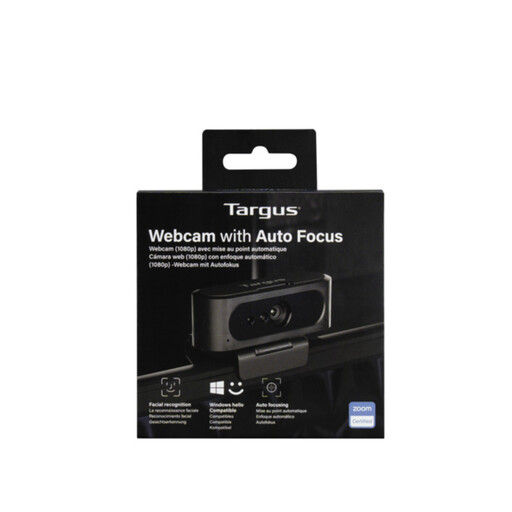
Consider an external webcam if camera position or capture is the visual issue, rather than assuming a new camera will fix poor room lighting.
The product name specifies autofocus and says 2K. Confirm the actual video resolution against the technical details before choosing it for a particular image requirement.
 No image available
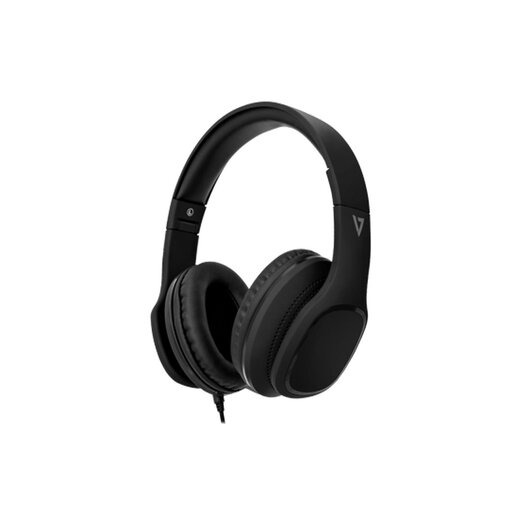
Consider this wired headset when you want listening and a microphone in one device for calls.
The product name specifies 40 mm drivers and an in-line MEMS microphone. Check that your computer’s audio connection carries microphone input as well as headphone output.
 No image available
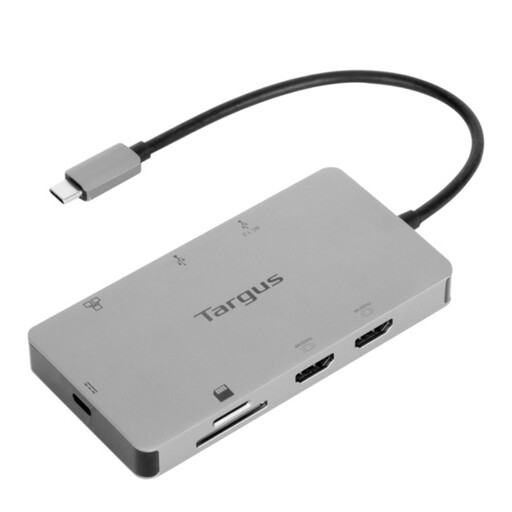
Consider a dock if reconnecting a monitor and accessories is a separate, recurring part of your laptop desk setup.
The product name specifies dual HDMI outputs and 100 W power-delivery pass-through. Check your exact laptop’s supported displays and video output, and confirm the required external power adapter and what is included.
 No image available
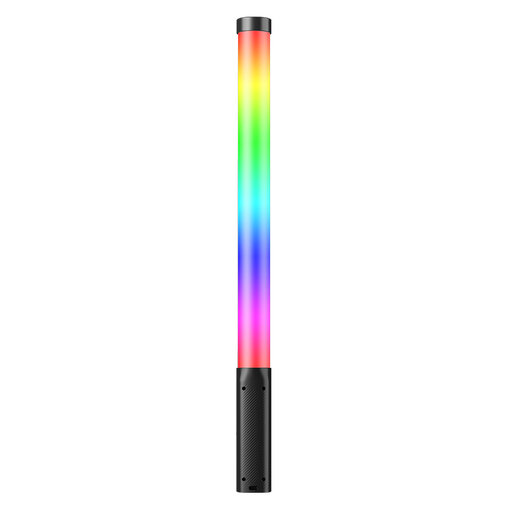
Consider a movable light if your present camera is adequate but your usual call position is poorly lit.
The product name specifies a 3,300 mAh battery and adjustable colour temperature from 2,500 K to 9,000 K. Check how you can place or mount this handheld light at your desk, and avoid looking directly into the bright source.
Usually not as a first purchase: choose a headset if you need personal listening and a close microphone together, or a separate USB microphone if you work from one desk and voice capture is the problem. Check the chosen device’s connection and compatibility with your computer and meeting setup.
No: the laptop must support the required display output. Microsoft specifies USB-C Alt Mode for its Surface USB-C Travel Hub, and Apple says supported display numbers depend on the Mac model; check your own laptop, dock, monitor and cable combination.
Not necessarily. Anker states that its 555 USB-C Hub (8-in-1) uses 15 W of its up-to-100 W pass-through input for operation and does not include a wall charger. Compare the power available to your laptop with its charging requirement.
Ask whether a display screen equipment assessment applies to your working arrangement before buying workstation equipment yourself. The Health and Safety Executive says the rules can apply to permanent or long-term home working and routine home-and-office working; equipment needs depend on the assessment, not on hybrid status alone.