What to check before buying
Identify the fault in a test call first: sound and privacy, camera position, lighting, connection stability or compatibility. This avoids buying an accessory for a problem that starts elsewhere in the setup.
| Priority |
What to check |
Your needs |
| Speech and privacy |
Check whether a boom or voice-focused microphone is needed, whether headphone listening will prevent speaker echo, and whether wired or wireless use suits your routine. |
I need other callers to hear me without playing call audio around a shared home. A wired model can simplify charging and pairing; wireless can suit calls where I need to move around. |
| Camera angle and framing |
Check screen height, camera placement, monitor mounting and the exact webcam connector. A stated 1080p specification does not address a poorly positioned camera or weak connection on its own. |
I want my face at a natural desk angle and visible enough for classes, meetings or family calls. |
| Lighting |
Check whether repositioning room light solves the issue first. For a fixed desk, consider available mounting space and whether a front light is needed for window backlight or shadows. |
My camera works, but my face looks dark, backlit or unevenly lit during calls. |
| Connection stability |
Test in more than one room and at different times, reduce simultaneous data-heavy use, and use Ethernet where practical. Ofcom says Wi-Fi cannot outperform the underlying broadband service. |
Calls freeze, drop or vary by room, so I need to separate a local Wi-Fi issue from a camera or microphone problem before adding peripherals. |
| Compatibility and permissions |
Confirm the exact port, operating-system version and app route. Check camera and microphone permissions in the operating system and browser, then select the accessory inside the call app. |
I need the device to work with the computer, browser and conferencing service I already use while keeping control over camera and microphone access. |
Joybuy product options
These Joybuy options cover home-network, microphone and wireless-listening routes for video calls where connection quality, desk audio or mobile speech capture is the limiting issue.
 No image available
NETGEAR Orbi 370 RBE373 WiFi 7 Mesh System, 3-Pack
Consider this route when calls vary by room after connection diagnosis and wider in-home Wi-Fi coverage is the problem.
Stated features include WiFi 7, three units, 2.5Gbps Ethernet ports, guest and IoT networks, VPN support and app management.
It cannot correct an underlying broadband-service fault; an existing modem or gateway and suitable installation locations are required, while coverage and speed vary with construction, traffic and connected devices.
Joybuy
 No image available
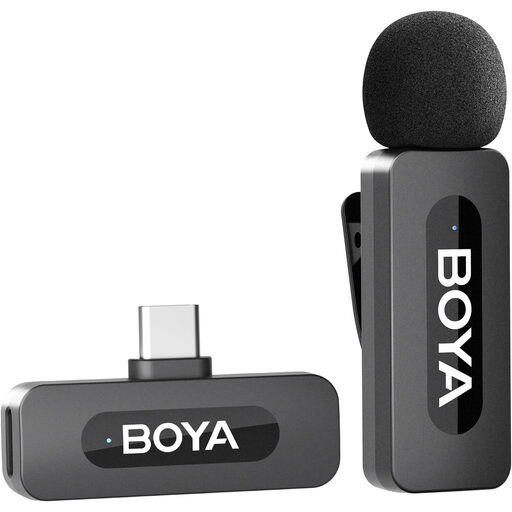
BOYA BY-V10 V2.0 USB-C Wireless Microphone, 1 TX + 1 RX
A mobile option for video calls or teaching where nearby noise affects speech and a wireless microphone suits the workflow.
The product name states USB-C connection, one-click noise cancellation, a 9-hour battery life and a one-transmitter, one-receiver configuration.
Check that the exact phone or tablet supports the USB-C audio route, and confirm that the calling app can select the external microphone with the required permissions.
Joybuy
 No image available
TP-Link Deco BE22 BE3600 Mesh Wi-Fi 7 System, 3-Pack
Consider a mesh route when diagnosed Wi-Fi inconsistency affects calls in different rooms rather than the camera or microphone.
This three-pack system is described as BE3600 Wi-Fi 7 with roaming, wired or wireless backhaul, WPA3 security and app-based network management.
Test for provider faults, competing heavy use and room-specific signal issues first. Confirm suitability for the home’s construction, modem arrangement and broadband service.
Joybuy
 No image available
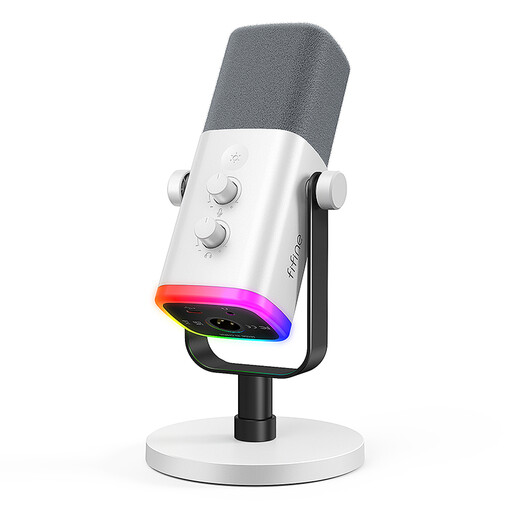
FIFINE AM8W XLR/USB Dynamic Microphone, White
A desk microphone option for a fixed individual workspace where closer voice capture and call monitoring matter.
The listing states USB-C and XLR connectivity, a dynamic unidirectional capsule, gain control, mute control and a headphone monitoring jack.
It is less suited to nearby household voices as the main issue; a headset may be more targeted in a shared room. An XLR cable and boom arm are not included.
Joybuy
 No image available
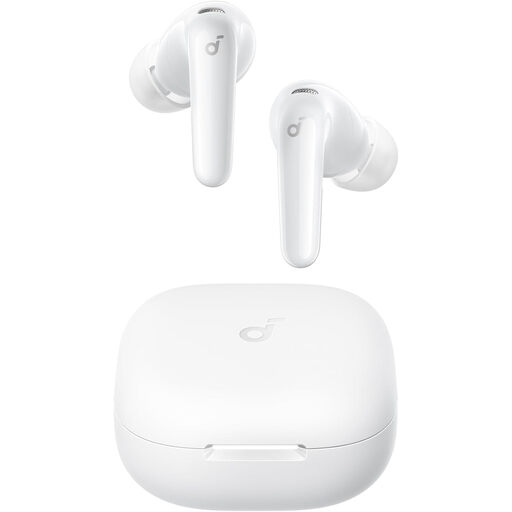
Anker Soundcore R60i Noise Cancelling Earbuds, White
A compact wireless-listening option for home or mobile calls where private audio is useful.
The product name specifies noise cancelling earbuds; the listing states Bluetooth 6.1, six microphones, a charging case and up to 8 hours of per-earbud playback with ANC on.
Check Bluetooth microphone compatibility with the exact phone, computer and conferencing app. Battery runtime varies with ANC use, and listening ANC does not guarantee reduced household noise for other callers.
Joybuy
Frequently asked questions
How can I tell whether I need a webcam rather than a headset?
Choose a webcam when the main issue is camera angle, framing or face visibility. Choose a headset when speech clarity, household noise, privacy or laptop-speaker echo is the issue; if both video and audio are acceptable in a test call, repositioning the laptop or improving room light may be enough.
Will a new webcam fix freezing or dropped video calls?
Usually not. Ofcom advises that Wi-Fi cannot outperform the underlying broadband service, and calls can also be affected by heavy household use, router placement, interference or a provider fault. Test the connection, reduce competing traffic and use Ethernet where practical before buying camera accessories.
What should I check before buying a wireless headset?
Check the exact connection route you will use, such as Bluetooth, USB-A or USB-C, and confirm that the precise variant has any conferencing-platform certification you need. Also consider charging and stated call time; Jabra’s Evolve2 65 Flex specification sheet lists Bluetooth, USB-A and USB-C connectivity, with Teams status dependent on the variant.
Why does a newly connected webcam or microphone sometimes not work in Teams or Zoom?
First select the device inside the call app, then check operating-system and browser permissions. Microsoft Support explains that Windows controls app access to cameras and microphones, while Zoom’s web app requires browser microphone permission and camera permission when you want to be seen.


