Households making calls from a shared room
If a tablet will also handle browsing and streaming, consider where it will sit during calls, how it will charge and whether callers can hear its speakers from their usual position.


Choose a Pixel Tablet with its Charging Speaker Dock if the tablet will stay in a shared room and separate user profiles, docked charging and an added speaker matter. An iPad (A16) suits households using Apple Accounts and Family Sharing, while the Galaxy Tab A11+ offers an 11-inch screen and quad speakers; for any of them, check the calling position, account setup and exact accessories before buying.
If a tablet will also handle browsing and streaming, consider where it will sit during calls, how it will charge and whether callers can hear its speakers from their usual position.
Apple Family Sharing lets members with separate Apple Accounts share eligible purchases, subscriptions and storage. It is worth considering if those shared services matter more than separate spaces on one tablet.
Google says each Pixel Tablet user profile can have its own home screens, accounts, apps and settings. That distinction matters when several people regularly use the same physical device.
Start with the place and position used for calls, then check everyday setup, sharing and media use against the exact tablet configuration.
| Priority | What to check | Your needs |
|---|---|---|
| Call setup | Check how easy it is to set up your calling app and email, and whether needed accessibility features work in that app. Which? includes setup, email and video calls in its tablet ease-of-use testing. | I want everyone who uses the tablet to be able to start a call without a complicated setup. |
| Camera position | Check where the front camera sits when the tablet is horizontal and how the intended stand aims it. Apple specifies a landscape 12MP Center Stage camera for iPad (A16); Samsung specifies a 5MP front camera for Galaxy Tab A11+. | Our calls usually happen with the tablet resting on a table, so its camera needs to frame the caller from that position. |
| Sound and charging | Check speaker placement, a secure hands-free position and access to charging. Google says the Pixel Tablet Charging Speaker Dock holds the tablet magnetically, adds a 43.5mm full-range speaker and charges at up to 15W. | If the tablet stays in one room, I want it ready for a call without balancing it or moving a charging cable each time. |
| Account sharing | Decide whether users need separate spaces on one device or shared services across individual accounts. Google documents separate Pixel Tablet profiles; Apple describes Family Sharing for eligible services and purchases. | Several people may use the tablet, and we need to decide whether each person needs their own apps and settings on it. |
| Screen and endurance | Compare independent findings for screen quality, battery endurance and speed for the exact model, as well as its stated specifications. Which? assesses all three and cautions that price alone does not establish quality. | I also use the tablet for reading email, browsing and watching media, not just short calls. |
Which? assesses screen quality, battery endurance, speed and everyday ease of use because price alone does not establish how a tablet performs in those tasks.
Shortlist tablets by your calling position, screen and account needs, then compare the exact storage and connectivity variants.
Google documents separate profiles on Pixel Tablet, whereas Apple Family Sharing shares eligible services and purchases between separate Apple Accounts. Those arrangements answer different household needs.
Decide whether people need their own spaces on one tablet or access to shared services across their accounts.
Google specifies magnetic positioning, charging and a speaker for its Pixel Tablet Charging Speaker Dock. A stand should not be assumed to provide those functions.
If the tablet will remain in one room, compare the docked setup with a stand, charger and audio arrangement that suit the exact tablet.
The Pixel Tablet is offered both with and without the dock, so check which configuration contains the equipment your setup requires.
A similar product name does not establish that a case, stand or charging accessory fits the exact tablet generation and configuration.
Match the model code and connectivity version, then check the listed box contents and accessory compatibility before ordering.
These manufacturer-documented lines illustrate different approaches to household calls and sharing; their inclusion does not indicate which models are stocked below.
The iPad (A16) is an 11-inch option for households using Apple Accounts and making calls with the tablet in landscape position.
The Galaxy Tab A11+ is an 11-inch Android line to consider when screen size, front-camera provision and speakers are priorities.
The Pixel Tablet offers a docked setup for a regular place in the home, alongside separate user profiles on the tablet.
These Joybuy tablet options relate to calls, browsing and media at home. Compare their exact configurations and the accessories needed for your intended calling position.
 No image available
For calls from a table or stand, consider the front-camera position alongside this model’s 11-inch screen. Samsung UK specifies a 5MP front camera and quad speakers for Galaxy Tab A11+; this SM-X230 listing identifies a 6GB/128GB Silver variant. Check the stand fit and box contents for this exact SKU.
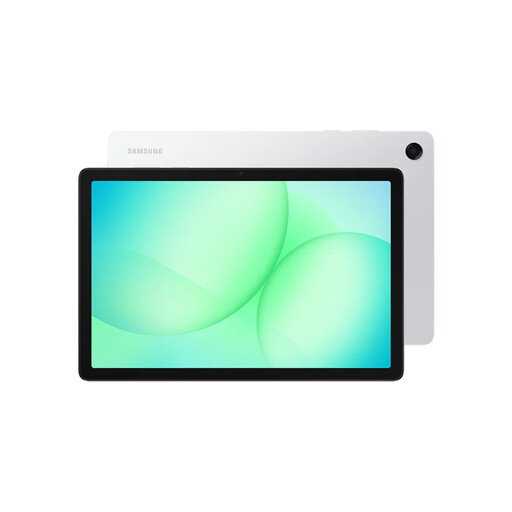 No image available
Consider this 5G variant if calls away from home Wi-Fi matter to you. Its title identifies the X236 model with 6GB RAM and 128GB storage; confirm compatibility with the UK network you intend to use, along with case fit and box contents.
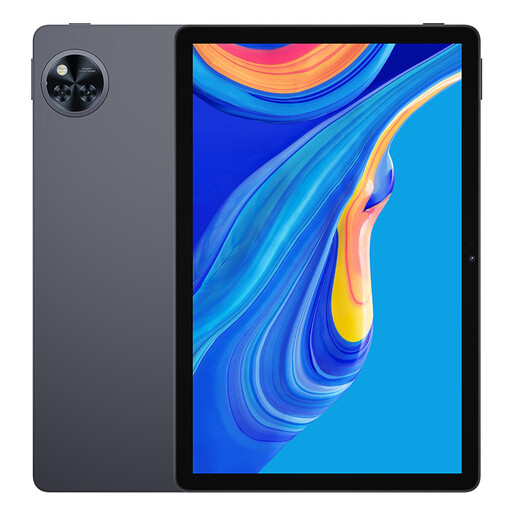 No image available
For home calls and media, check whether an 11-inch tablet fits the place where you plan to use it hands-free. The product title identifies 16GB RAM, 128GB storage and an 8580mAh battery; confirm a suitable stand and the included charging equipment.
 No image available
If the tablet will serve both calls and stored media, compare this 8GB RAM and 256GB storage variant with the space you expect to need. Its title identifies a Wi-Fi model; check the exact model code, stand fit and box contents before choosing accessories.
 No image available
For calls and media at home, check whether the 10.1-inch format suits your viewing distance and intended stand. The product title identifies the T20 and 256GB storage, but the supplied descriptions conflict on some display, memory-expansion and bundle details; confirm the exact configuration and included accessories before ordering.
Check both placement and the camera specification: a tablet resting horizontally needs a front camera aimed appropriately from that position. Apple specifies a landscape 12MP Center Stage camera for iPad (A16), while Samsung specifies a 5MP front camera for Galaxy Tab A11+; neither figure alone establishes call image quality in your setup.
Google says Pixel Tablet supports separate user profiles with their own home screens, accounts, apps and settings. Apple Family Sharing instead shares eligible purchases and services between separate Apple Accounts, so decide whether you need distinct spaces on one device or shared services across accounts.
Google says the Charging Speaker Dock holds the Pixel Tablet magnetically, adds a 43.5mm full-range speaker and charges at up to 15W. If you are considering a stand instead, check its fit and arrange charging and audio separately rather than assuming it has the dock’s functions.
Check the exact tablet bundle and model before adding accessories. Google offers Pixel Tablet configurations with and without its dock; for any model, confirm the listed box contents and that a case or stand fits its precise variant.