Before buying home Wi-Fi equipment, check whether the connection is poor beside the main router or only in particular rooms: Ofcom notes that Wi-Fi cannot outperform the incoming broadband service, and a provider fault needs to be reported to the provider. If broadband works well near the router, consider mesh for several weak rooms, an extender for one contained weak spot, or Ethernet-fed equipment where a dependable connection to a distant room matters and cabling is practical. Walls, node placement and the link back to the router can change how well any of these routes works.
Who this is for
Households with weak rooms or floors
If the connection works near the router but falters in an upstairs room, bedroom or garden office, focus on the path the Wi-Fi signal must take. Ofcom identifies router placement and obstacles such as walls and floors as factors that can affect indoor coverage.
Households using many devices at once
Video calls, streaming, gaming and connected devices can make it harder to tell whether the limitation is the broadband service, the local Wi-Fi connection or the link to another room. Check where and when problems occur before choosing equipment.
Renters and leaseholders avoiding alterations
Portable mesh units, extenders or powerline adapters may be worth considering before a permanent cable route. For drilling or cable runs through managed areas, check the tenancy agreement and seek the relevant property approval first.
What to check before buying
For simultaneous activity at home, establish whether broadband works well near the router before deciding how to serve distant rooms and active devices.
| Concern |
What to check |
Who this matters to |
| Broadband or Wi-Fi? |
Test close to the main router at different times and check the provider’s service status. Note whether every room is affected. |
If calls break up even beside the router, I need to know whether new home equipment would help. About 28% of consumers put identifying the connection problem first. |
| Coverage between rooms |
Map the weak rooms and obstacles. Compare router placement, multi-node mesh and an extender for a single weak spot. |
When upstairs rooms lose signal but the connection near the router is sound, reaching those rooms becomes my main concern. About 22% of consumers prioritise coverage. |
| A dependable room connection |
See whether Ethernet can reach a demanding room or feed a compatible mesh node or access point. Check the required ports and power method. |
For an office or gaming room in use alongside other devices, I care most about the connection back to the main network. Keeping that path dependable is the primary need for about 22% of consumers. |
| Many active devices |
Check compatibility with the broadband connection and existing router, alongside the devices and rooms that need service; do not choose on headline wireless speed alone. |
If several activities struggle at once despite usable signal in the room, I want to assess how the local network handles them. About 17% of consumers make simultaneous-device use their first concern. |
| Installation flexibility |
Check property permissions before permanent cabling. If considering powerline, check the endpoint type needed and test it in the intended sockets. |
Where I cannot readily alter a rented or managed home, I need a route I can install without permanent work. For about 11% of consumers, low-disruption installation takes priority. |
Buying pitfalls
-
Buying coverage equipment for a broadband fault
A mesh kit or extender cannot fix an outage or raise the speed of the incoming service. Ofcom advises checking broadband and Wi-Fi problems separately; the provider is responsible for fixing service faults.
Test beside the main router at different times and check the provider’s service status before buying equipment for another room.
-
Taking advertised coverage as a room-by-room promise
Walls, floors and router position affect the wireless path. An added mesh node also needs a usable connection back to the main unit.
Plan node positions around the rooms used for calls, streaming and gaming, and check the seller’s return arrangements if the layout makes coverage uncertain.
-
Treating a repeated or powerline connection as direct Ethernet
Ofcom’s home-broadband testing notes that actual speeds over Wi-Fi or powerline can be lower than those delivered over Ethernet. Powerline performance also needs checking in the intended home setup.
For a demanding fixed room, weigh an Ethernet run or Ethernet-fed access point against the installation work it requires; test portable alternatives where cabling is impractical.
-
Using indoor wireless equipment for a different installation
UK radio conditions depend on the band, power and installation location. Ofcom’s licence-free indoor conditions do not authorise every fixed outdoor or higher-power use.
Follow the equipment’s specified indoor use and check the applicable Ofcom conditions before planning a different radio configuration.
Brands to consider for specific network routes
TP-Link
Deco is relevant when comparing multi-node mesh coverage, including compatible setups that can connect nodes by Ethernet.
- TP-Link says Ethernet backhaul can provide a faster, more stable link between compatible Deco units than wireless backhaul.
- Check the exact model’s Ethernet ports, operating mode and compatibility with existing provider equipment; the brand’s backhaul claim does not establish performance in every home.
NETGEAR
Selected Orbi systems are relevant when a household is considering dedicated wireless backhaul and wired connectivity.
- NETGEAR promotes enhanced dedicated backhaul on selected Orbi lines for connections between mesh units.
- That feature is model-specific. Check the layout, connected devices and possibility of wired backhaul rather than assuming a higher-spec system is needed.
Ubiquiti
UniFi access points are relevant to planned, Ethernet-fed Wi-Fi coverage in individual rooms.
- Ubiquiti lists UniFi access points with Ethernet and Power over Ethernet connectivity.
- Check the cable route, mounting position, setup requirements and the exact access point’s power standard before choosing a PoE switch.
devolo
Magic powerline products are relevant when running a new Ethernet cable is impractical and a connection is needed in another room.
- devolo describes Magic adapters as carrying a network connection over household electrical wiring; some variants add local Wi-Fi.
- Test performance in the intended sockets. Ofcom notes that powerline-connected devices can receive lower actual speeds than Ethernet-connected devices.
Joybuy products for wired setups
These switches are for the Ethernet-cabling route, where a wired connection and, if needed, a compatible Power over Ethernet access point are planned. Neither switch creates Wi-Fi coverage by itself.
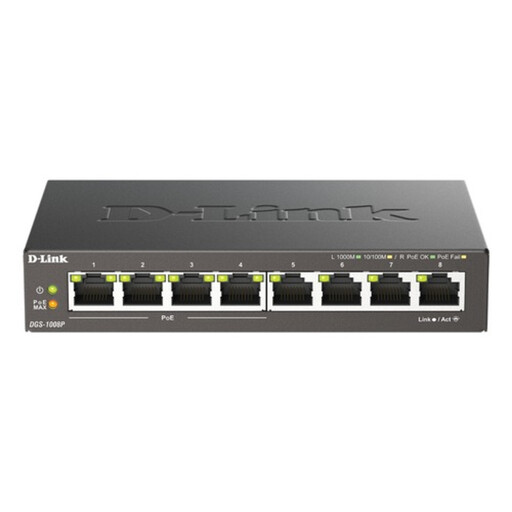 Image unavailable
D-Link 8-Port Gigabit PoE Unmanaged Desktop Switch
Consider this for a wired setup with several devices or a compatible PoE-powered access point. Its listed configuration is an eight-port Gigabit unmanaged desktop switch with PoE; confirm the power requirements of any device you intend to connect. It requires Ethernet cabling and does not provide Wi-Fi on its own.
View on Joybuy
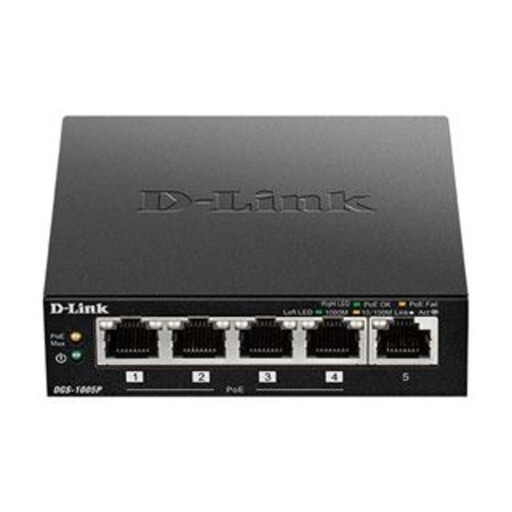 Image unavailable
D-Link DGS-1005P 5-Port Gigabit PoE+ Switch
Consider this for a smaller wired setup that includes a compatible PoE-powered device. The DGS-1005P is listed as a five-port Gigabit PoE+ switch; check the intended device’s power requirements before pairing them. It needs an Ethernet connection and does not create wireless coverage by itself.
View on Joybuy
Common questions
Do I need new Wi-Fi equipment or help from my broadband provider?
If the connection has stopped or performs poorly throughout the home, check the provider’s service status and report a suspected fault; Ofcom says the provider is responsible for fixing service faults. Test close to the router at different times first. If that connection works but distant rooms struggle, examine router placement, obstructions and the route to those rooms.
Should an upstairs office use mesh, an extender or a wired access point?
For several weak rooms, mesh can extend a single Wi-Fi network if its nodes have a usable link back to the main unit. An extender is a more contained option for one weak spot when it can receive a suitable signal. If Ethernet can reach the office and dependable local connectivity is the priority, consider an Ethernet-fed access point or a compatible mesh node with wired backhaul.
Does an indoor home Wi-Fi system need an Ofcom licence?
Ofcom lists licence-free indoor low-power uses in specified 5 GHz and 6 GHz bands, provided the relevant band, location, power and technical conditions are met. This does not cover every outdoor configuration: Ofcom states that fixed outdoor operation in the 5725–5850 MHz band requires a licence and registered terminals.


