What to consider before buying
The Health and Safety Executive treats workstation layout as a separate issue from computer capability, so check whether the computer or only its setup is causing difficulty. Then weigh mobility against a fixed desk and check a refurbished unit’s condition and support individually.
| Concern |
What to check when buying |
Who this matters to |
| Workload fit |
Check the exact processor, installed memory, storage and operating-system support against your applications and typical multitasking. |
If my current computer struggles with the work applications and calls I need, I want a configuration that fits those tasks; around 29% of consumers put workload fit first. |
| Portability and working comfort |
Consider how often you move the computer and check its meeting connections and screen and keyboard arrangement. |
If I work in different rooms, I want to take the same computer with me without overlooking how I will use it for longer sessions; around 29% of consumers prioritise portability. |
| Fixed setup and flexibility |
Measure desk space and check which display and input devices are included; verify expansion details for the exact model. |
If my computer stays at one desk, I want a setup that fits the space and can be adapted where the model allows; around 21% of consumers focus on fixed-desk flexibility. |
| Refurbished condition and support |
Check the specific unit’s configuration, operating system, condition, included equipment and written support terms. |
If I am considering refurbished, I want to know the condition and support for the actual unit rather than assume they apply across a product range; around 21% of consumers prioritise checking refurbished value. |
Joybuy product options
These Joybuy options are laptops for portable home and everyday work. Compare each listed configuration with your applications, workspace and connection needs.
 No image available
Lenovo IdeaPad Slim 3 15.3-inch WUXGA, 83K7009MUK
A portable Windows laptop option if you need to move your computer between work locations; check that its listed configuration fits your workload.
Listed configuration: AMD Ryzen 5 7535HS, 24GB DDR5 RAM, 512GB PCIe SSD, Windows 11 Home and Wi-Fi 6.
Joybuy
 No image available
Lenovo IdeaPad 1 15-inch Full HD, Cloud Grey
A Windows laptop option to consider for everyday work when you need a portable computer; check its storage and software fit for your tasks.
Listed configuration: AMD Ryzen 3 7320U, 8GB RAM, 128GB SSD and Windows 11 Home in S Mode.
Joybuy
 No image available
Acer Aspire Lite AL15-36P-C29Z 15.6-inch Full HD, Silver
A portable Windows laptop option for everyday computing; check the listed configuration against your own applications and storage needs.
Listed configuration: Intel N150, 8GB DDR4 RAM, 128GB SSD and Windows 11 Home.
Joybuy
 No image available
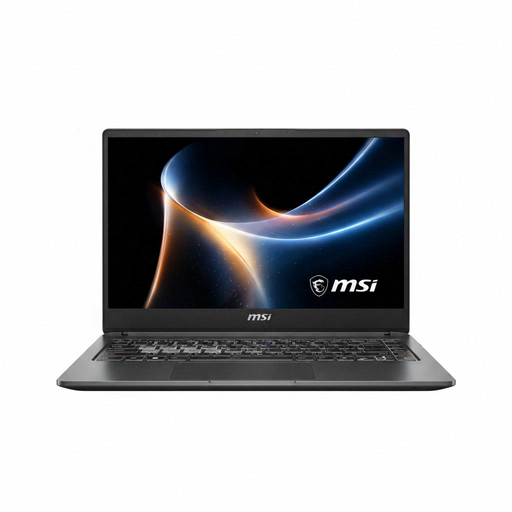
MSI Prestige N16 Flip AI+ C1XMT-044UKY, 16-inch 2-in-1
A Windows 2-in-1 option to consider if you want a portable computer; check its configuration and connections against your work requirements.
Listed configuration: 32GB RAM, 1TB SSD, 2.8K 120Hz OLED touchscreen and UK keyboard.
Joybuy
 No image available
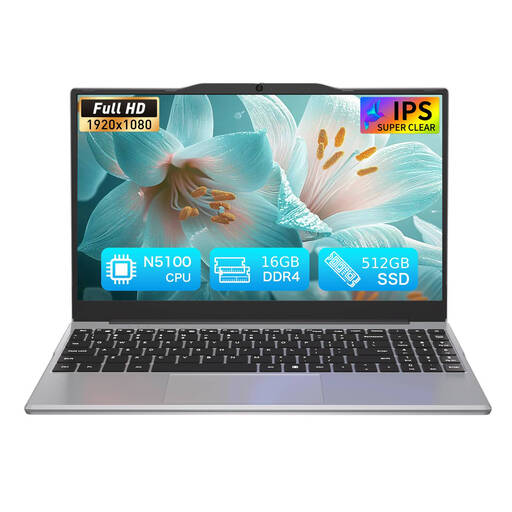
Auusda T141J, 14.1-inch 1920×1080
A portable laptop option for work across locations; check that the listed processor, memory and storage suit the applications you need.
Listed configuration: N5100 processor, 16GB DDR4 RAM and 512GB SSD.
Joybuy
Frequently asked questions
When should I replace my computer rather than change my desk setup?
Check first whether the computer runs your required applications and a supported operating system. If it does and the problem is prolonged laptop posture, assess screen and keyboard positioning before replacing the computer; the Health and Safety Executive describes a separate keyboard and mouse as options for prolonged laptop use.
What should I check if I often join online meetings?
Check the current requirements for your meeting application, then confirm that the computer or your existing equipment provides a compatible camera, microphone, audio output and the connections you need. Do not assume that every desktop includes a webcam or that laptops all have the same ports.
What after-sales rights should I check when buying a refurbished computer online in the UK?
GOV.UK guidance says online buyers generally have 14 days from receiving an item to tell the seller they want to cancel, followed by another 14 days to return it. Faulty or misdescribed goods have separate remedies. Check the particular seller’s warranty and what is included; a manufacturer’s refurbished-programme warranty does not automatically cover purchases from every reseller.
Does UK display-screen guidance mean I need to buy a desktop?
No desktop-purchase requirement follows from the cited guidance. For workers covered by the Display Screen Equipment regulations, the Health and Safety Executive says employers must assess and reduce workstation risks, including for home workers. Its guidance uses regular daily use for continuous periods of an hour or more as its DSE-user criterion, and says employers cannot charge workers for equipment an assessment indicates they need to provide. This is conditional employer guidance, not a computer specification for every private buyer.
Is a refurbished Windows 10 computer automatically unusable?
No, but check its security-support position and whether it suits your work. Microsoft says Windows 10 general support ended on 14 October 2025; its consumer Extended Security Updates programme can provide eligible devices with security updates through 12 October 2027. Check eligibility for the particular computer and whether a work-managed device qualifies, and verify Windows 11 compatibility rather than assuming it from processor speed or memory alone.


