What matters when choosing?
Decide whether the computer must travel before comparing form factors. Then check the exact operating system, work applications and connections; a refurbished machine needs an additional condition and support check.
| Concern |
What to check |
Who this matters to |
| Routine work and video calls |
Check application and operating-system compatibility, then the exact model’s memory, storage, camera and microphone. Treat software minimums as compatibility checks, not multitasking targets. |
If slow documents, downloads and calls are prompting replacement, I need those everyday tasks to work together reliably; around 40% of consumers put routine work and calls first. |
| Portability |
Check the exact laptop’s weight, charging arrangement and connections for accessories used in different locations. |
When I move between rooms or workplaces, I need to take the same computer with me; for around 30% of consumers, mobility is the primary concern. |
| Fixed-desk setup |
Check desk space, display arrangement, input devices, network connection and whether a workplace display screen equipment assessment applies. |
If my computer never leaves the home desk, I care most about how the whole workstation fits my daily work; around 20% of consumers prioritise the fixed setup. |
| Refurbished condition and support |
Check the exact model and installed operating system, battery information, included charger, condition description and seller terms. |
When considering a refurbished laptop, I need to know that wear or ageing software will not recreate the problem I am replacing it to solve; around 10% of consumers put these checks first. |
Home-working laptops on Joybuy
These laptops cover portable Windows and Mac options for the office tasks and video calls discussed here. Compare their stated configurations with your applications and desk accessories; a laptop does not replace the separate decision about a permanent desktop setup.
 No image available
ASUS Vivobook 15 X1504VA, 24 GB, 1 TB SSD, Cool Silver
Consider this laptop if you need a computer you can move between work areas while keeping a larger built-in screen.
The listed configuration has a 15.6-inch display, Intel Core 5 120U, 24 GB memory and a 1 TB SSD. Confirm your work applications, desk connections and expected working battery runtime before ordering.
Joybuy
 No image available
ASUS Vivobook 14 X1407QA-LY003W, Snapdragon X, 16 GB, 512 GB SSD
The 14-inch laptop format is worth considering if carrying the computer between workspaces matters.
The listed configuration has a Snapdragon X processor, 16 GB memory and a 512 GB SSD. Before choosing this Snapdragon-based Windows model, confirm that required employer applications, device-management tools and peripherals are compatible.
Joybuy
 No image available
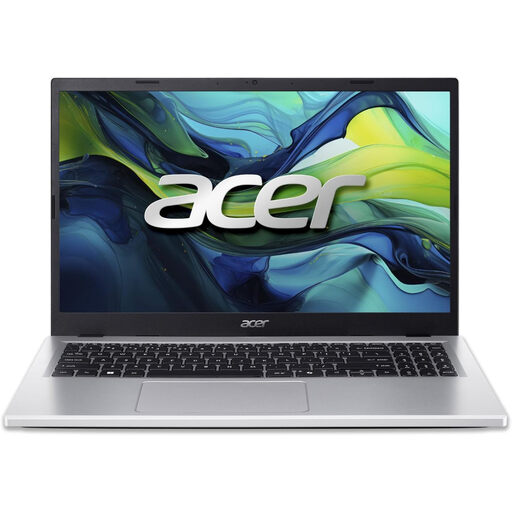
Acer Aspire Go 15 AG15-71P, Core i5-13420H, 8 GB, 256 GB SSD
Consider this Windows laptop for a 15.6-inch home-working setup if its memory and storage match the applications and files you use.
The title lists a Full HD screen, 8 GB DDR5 memory, a 256 GB NVMe SSD and Windows 11 Home. Check how your simultaneous tasks fit within that memory, and confirm working battery runtime if you often leave the desk.
Joybuy
 No image available
Apple 13-inch MacBook Air (2026), M5, 24 GB, 1 TB SSD, Midnight
This portable Mac option is relevant if your employer’s applications and services support macOS.
The title lists an M5 chip, 24 GB memory and a 1 TB SSD. Confirm the exact CPU configuration before ordering, as the supplied configuration descriptions conflict on its core count; also check your call equipment and required accessory connections.
Joybuy
 No image available
Lenovo Legion Pro 7 16IAX10H, 83F5000UUK, 64 GB, 2 TB SSD
Consider this 16-inch Windows laptop if your work calls for the listed memory and storage capacity, rather than assuming a gaming-oriented configuration is necessary for routine office tasks.
The title lists an Intel Core Ultra 9, 64 GB memory, a 2 TB SSD, NVIDIA GeForce RTX 5090 and Windows 11 Home. Check its microphone, weight, working battery runtime and connections against your work setup.
Joybuy
Frequently asked questions
Do I still need to check Windows support on a replacement laptop?
Yes: check the installed Windows release and whether it remains supported, particularly on an older or refurbished machine. Microsoft states that Windows 10 support ended on 14 October 2025; meeting Windows 11 installation requirements is not a recommendation for your particular multitasking workload.
What should I check for Teams calls?
Check the exact computer’s supported operating system, memory, available storage, display, camera, microphone and speakers. Microsoft’s Teams client requirements list 4 GB RAM and a 1024 × 768 display as minimums; those figures do not establish how comfortably the computer will handle calls alongside your other work.
Can display screen equipment rules apply when I work from home?
They can apply to permanent or long-term home working and routine hybrid working, according to the Health and Safety Executive. If you use screen equipment for long periods, ask your employer whether an individual assessment is required and consider the whole workstation, not just the replacement computer.
What if a refurbished laptop bought from a trader is faulty?
Buying second-hand from a trader does not remove your rights if the goods are faulty, as Citizens Advice explains. The Consumer Rights Act 2015 requires satisfactory quality, assessed in light of relevant circumstances including the item’s description and condition. Check any seller warranty separately; its terms do not replace statutory rights.


