Document-heavy laptop workers
If you need more usable screen space and a workable arrangement for sustained laptop tasks, an external display or separate input devices may matter more than call upgrades.


Choose an accessory to address your main difficulty: an external monitor for document space, a compatible hub or dock for repeated connections, call equipment for an audio or camera issue, or separate input devices and a stand for prolonged laptop use. Before buying, check your laptop’s display and charging capabilities, the accessory’s operating-system requirements, and whether suitable equipment is already available through work; Microsoft Support, Apple (UK), the Health and Safety Executive and Acas guidance all inform these checks.
If you need more usable screen space and a workable arrangement for sustained laptop tasks, an external display or separate input devices may matter more than call upgrades.
If you move a work laptop to a home desk, check whether a hub or dock supports that laptop’s displays, peripherals and charging needs.
If calls are the main concern, decide whether the difficulty is listening and microphone pickup, camera picture and framing, or both.
Start with the part of your workday that is least comfortable or convenient, then check that the accessory works with your exact laptop and setup.
| Concern | What to check when buying | Who this matters to |
|---|---|---|
| Space for document work | Compare screen size and resolution with your desk space; check the monitor input against your laptop’s supported display connection. | I need to keep documents visible while I work, so screen space matters more to me than upgrading call equipment. Around 28% of consumers put document space first. |
| Laptop connections and multi-screen compatibility | Check the laptop’s video output and charging requirements against the hub’s host connection, display modes, ports and power input. | When I reconnect my work laptop, I need its displays, peripherals and charging to work together. About 22% of consumers prioritise laptop connections and multi-screen compatibility. |
| Call audio | Check the connector, fit, microphone position and controls, and whether your workplace requires a particular meeting-platform variant. | For frequent calls, I want private listening and a microphone suited to my desk. Roughly 22% of consumers put call audio first. |
| Laptop position for prolonged work | Check that a stand fits your laptop and that your desk has room for separate keyboard and mouse positioning. | If I raise my laptop for longer sessions, I also need a workable position for its keyboard and mouse. Around 17% of consumers prioritise laptop positioning. |
| Camera picture and framing | Check your existing camera and lighting, then the webcam’s connection and any software requirements for its features. | When the built-in camera is the issue, I want to address picture or framing rather than choose an audio accessory. About 11% of consumers prioritise camera picture and framing. |
Display modes depend on the laptop, operating system and hub. Anker says its A210B extends two external screens on supported Windows hosts, while macOS mirrors their content.
Check the exact laptop and operating system against the hub’s requirements and the display mode you want.
If the intended mode is not supported, you may need a different connection approach or a compatible hub.
Raising a laptop also raises its attached keyboard. The Health and Safety Executive’s workstation guidance considers screen and input positions together.
Plan the whole workstation, including whether separate input devices are needed, and consider any applicable individual workstation assessment.
A separate keyboard and mouse may be needed for the intended raised-screen arrangement.
Anker specifies up to 85 W pass-through for its 341 USB-C Hub (A8346) when used with a separate charger.
Compare the hub’s stated pass-through output and included accessories with your laptop’s charging requirements.
A suitable charger or cable may need to be obtained separately.
A webcam and a headset address different parts of a call, and camera features may have software requirements. Logitech says Brio 500 auto-framing requires Logi Tune, which is unavailable for ChromeOS.
Identify whether the problem is what others see, what they hear, or both before choosing call equipment.
The Dell Pro 27 Plus QHD USB-C Hub Monitor P2725DE combines a display with desk connections in one model.
The 341 USB-C Hub (A8346) and Nano 8-in-1 USB-C Docking Station (A210B) are distinct approaches to laptop connections.
The Evolve2 40 SE represents a corded headset option for calls and private listening.
The Brio 500 is a webcam option when camera picture or framing is the part of a call you want to address.
The SmartFit Easy Riser EQ is a fold-flat laptop stand option for screen positioning.
These options cover separate displays, keyboard and mouse input, call audio and laptop connections for a home-working desk. Check each accessory against your own laptop and working setup.
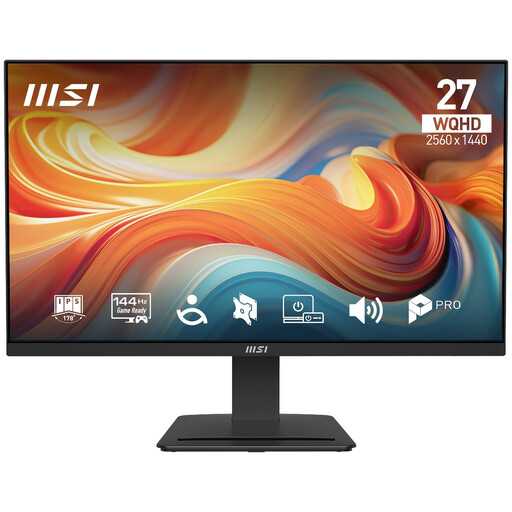 No image available
A separate display option for a home desk where keeping documents visible is a priority.
The product name specifies a 27-inch 2560x1440 (WQHD), 144Hz IPS display with HDR Ready and Adaptive-Sync.
 No image available
A keyboard and mouse set for a desk setup where separate input devices are needed alongside a laptop or raised screen.
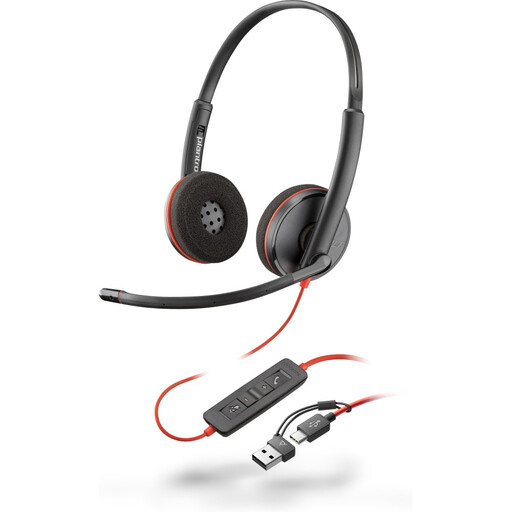 No image available
A wired headset option for work calls where private listening and a headset microphone are priorities.
The product name specifies a USB-C headset and a USB-C/A adapter. Avoid prolonged listening at high volume.
 No image available
A portable monitor option for adding a separate screen to a home-working setup.
The listed single-cable display arrangement requires a compatible device with USB-C DisplayPort Alternate Mode.
 No image available
A dock option for a desk where reconnecting a laptop to displays and other peripherals is a priority.
The product name specifies dual HDMI 4K and 100W Power Delivery Pass-Thru. The host connection uses USB-C Alt Mode, and the dock description specifies an external 100W+ adapter as its power source.
No: the connector alone does not establish display support. Check your laptop’s video capabilities and the exact hub’s requirements; Anker says its A210B can extend two screens on supported Windows hosts, but mirrors them on macOS.
Consider the screen and input devices together. The Health and Safety Executive’s workstation guidance says to consider a separate keyboard and mouse so the laptop screen can be elevated, or to use a separate display; the arrangement should reflect the individual workstation.
Check the cable and dock connections and whether the laptop supports the display arrangement. Microsoft Support also describes using Display settings in Windows to detect and arrange connected screens.
For workers to whom the UK display screen equipment requirements apply, the Health and Safety Executive says they cannot be charged for equipment identified as necessary action by their workstation assessment. This does not mean every optional personal upgrade must be funded.
UK government guidance says customers can cancel qualifying online orders up to 14 days after delivery without giving a reason. Check the applicable return conditions and any disclosed return-postage terms; cancellation rights are distinct from rights concerning faulty goods.