For frequent computer calls, start with a dedicated wired USB headset or a wireless headset with a suitable USB receiver, then check its microphone and mute controls. If concentration and portable listening matter more, over-ear headphones or earbuds with a documented call microphone may suit you; active noise cancellation (ANC) for what you hear does not, by itself, tell you what callers will hear.
Who is each format for?
People taking frequent calls in a shared home
If conversation, typing or appliances are near your workspace, give particular attention to the call microphone, accessible mute controls and your computer connection. Listening-side ANC addresses a different part of the noise problem.
Hybrid workers switching between computer and phone
A portable wireless headset may suit a changing workspace. Check how the exact variant connects to each device, whether it supports the switching you need and how charging fits around your calls.
People who mainly want fewer listening distractions
Over-ear headphones may suit work that mixes concentration and occasional calls, provided the exact model has a call microphone that meets your needs. Do not assume its ANC also reduces the background sound sent to callers.
What should you check before choosing?
Decide whether the pressing noise problem is what callers hear or what you hear, then check connection and wearing needs against your usual working day.
| Priority | What to check | Your needs |
|---|
| Call microphone |
Look for an explicitly described call microphone, such as a positionable boom or a stated voice-isolation or beamforming feature. Test a call near your usual household noise. |
I take calls near other people or everyday household sounds, so I need to check what the other person hears—not just how quiet the headset sounds to me. |
| Listening comfort and isolation |
Check the wearing style, fit and any stated passive isolation or listening-side ANC. Try the fit during a call of your usual length. |
Background sound breaks my concentration, but I also need something I can wear comfortably for the time I spend on calls. |
| Connection and controls |
Match USB-A, USB-C, Bluetooth or the supplied receiver to your computer. Check mute and answer controls against your meeting app and the exact device variant. |
I switch between a laptop and phone, or rely on a headset button to mute quickly. I need those functions to work with my own setup. |
| Working-day practicality |
For a wired model, check cable length and where it connects. For wireless models, check the stated talk time, charging arrangement and whether the required adapter is included. |
Several calls in one day make charging interruptions or a cable that restricts movement worth considering before I choose a format. |
What can go wrong with the choice?
-
Choosing ANC to solve a microphone problem
Listening-side ANC may reduce distractions for you without reducing typing or conversation heard by callers.
Check the exact model’s microphone features separately, then make a test recording or call in your normal workspace before an important meeting.
-
Assuming every connection gives the same call controls
A Bluetooth connection, a USB receiver and a certified platform variant need not offer identical button behaviour. Microsoft notes that some older or non-certified peripherals may not work as expected in Teams.
Confirm the connector, included receiver and exact platform variant. If Teams button controls matter, check current certification for that variant and test the controls in the app.
-
Overlooking fit and microphone position
How a headset is worn can affect a call. Sony’s guidance for the WH-1000XM6, for example, asks users to check that the headphones are worn properly when callers cannot hear them clearly.
Follow the model’s wearing guidance, keep its microphones unobstructed and try it in your normal calling position. Check comfort over a representative call rather than inferring it from ANC.
Brand and model references
These examples illustrate different headset approaches; a brand name alone does not establish the features of a particular variant.
Logitech
The H390 is a wired USB headset to consider for calls from a fixed computer workstation.
- Logitech describes an adjustable boom microphone and inline volume and mute controls for the H390.
- Check whether the USB-A or USB-C version matches your setup. Its cable limits movement, and microphone noise reduction is not the same as listening-side ANC.
Jabra
The Evolve2 65 Flex illustrates a portable wireless work-headset route.
- Jabra lists voice-isolating microphone technology, listening-side ANC and connection options for the Evolve2 65 Flex.
- Confirm the exact variant, supplied adapter and any platform certification you need; the stated talk-time conditions also matter when planning charging.
EPOS
The IMPACT 1000 series is a business-headset reference for workers considering wireless calls and a USB dongle option.
- EPOS lists environmental noise cancellation and adaptive beamforming for the microphone, alongside hybrid listening-side ANC.
- Check the particular model’s adapter and platform variant. Manufacturer microphone specifications do not establish how every household sound will come through on your calls.
Sony
The WH-1000XM6 illustrates the over-ear headphone route for people who want listening-side ANC as well as call functionality.
- Sony describes listening-side noise cancellation and beamforming intended to isolate the wearer’s voice on calls.
- It is not a boom-headset design. Check fit and microphone performance in your usual meeting environment rather than treating ANC as proof of outgoing call clarity.
Joybuy options for different call needs
These options span wireless work headsets, over-ear headphones and earbuds for home or hybrid calls. Compare the exact connection and call features with your own computer and meeting app.
 No image available
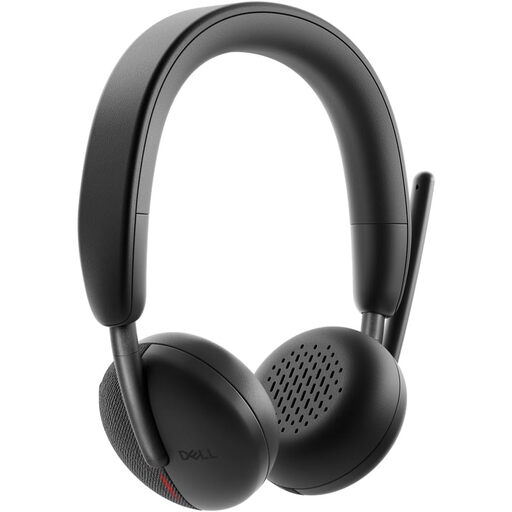
DELL Pro Headset WL3024
For frequent computer calls, the listing describes a rotatable boom microphone, microphone noise cancellation and call controls. Check whether this exact package includes the USB-C receiver and USB-A adapter you need: its connection and included-receiver descriptions are inconsistent.
View on Joybuy
 No image available
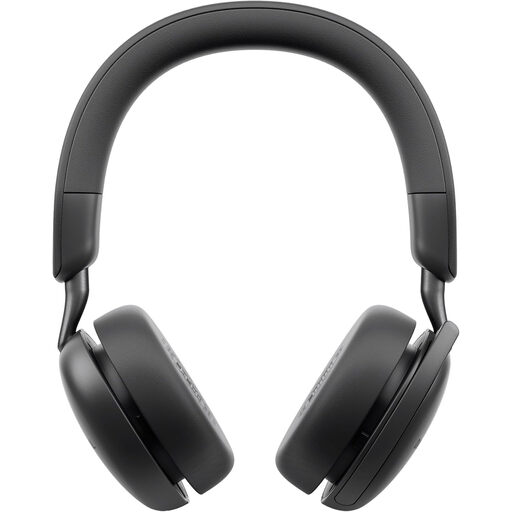
DELL Pro Wireless ANC Headset WL5024
For calls and listening-side distractions, the listing describes a boom microphone with noise cancellation, over-ear cushions and ANC. It also describes Bluetooth multipoint; check that your computer supports the connection you intend to use and that the headset’s controls work with your meeting app.
View on Joybuy
 No image available
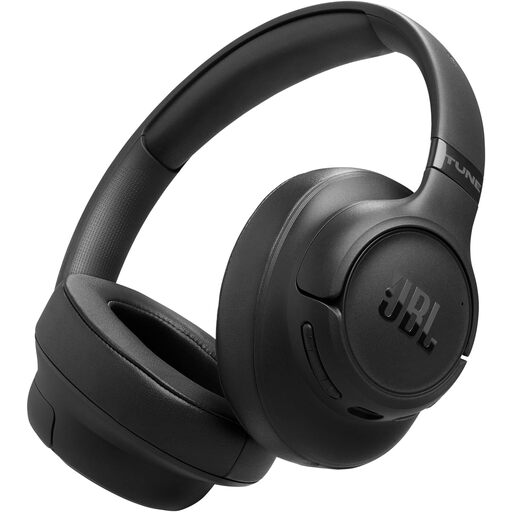
JBL Tune 780NC Wireless Over-Ear Headphones, Black
For a mix of listening and calls, the listing describes beamforming call microphones, adaptive ANC and multipoint Bluetooth. Check computer-call compatibility and whether the available call controls meet your needs; do not assume ANC tells you how your voice will sound to others.
View on Joybuy
 No image available
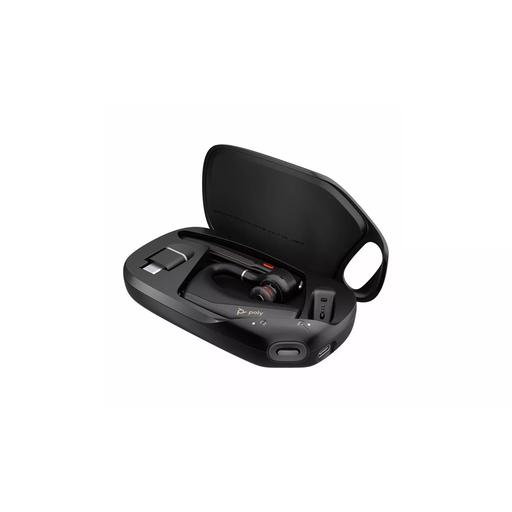
HP Poly Voyager Legend 50-M UC Bluetooth Headset, Black
For calls while moving around a workspace, the listing describes a Bluetooth headset with microphone noise-processing features and on-ear mute, volume and call controls. Confirm that your intended computer can connect by Bluetooth, then check fit and call behaviour in your usual setup.
View on Joybuy
 No image available
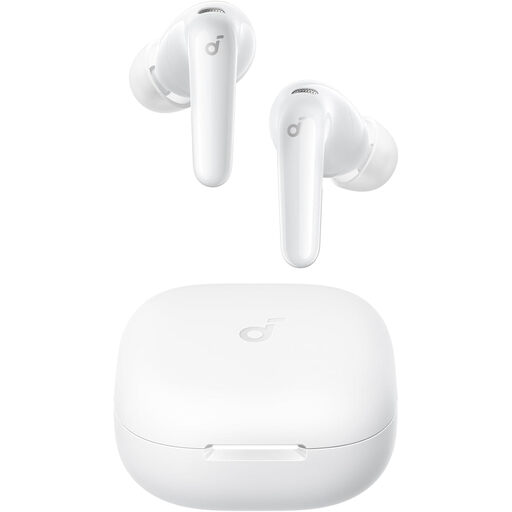
Anker Soundcore R60i Noise Cancelling Earbuds, White
For portable or shorter calls, the listing describes Bluetooth earbuds with a separate call-noise-reduction claim as well as listening-side ANC. Check their behaviour with your computer and meeting app, including the mute controls you need, before using them for work calls.
View on Joybuy
Common questions
When is a dedicated headset worth choosing over general headphones?
Choose a dedicated headset when frequent calls, a positionable boom microphone or easy-to-reach mute controls matter most. General headphones can suit mixed listening and occasional calls if you check the exact model’s microphone and computer compatibility; ANC alone does not answer the call-microphone question.
Does ANC stop household noise reaching other people on a call?
Not by itself: listening-side ANC addresses what you hear. Check separately for call-microphone noise reduction, voice isolation or beamforming, and make a test call in your usual room to assess what the other person hears.
Do Teams users need a certified headset?
If you depend on headset buttons to answer, mute or manage Teams calls, check for current Teams certification on the exact variant. Microsoft says certified devices can support these controls and notes that some older or non-certified peripherals may not work as expected.


