Raised-laptop desk workers
If you want to keep using the laptop screen but position it separately from the controls during prolonged desk work, consider a suitable riser together with a keyboard and mouse.


Start with the workstation problem: choose a separate monitor if you need another screen, or a riser if you want to raise the laptop screen and can use a separate keyboard and mouse. Add a hub or dock only after checking your laptop’s video output, required connections and charging needs; where an applicable DSE assessment identifies equipment an employer must provide, check that arrangement before buying it yourself.
If you want to keep using the laptop screen but position it separately from the controls during prolonged desk work, consider a suitable riser together with a keyboard and mouse.
If you need a separate display at a regular desk, match its video connection, the space available and any charging feature to your laptop.
If you regularly connect a laptop to desk peripherals, check whether a hub or dock provides the particular connections you use.
For prolonged laptop use, the Health and Safety Executive (HSE) describes using a separate keyboard and mouse with a raised laptop, or using a separate display. Start with the screen and controls you need, then check the laptop connections and desk space that arrangement requires.
| Concern | What to check when buying | Who this matters to |
|---|---|---|
| Laptop screen position | Check the riser’s supported laptop size and whether your desk has room for a separate keyboard and mouse. | If I want to raise the laptop screen while keeping the controls separate, I need space for both input devices. Around 29% of consumers make laptop positioning their main concern. |
| Separate display | Check desk space, screen adjustability and whether the laptop’s video output matches the display input. For a single USB-C connection, check video support and charging requirements too. | When I need a separate, positionable screen for desk work, the display and laptop connections have to suit my setup. Around 29% of consumers put a separate display first. |
| Ports and power | Check the exact laptop port capabilities, required display output and the power available to the laptop after any hub’s own consumption. | If I reconnect displays and other peripherals at my desk, I need the hub or dock to match those connections and any charging requirement. Around 24% of consumers prioritise ports and power. |
| Separate controls | Check keyboard layout, required keys, mouse space and whether the connection method suits your devices. Confirm whether a mouse is included. | With limited or shared desk space, I need separate controls that fit and connect to my laptop. Around 18% of consumers make compact, separate controls their main concern. |
A USB-C-shaped connector alone does not establish that a laptop can output video. Dell’s docking guidance notes that not every USB-C port supports it.
Check the exact laptop model and port capability before choosing a USB-C monitor, video adapter or dock.
A hub may use some of its input power itself. Anker states that its A8383 hub’s wall charger is not included.
Compare the power available to the laptop with its charging requirement, and check which charger and cable the setup needs.
A separate suitable charger or cable may be needed if you do not already have one.
With a raised laptop, the screen and built-in keyboard move together. HSE describes a separate keyboard and mouse for this arrangement; Kensington also says its SmartFit Easy Riser model 60112 should be used with controls sold separately.
Plan the screen, keyboard and mouse positions together, and check that the riser fits your laptop.
You will need a separate keyboard and mouse if suitable ones are not already available.
HSE says that where an applicable workstation assessment identifies action such as providing DSE equipment, workers cannot be charged for that equipment. This does not mean every worker needs the same accessories.
Check what equipment is already available and what the assessment identifies before filling gaps yourself. Where you use DSE at home and in an office, HSE says assessments should cover both situations.
These examples illustrate particular product lines and connection options; check the specifications of the exact model you are considering.
The P2425DE is an example of a fixed-desk QHD monitor with USB-C hub connections.
The SmartFit Easy Riser model 60112 is a portable raised-laptop option.
MX Keys Mini is an example of a compact separate keyboard for a space-constrained desk.
The 555 USB-C Hub, model A8383, is an example of a portable hub with HDMI, data ports and pass-through charging.
The Connect 6-in-1 Multiport Adapter AVC008 is an example of a hub with HDMI, USB-A, Ethernet, SD and USB-C power input.
These Joybuy choices cover raising a laptop screen, adding a separate display or connecting external controls and desk peripherals.
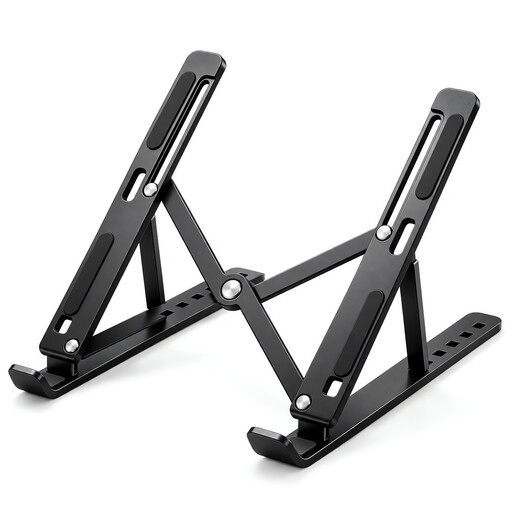 Image unavailable
For raising a laptop screen at a desk; plan for separate controls if you intend to use the raised laptop for prolonged work.
The product title specifies seven height levels, a 15–45° adjustment range and support for 10–17-inch laptops.
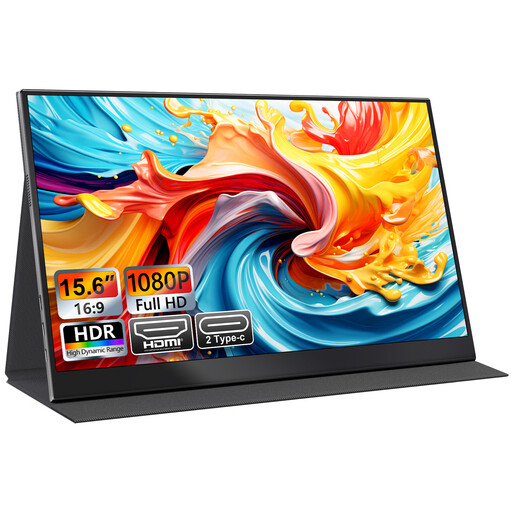 Image unavailable
For a laptop setup that needs a separate screen; check that the laptop supports the display connection you plan to use.
The title lists FHD 1080p, IPS, USB-C and HDMI. The product description says the smart cover doubles as a stand.
USB-C video depends on the laptop port supporting display output; a USB-C connector alone does not confirm compatibility.
 Image unavailable
For a desk arrangement that needs separate keyboard and mouse controls, including alongside a raised laptop.
The product description lists a 2.4 GHz wireless connection and an included USB-A nano receiver. The title specifies the UK English version.
Check that your laptop has a suitable USB-A port for the receiver.
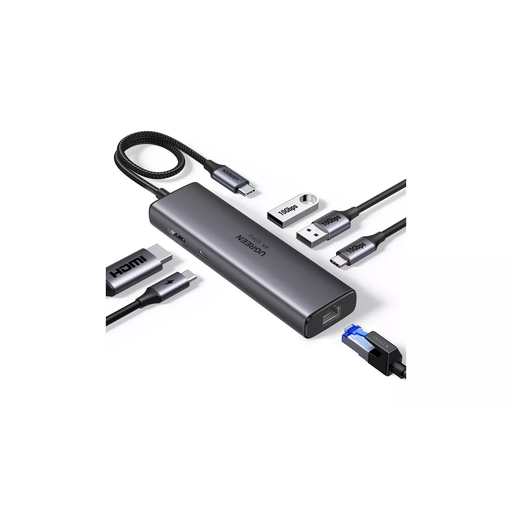 Image unavailable
For adding connections to a laptop desk setup; check the laptop’s port capabilities and the connections your devices require.
The product description lists HDMI up to 4K at 60 Hz, a Gigabit RJ45 port, USB data ports and up to 100 W PD pass-through.
Display output over USB-C depends on the laptop supporting video. Check the power available to the laptop against its charging requirement.
 Image unavailable
For a desk setup that needs a separate display and may use USB-C for laptop charging; check video compatibility and whether the stated charging power suits your laptop.
The product details list an IPS 4K display, 65 W USB-C power delivery and a stand adjustable for tilt, height, swivel and pivot.
No. Check that the particular laptop port supports video output and that the hub supports the display connection you need. Dell notes that not every USB-C port supports video, so a matching connector alone does not confirm compatibility.
For prolonged laptop use, HSE describes raising the laptop screen with a separate keyboard and mouse, or using a separate display. Plan the screen and controls as one desk arrangement rather than treating the riser as the whole setup.
Where HSE’s DSE rules apply and an employer’s workstation assessment identifies action such as providing DSE equipment, HSE says the worker cannot be charged for it. If you use DSE at home and in an office, the assessment should cover both situations; this does not mean every home worker needs every accessory.
Match the laptop and display connections to the resolution or refresh rate you need, and check the cable’s stated capability. For hub charging, distinguish the input rating from the power available to the laptop: Belkin specifies that its AVC008 uses 12 W, while Anker says the A8383 wall charger is not included.
Northern Ireland has separate guidance from the Health and Safety Executive for Northern Ireland. It describes daily DSE use for an hour or more at a time and employer workstation-assessment duties for covered users, so check the guidance that applies where you work.