What should you check before buying?
Start with work-system approval, then identify whether your main difficulty is calls, desk connections or moving between workplaces. A peripheral is a targeted change only if the laptop and accessory are both acceptable for your work setup.
| Concern |
What to check |
Who this matters to |
| Work-system approval |
Confirm permitted devices, operating systems, management, authentication and work software before choosing hardware. |
If I cannot access managed work systems, a new device is of little use to me. Around 33% of consumers would put approval and security first. |
| Call equipment |
Check whether the camera or microphone is the limiting factor, then confirm accessory and conferencing-software approval. |
Regular calls make clear audio or a usable camera my immediate priority while my approved laptop still works. Roughly 27% of consumers would prioritise call equipment. |
| Home-desk connections |
Match the dock to the exact laptop, display connections and charging requirements; raise workstation suitability through the appropriate assessment. |
At a regular home desk, I want to reconnect the displays and peripherals my work calls for without assuming any USB-C dock will do. Around 20% of consumers would focus primarily on desk connections. |
| Hybrid portability |
Check that a portable, approved laptop can reconnect to the equipment used at each work location. |
Moving between home and another workplace makes carrying and setting up my laptop the main difficulty. About 20% of consumers would put hybrid portability first. |
Joybuy product choices
These choices address three different decisions: adding a webcam for calls, considering a replacement laptop, or connecting equipment at a home desk. Check workplace approval and the compatibility of the exact product with your setup before purchasing.
 No image available
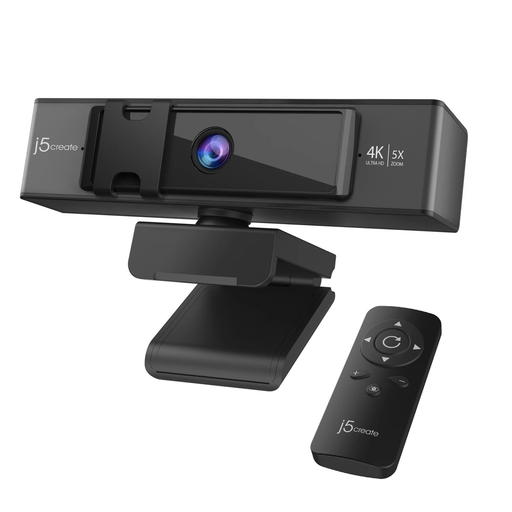
j5create JVCU435 4K webcam with 5× digital zoom and remote control
Consider this webcam if the camera on your approved laptop is the limitation during video calls. Its named features include 4K resolution, 5× digital zoom and a remote control; confirm that the webcam and its connection are permitted in your work setup.
Joybuy
 No image available
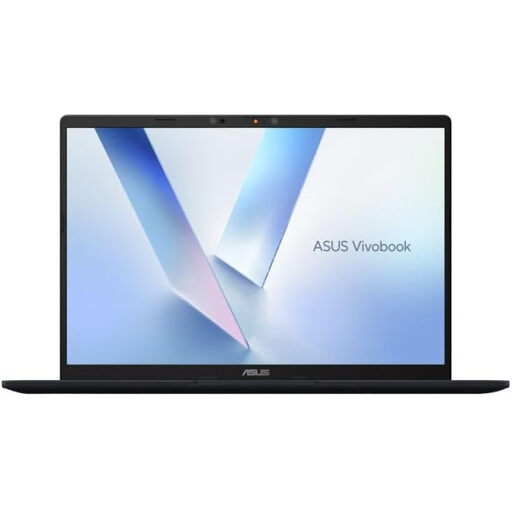
ASUS Vivobook 14 X1407QA-LY003W Copilot+ PC, Snapdragon X, 16GB RAM, 512GB SSD, Quiet Blue
Consider a replacement laptop when your current computer cannot meet your work requirements, but confirm that this exact model is approved before choosing it. The named configuration has a Snapdragon X processor, 16GB RAM and a 512GB SSD; those specifications alone do not establish compatibility with required applications or device management.
Joybuy
 No image available
Targus USB-C Universal Dual HDMI 4K Docking Station, 100W Power Delivery pass-through
Consider a dock if reconnecting an approved laptop at your home desk is the main inconvenience. This model is identified as a dual-HDMI 4K dock with 100W Power Delivery pass-through; check the host laptop, displays, power setup and workplace peripheral rules rather than assuming every USB-C connection supports the intended arrangement.
Joybuy
Common questions
Can I use my own laptop for home working?
Only if your employer or client permits it and the laptop meets the required access, security and management controls. The National Cyber Security Centre emphasises device management in its guidance on personal devices used for work, so confirm the specific requirements before buying.
Should I request a work-issued device instead?
A work-issued device is worth discussing when a personal laptop cannot meet your organisation’s access or management requirements. The Information Commissioner’s Office describes company-issued devices as generally the most secure option, provided they can be supported and updated remotely with appropriate controls; that does not establish that every issued model suits every task.
Can I choose a dock based on its USB-C connector?
No: match the dock to the exact laptop, intended displays, charging requirements and workplace rules. Lenovo’s docking guidance distinguishes options with different ports and features, so the connector name alone does not confirm the setup you need.
Will an external webcam or headset fix my video calls?
An approved accessory may address a camera or microphone limitation, but it will not resolve unsupported work software, restricted peripherals or unreliable connectivity. Confirm the permitted connection method and compatibility with your employer’s calling setup before purchasing.


