What should you check first?
Establish what the workstation assessment calls for, then plan the screen and input layout before choosing connections. A USB-C socket alone does not establish whether a proposed display, dock and charging arrangement will work together.
| Concern |
What to check |
Who this matters to |
| Workstation suitability |
Check the home and office assessment and whether the proposed equipment addresses your actual desk and task. |
If I work on a laptop for sustained periods, I want to know which changes my workstation needs before paying for accessories. Around 27% of consumers put assessment-led suitability first. |
| Laptop and display compatibility |
Match the exact laptop's video protocol and supported display setup to the dock or monitor; confirm charging and IT permission. |
When I reconnect an employer-managed laptop at my desk, I need the planned screen and connections to work with that machine. Compatibility is the primary concern for around 33% of consumers. |
| Screen and input space |
Measure usable desk space and decide whether a raised laptop with separate inputs or an external monitor fits the work. |
I need room to view my work and use a keyboard and mouse without crowding a regular desk. Around 27% of consumers make that layout their main concern. |
| Meeting peripherals |
Check meeting-software compatibility, available connections and any policy affecting headsets, webcams or wireless receivers. |
For recurring calls, I want a headset or camera that connects to my work setup without taking a port another device needs. This is the leading need for around 13% of consumers. |
Joybuy product choices
These products cover separate displays, a USB-C connection adapter, external inputs and a meeting headset. Choose the component that addresses your assessed setup and check its connections against your laptop before ordering.
 Image unavailable
ASUS ProArt PA278CV IPS WQHD monitor
Consider this for a regular desk where a separate work display addresses your screen-layout needs.
The product name identifies an IPS WQHD monitor. Check your laptop's intended video connection and charging requirements before planning a one-cable setup.
View on Joybuy
 Image unavailable
V7 V7UC-U3CRJ45HDVG-BLK USB-C adapter
Consider this adapter if a compatible work laptop needs display, wired-network and USB connections at a desk.
The product name specifies 4K HDMI, VGA, Gigabit Ethernet, 100W power delivery and dual USB 3.0 ports. Confirm the laptop's video and charging compatibility and obtain IT approval where required.
View on Joybuy
 Image unavailable
HP 680 CFT Dual-Mode keyboard and mouse set
A separate keyboard and mouse are worth considering when the laptop's screen position makes its built-in inputs inconvenient to use at your desk.
This is a dual-mode keyboard-and-mouse set. Check the connection options, available desk space and employer policy for your intended setup.
View on Joybuy
 Image unavailable
ASUS ZenScreen MB166CR FHD monitor
Consider this separate display if your work calls for another screen while moving between setups.
The product name identifies an FHD monitor. Confirm that the exact laptop supports the display connection you intend to use before buying.
View on Joybuy
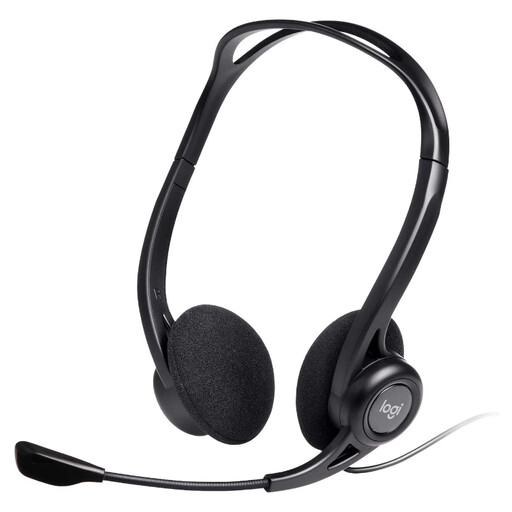 Image unavailable
Logitech 960 wired USB headset
A dedicated headset may suit recurring work calls when you need a separate microphone and listening device.
The product name identifies a wired USB headset with an inline remote and a noise-cancelling microphone. Check the computer's available USB connection and your employer's peripheral policy.
View on Joybuy
Common questions
Does my employer have to provide a home-working monitor or dock?
Not automatically: the equipment needed depends on the individual workstation assessment. For workers covered by UK display screen equipment requirements, the Health and Safety Executive says an employer cannot charge a worker for action the assessment identifies, such as providing equipment.
When can display screen equipment requirements apply to home or hybrid work?
The Health and Safety Executive says they can apply to permanent or long-term home workers and people who routinely split work between home and a workplace if they use display screen equipment daily for continuous periods of an hour or more. Its stated test does not cover occasional or short-period home use.
Should my assessment cover both my home and office desk?
Yes, if you use display screen equipment in both places, the Health and Safety Executive says the assessment should cover both situations. It should consider the whole workstation, the work being done and individual requirements.
Will any USB-C dock work with my work laptop?
No: check the exact laptop model and whether its port supports the video protocol the dock requires. Dell Technologies warns that unlisted laptops may have limited dock functionality or errors, while Lenovo specifies USB-C Alt Mode or Thunderbolt host support for its relevant docks.
Can employer IT settings affect USB-C accessories?
Yes, depending on the managed device and policy. Microsoft documents options on supported Surface devices that can restrict USB-C data, Ethernet or audio while allowing some display and charging functions; ask IT about your laptop and proposed accessories before purchasing.


