Multi-window home workers
If you regularly want documents, spreadsheets or a call visible alongside your main work, a second screen may suit a desk where you can leave it set up. Good Housekeeping UK covers monitors for home-working setups.


For a permanent home-work desk, choose a desktop monitor around the screen space, resolution and connections your work needs; consider a portable screen if you need to clear or move the setup. Before buying, check that your computer can send video to the monitor and, if you want charging through one cable, that the monitor’s stated power delivery meets your laptop’s requirements.
If you regularly want documents, spreadsheets or a call visible alongside your main work, a second screen may suit a desk where you can leave it set up. Good Housekeeping UK covers monitors for home-working setups.
If you reconnect a laptop at home often, check whether a monitor can handle the video connection and any charging or peripheral needs you want to combine. Dell UK, BenQ UK and DisplayPort describe relevant connection and power-delivery considerations.
If your workspace is shared, limited or changes location, consider how easily a screen can be moved or put away, as well as whether it can be positioned comfortably. The Health and Safety Executive and Lenovo UK discuss workstation considerations and portable-monitor compatibility.
| Concern | What to check | Who this matters to |
|---|---|---|
| Space for several windows | Compare native resolution as well as screen size, and consider the desk space available. | If I need documents and calls visible together, I want enough usable workspace rather than relying on diagonal size alone; around 29% of consumers put simultaneous work windows first. |
| Video connection and charging | Check the laptop’s video-capable ports, monitor inputs, any adapter needed and stated USB-C power delivery. | If I reconnect a laptop regularly, I want fewer cables without assuming every USB-C port carries video or provides enough power; around 23% of consumers prioritise connection simplicity. |
| Position and desk fit | Measure desk depth and stand footprint, then check the adjustment features and range for the exact model. | For a screen used regularly at a fixed workstation, I want a position that suits the desk and task; around 18% of consumers put workstation positioning first. |
| Moving or putting the screen away | Check the screen dimensions, cable arrangement, host compatibility and where it can stand during use. | If I share a desk or change work locations, I want a second screen I can move or clear away; around 18% of consumers prioritise portability. |
| Detail for visual work | Compare the exact model’s native resolution and stated colour specifications with the needs of your workflow. | When visual detail matters, I want specifications that fit the work and know whether independent accuracy checks are needed; around 12% of consumers prioritise specialist display detail. |
The laptop, monitor and cable all need to support the intended video connection. Charging through the monitor is a separate check: compare its stated power delivery with the laptop’s requirements.
Check the exact model requirements before choosing a cable, adapter or hub. Depending on your setup, you may need a compatible cable, adapter or separate charger.
A 27-inch display does not tell you its native resolution. For example, BenQ lists the GW2790 as Full HD, while LG lists the 27UP850K-W as 4K; these are different models, so compare the specifications of the exact screen you are considering.
Match the native resolution and screen size to the windows or visual detail you need, as well as the space on your desk.
A portable display can be moved or put away, but its screen size and available positioning may not suit every prolonged-work setup.
Consider the whole workstation, including where the screen can stand while you work. The Health and Safety Executive advises assessing the workstation as a whole.
The Dell Pro Plus P2425HE is an example of a desktop monitor with a USB-C hub connection.
The ThinkVision M14 is a portable second-screen example for a compatible notebook.
The LG 27UP850K-W is a 27-inch 4K IPS desktop-monitor example.
BenQ’s GW series illustrates that similar model names can refer to different display and connection specifications.
These choices cover desktop monitors for home-work setups, including USB-C and higher-resolution options, alongside a portable second screen.
 No image available
A desktop option if you want a USB-C connection and charging; check that your laptop supports video over USB-C and that the stated 65 W power delivery suits its charging needs.
27-inch 4K UHD IPS display; USB-C 65 W; Google TV; Dolby Audio.
 No image available
A portable second-screen option for a moving or shared workspace; the host device must support DisplayPort Alternate Mode over USB-C for the described connection.
FHD portable monitor. USB-C video compatibility depends on the host device.
 No image available
A fixed-desk option if a 27-inch 4K UHD display suits your work; check the stand’s adjustment range and footprint against your workspace.
27-inch 4K UHD display.
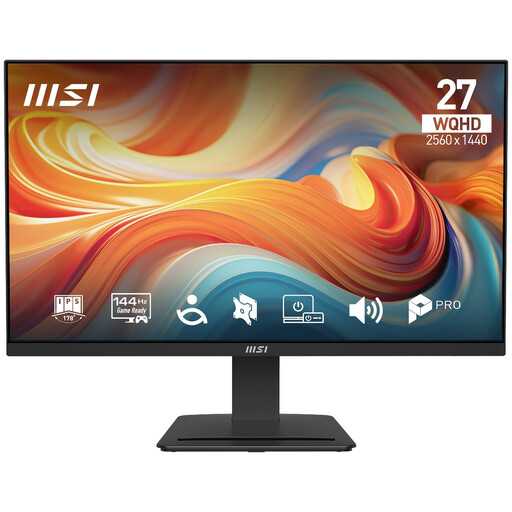 No image available
A desktop option for documents and multiple windows if a 27-inch WQHD screen fits your desk; its listed stand adjustment is tilt only, so check that this suits your intended position.
27-inch WQHD display; 2560 × 1440; 144 Hz; IPS; tilt adjustment only.
No: the connector shape alone does not confirm video or charging support. Check the laptop’s documented video-output mode, the monitor and cable requirements, and whether the monitor’s stated power delivery meets the laptop’s charging needs.
The cited guidance does not establish a universal requirement for everyone to buy an external monitor. In Great Britain, the Health and Safety Executive says employers must assess the workstation and address risks for qualifying display screen equipment users, including those who use DSE daily for continuous periods of an hour or more. The assessment considers the whole setup and individual needs; Northern Ireland has separate guidance from the Health and Safety Executive for Northern Ireland.
Place and adjust the screen as part of the whole workstation, taking account of available space and the work being done. The Health and Safety Executive’s guidance advises reviewing the setup when the user or display-screen equipment changes; one stand position is not suitable for everyone.
Check which cables are included, whether your setup needs an adapter or dock, and the seller’s returns terms and the model’s warranty. Citizens Advice describes a 14-day change-of-mind cooling-off period for eligible online purchases, starting the day after receipt and subject to exceptions; remedies for faulty goods are a separate matter.
Official guidance says electrical equipment placed on the Great Britain market must meet the applicable Electrical Equipment (Safety) Regulations 2016. The government publishes separate guidance for Northern Ireland, so do not assume the two market regimes are identical or infer a particular product’s compliance from a listing alone.