Start with the workstation arrangement and, where the Display Screen Equipment Regulations apply, the employer’s individual assessment; there is no one accessory bundle for everyone. For prolonged laptop use, the Health and Safety Executive’s guidance supports raising the screen while using a separate keyboard and mouse, or using a separate display. Before buying, check what your employer will provide and whether your laptop supports the monitor, charging and dock features you need.
Who needs home-working workstation accessories?
Regular laptop-only workers
If you work at a laptop for extended periods, you may need to position its screen separately from the keyboard and mouse. The Health and Safety Executive’s posture guidance describes separating the keyboard and mouse when raising a laptop screen.
Workers needing more screen space
A separate display may suit your setup if you need a different screen arrangement. Check desk space, connections and any charging requirement against your existing laptop.
Workers reconnecting several devices
If you need to connect displays and peripherals, check whether your laptop’s ports and operating system support the hub or dock you are considering.
What should you check before buying?
Use your workstation assessment to decide what needs changing, then check your laptop, employer’s equipment arrangements and the accessory specifications before purchasing.
| Concern |
What to check when buying |
Who this matters to |
| Screen position |
Check the assessment outcome, stand adjustment and your laptop’s size and weight against the product limits. |
If my assessed setup calls for a raised laptop screen, I want a stand that fits and positions it as needed; around 29% of consumers put assessed screen positioning first. |
| Display space |
Compare screen resolution and stand adjustment with available desk space and the laptop’s video connection. |
If I need a separate display for regular work, I want one that fits my desk and connects to my laptop; around 23% of consumers prioritise display space and placement. |
| Separate input |
Check keyboard layout, connection options and whether any optional configuration software is permitted. |
If I raise my laptop for prolonged use, I want a separate keyboard and mouse so I can position input independently; around 18% of consumers prioritise separate input. |
| Connections |
Check the laptop’s exact port and display support, the accessory’s video route, power requirements and software needs. |
If I need to connect my existing laptop, screens and peripherals through an accessory, I want those connections to work with my setup; around 18% of consumers prioritise compatibility. |
| Mouse fit |
Check the exact handedness, connection method and any stated hand-size guidance. |
If I am considering a different mouse shape, I want a variant that suits my hand and connection preferences; around 12% of consumers prioritise alternative mouse fit. |
Buying pitfalls to avoid
-
Buying assessed workplace equipment privately before checking the employer’s process
For workers covered by the Display Screen Equipment Regulations, the Health and Safety Executive says that workers cannot be charged where an individual assessment indicates that equipment action is needed.
Check the assessment outcome and agree the equipment and repair arrangements with your employer before buying.
-
Assuming every USB-C port supports video and charging
A USB-C connector alone does not confirm video output or charging. The Plugable UD-6950Z, for example, is a documented DisplayLink dock that does not charge its host computer.
Match the laptop’s exact port capabilities and power requirements to the accessory’s specifications.
-
Raising a laptop but continuing to use only its built-in keyboard
The Health and Safety Executive’s guidance for prolonged laptop use describes separating the keyboard and mouse from an elevated laptop screen, or using a separate display.
Assess the screen and input positions together rather than choosing a riser in isolation.
Relevant brands to consider
Kensington
Laptop risers for keeping and repositioning an existing laptop screen.
- Kensington specifies six adjustment levels for the Easy Riser Aluminium K50417WW.
- Kensington states that this model supports laptops up to 16 inches and 5 kg; check your laptop against those limits.
BenQ
Separate displays, including models with stand adjustment and USB-C connections.
- BenQ specifies a 27-inch, 2560 × 1440 display, 110 mm height adjustment and 65 W USB-C power delivery for the GW2790QT.
- Those specifications apply to that model; check whether its charging and connection capabilities suit your laptop.
Logitech
Separate keyboards and mice, with options for different input and hand-fit preferences.
- Logitech specifies that MX Keys S can switch between up to three devices.
- Logitech describes Lift as intended for small to medium hands and offers a left-handed option; those descriptions do not establish suitability for every individual.
Plugable
Docks for setups where the laptop, operating system and permitted software support the connection technology.
- Plugable specifies USB-C or USB 3.0 host connection and dual-display capability for the UD-6950Z.
- Plugable states that the UD-6950Z does not charge its host and requires a driver on Mac.
Dell
Monitor options with integrated connections, alongside compatibility information for certain Dell docks.
- Dell specifies a 27-inch Full HD panel, adjustable stand and up to 90 W power delivery for the P2725HE.
- Dell documents functional limitations for certain Dell docks used with non-Dell laptops; check the exact dock and laptop combination.
Joybuy products for home-working setups
These Joybuy products cover screen risers, a separate keyboard, a USB-C adapter and an alternative mouse shape. Check each product’s fit and connections against your workstation and laptop.
 No image available
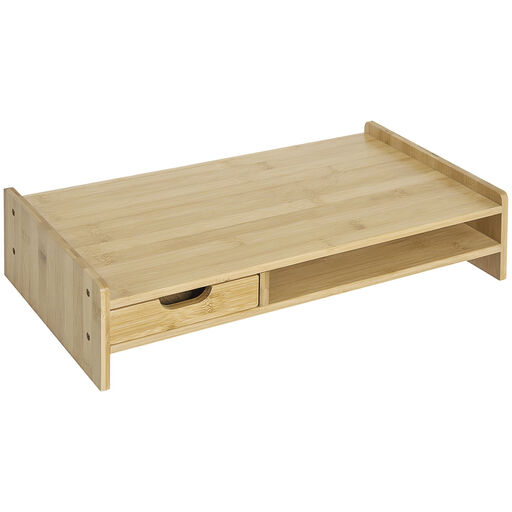
HOMCOM Bamboo Monitor Riser with Drawer
For a setup that needs a raised monitor or laptop with storage nearby.
Dimensions: 49 × 25.5 × 11.5 cm. Stated weight capacity: 10 kg.
The product description also states that there is space beneath the riser for a keyboard and mouse.
Joybuy
 No image available
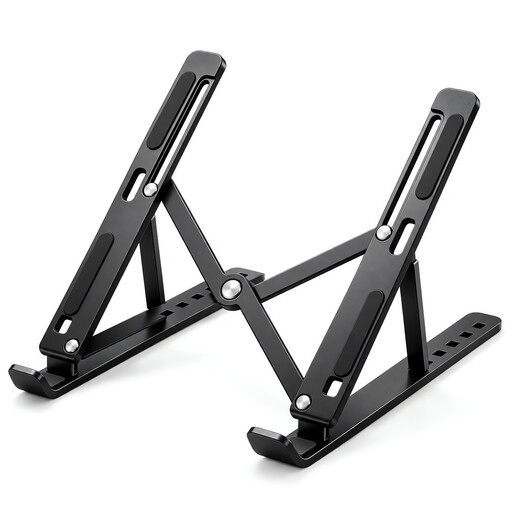
Foldable Laptop Stand, 10–17-inch
For repositioning a laptop screen when the laptop fits the stand’s stated size range.
Specifies seven height levels and a 15–45-degree angle range.
The title also specifies a ventilated panel, anti-slip silicone pads and a foldable design.
Joybuy
 No image available
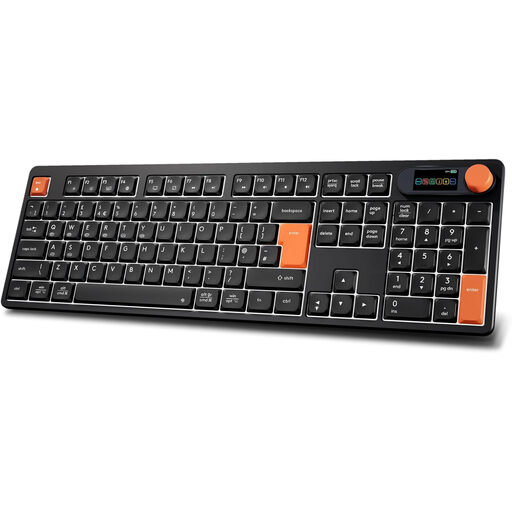
Doohoeek Full-Size UK-Layout Keyboard, Orange and Black
For a setup that needs separate keyboard input from a laptop screen.
Connection modes listed: Bluetooth, 2.4 GHz wireless and wired USB-C. The title specifies a full-size UK layout, backlit scissor keys and a 2000 mAh rechargeable battery.
Joybuy
 No image available
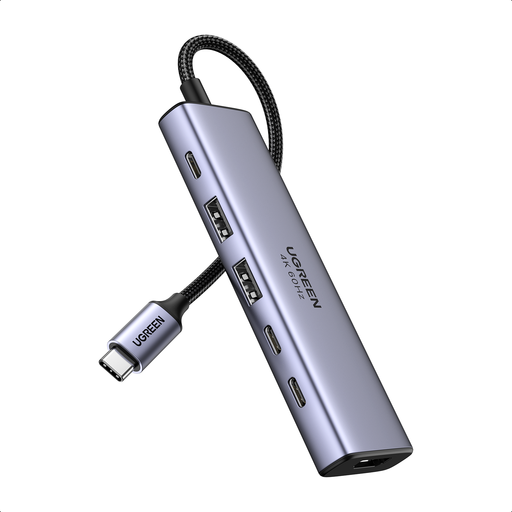
Ugreen 6-in-1 USB-C Adapter
For adding connections when the laptop and its USB-C port support the functions you need.
Listed connections include HDMI, two USB-A 3.2 ports, two USB-C 3.2 ports and a PD port. The product description specifies HDMI output up to 4K at 60 Hz and lists Windows, macOS and Android compatibility.
Check that your laptop’s USB-C port supports video before relying on HDMI output; the product description lists PD support at 20 V and 5 A.
Joybuy
 No image available
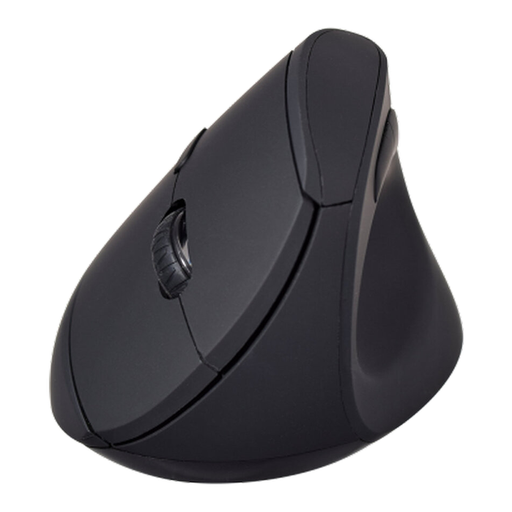
V7 MW500BT Bluetooth Vertical Mouse
For consumers considering a different mouse shape or wireless connection option.
Specifies Bluetooth and 2.4 GHz wireless modes, six buttons and adjustable 800, 1200 and 1600 DPI settings.
The product description lists Windows 10, Windows 11 and macOS 13.6 or later compatibility.
Joybuy
Home-working workstation FAQs
If I am covered by the DSE Regulations, must I pay for equipment identified by my assessment?
No: the Health and Safety Executive says workers cannot be charged where an individual DSE assessment indicates that equipment action is needed. Ask your employer about its assessment and equipment process before buying privately; Acas advises agreeing who will provide or pay for equipment and repairs.
Does every home worker need an external monitor?
No universal monitor requirement follows from the Health and Safety Executive guidance cited here. Where the DSE Regulations apply, the employer should assess the individual arrangement; existing home equipment may be suitable or unsuitable depending on the circumstances.
Can I raise my laptop and keep using its built-in keyboard for prolonged work?
For a prolonged-use laptop arrangement, the Health and Safety Executive’s guidance describes separating the keyboard and mouse from the elevated screen, or using a separate display. Use your assessment to determine the arrangement needed for your workstation.
Will any USB-C dock charge my laptop and run two extended monitors?
No: check the exact laptop’s video and display support, the dock’s connection technology, power output and software requirements. Plugable explains that the display route depends on the host and operating system; its UD-6950Z uses DisplayLink and does not charge the host computer.


