What should you check before choosing equipment?
For regular home or hybrid laptop work, establish any employer-provision requirement first. Then decide whether your main need is a fixed desk, a setup that moves between locations, or call equipment.
| Concern | What to check | Who this matters to |
|---|
| Assessment and provision |
Check whether the UK display-screen-equipment rules apply to your work, what the assessment covers and how your employer supplies equipment it identifies as necessary. |
If an assessment may determine what my employer needs to provide, I want its outcome before choosing extras. Roughly 36% of consumers put this route first. |
| Fixed-desk screen and input |
Check desk space, display position and glare, plus where a separate keyboard and mouse would sit. |
For sustained work at one desk, I need the screen and input devices to fit the whole work surface, not just the laptop. Around 29% of consumers prioritise this arrangement. |
| Portable, repeatable setup |
For a stand, check laptop size and weight limits; for a dock or adapter, check the exact laptop port, display and charging requirements. |
When I move between home and office, I want equipment I can carry or reconnect without assuming both desks have the same connections. Approximately 21% of consumers put portability and repeatable setup first. |
| Remote-call equipment |
Check connection and meeting-platform compatibility, microphone controls and webcam placement where relevant. |
If frequent calls are my main difficulty, I want audio or video equipment that works with the device and meetings I use. Roughly 14% of consumers prioritise remote collaboration. |
Joybuy products for different setup needs
These products cover separate input devices, portable and desk-based displays, wired call equipment and laptop connectivity. Choose within the setup indicated by your assessment or, for an optional purchase, by your workspace and device requirements.
 Image unavailable
HP 680 CFT Dual-Mode Keyboard/Mouse Combo
Consider this keyboard-and-mouse set when separate input devices suit your assessed desk arrangement or an optional multi-device setup. Check that its keyboard layout and connection options fit the devices you use.
View on Joybuy
 Image unavailable
UPERFECT 14-inch 60Hz touchscreen portable monitor
This portable second screen is an option when you need a display that moves with a laptop. Its title specifies VESA compatibility and a stand adjustable through 180°. Check USB-C video and power compatibility before relying on a one-cable setup; otherwise, separate monitor power may be needed. Touch operation also depends on the connected device.
View on Joybuy
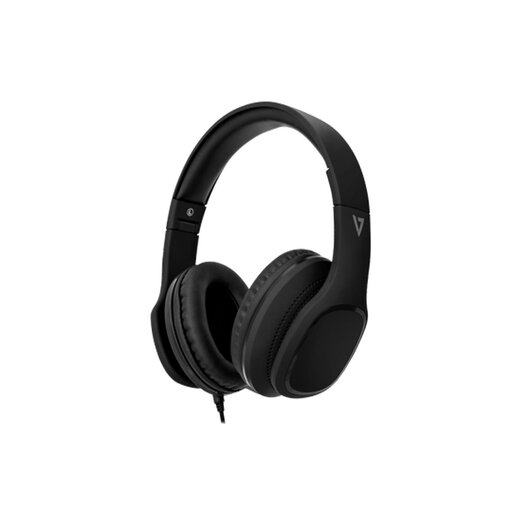 Image unavailable
V7 HA701-3EP wired over-ear headphones with microphone
Consider these headphones for calls when a wired headset suits your working arrangement. The product name specifies 40 mm drivers and an inline microphone; check that your intended device has a compatible 3.5 mm connection.
View on Joybuy
 Image unavailable
V7 V7UC-U3CRJ45HDVG-BLK USB-C adapter
This adapter is relevant when a laptop setup needs display, network and USB connections. Its title lists 4K HDMI, VGA, Gigabit Ethernet, 100W Power Delivery and two USB 3.0 ports. The documented working mode supports one display, and the host needs USB-C Alt Mode; check the exact laptop, display and charging requirements before choosing it.
View on Joybuy
 Image unavailable
AOC Q32V4 31.5-inch IPS monitor
Consider this separate display for a main desk if your workstation arrangement calls for one and there is room for a 31.5-inch screen. The product name lists a 2K IPS panel and built-in speakers. Check the available desk space and whether the stand’s adjustment meets your positioning needs.
View on Joybuy
Questions about home-workstation equipment
Should I buy equipment before asking for a workstation assessment?
If the UK display-screen-equipment rules apply to your work, ask about the employer’s assessment and provision process before buying equipment to address a work-related need. The Health and Safety Executive says a worker cannot be charged for additional equipment identified as necessary by that assessment; an optional personal preference is a separate decision.
Should a hybrid-work assessment cover both home and office?
Yes, where a worker uses display-screen equipment in both locations, the Health and Safety Executive says the assessment should cover both situations. Check each workstation rather than assuming that an accessory suitable at home resolves the office arrangement too.
Does every home worker need an external monitor and keyboard?
No single equipment list applies to every home worker. The Health and Safety Executive says the assessment should determine whether the existing workstation is suitable and what, if any, changes are needed for the individual’s work.
What should I check before buying a USB-C dock or adapter?
Check the exact laptop port capabilities against the dock or adapter’s supported displays, charging level, operating-system requirements and cables. A USB-C-shaped port alone does not establish that your intended display and charging arrangement will work.
When should I review a workstation after adding equipment?
Review the arrangement when the setup or work changes significantly, or when a worker reports discomfort. The Health and Safety Executive also advises keeping leads in good condition, avoiding trailing cables and checking that lighting is suitable.


