Buying priorities
Build the desk around the work you do most often, then check that each accessory works with both your laptop and any employer requirements.
| Priority |
What to check |
Your needs |
| Separate laptop inputs |
Use a separate keyboard and mouse if the laptop is raised. Check that the keyboard, mouse and screen can be positioned independently. |
I want to raise my laptop screen without having to type and point at an awkward height. |
| Screen and desk layout |
Check desk depth, screen position, monitor adjustment and mouse reach. Position the main display directly in front where practical. |
I need the main screen, keyboard and mouse to fit the desk as one workable arrangement, not as separate purchases. |
| Dock compatibility |
Confirm the exact laptop model, port capabilities, operating system, charging requirement, monitor inputs and intended display modes. Check whether USB-C video requires DisplayPort Alt Mode or other host support. |
I want one cable for screens and accessories, but only if my laptop can provide the required video, power and data functions. |
| Employer approval |
Check acceptable-use rules for docks, adapters, wireless receivers, USB devices and Ethernet connections. Ask IT about approved equipment for managed laptops. |
I use work equipment or company data, so I need accessories that my employer permits before connecting them. |
Joybuy product options
These Joybuy options cover external displays, docks and separate input devices for a home workstation. Match each item to your laptop, desk layout and employer requirements before purchase.
 No image available
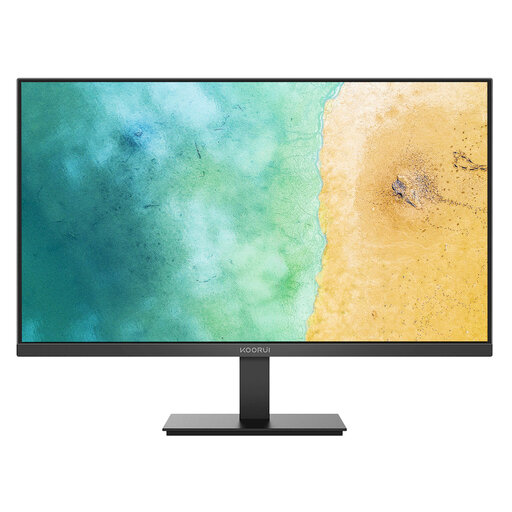
KOORUI MB27V29FS2 27-inch IPS Monitor
A separate main display for a fixed home desk where the screen can be centred with adequate desk depth.
Stated features include a 27-inch Full HD IPS panel, HDMI and VGA inputs, tilt adjustment and VESA 100 × 100 mm mounting.
Check that the laptop has compatible video output or an appropriate adapter. The listed stand has tilt adjustment only, and separate keyboard and mouse are still needed when raising a laptop.
Joybuy
 No image available
Targus USB-C Universal Dual HDMI 4K Dock
A desk-expansion option for compatible laptops that need external displays, Ethernet and peripheral connections.
The listing states two HDMI 2.0 outputs at 4K UHD 60Hz, 100W PD pass-through, Gigabit Ethernet, USB-A and card readers.
Confirm USB-C Alt Mode support, operating-system compatibility and monitor modes. Check whether a suitable 100W or higher power adapter is included and approved for a work laptop.
Joybuy
 No image available
HP 680 CFT Dual-Mode Keyboard and Mouse Combo
A paired keyboard and mouse option for an elevated-laptop workstation.
The listing states quiet keys, a built-in wrist rest, negative tilt, an ergonomic mouse and Bluetooth or USB-receiver connection for up to three devices.
Check the keyboard layout and confirm that Bluetooth or a USB receiver is permitted on employer-managed equipment. Arrange the keyboard and mouse for the available desk space.
Joybuy
 No image available
Baseus Metal Gleam Series II 10-in-1 USB-C Hub
A compact connection hub for a compatible laptop desk setup with displays, networking and accessories.
Stated connections include two HDMI outputs, 100W USB-C PD input, 10Gbps USB-A and USB-C ports, Gigabit Ethernet, SD and TF card readers.
The listing requires USB-C DisplayPort Alt Mode for video output. Check laptop charging needs, display modes and approval for Ethernet, card readers and attached peripherals.
Joybuy
 No image available
Philips 3000 Series Wireless Keyboard and Mouse Combo
A straightforward separate-input set for a laptop or desktop desk arrangement.
The listing states a full-size UK English layout, 2.4GHz wireless connection, one USB-A nano receiver, up to 10m range and power-saving mode.
Confirm that the USB-A receiver is usable and permitted on the intended work laptop. Bluetooth is not stated for this model.
Joybuy
Frequently asked questions
When is a laptop-only workstation no longer practical for sustained work?
For prolonged laptop use, use a separate keyboard and mouse if the screen is elevated. Health and Safety Executive guidance also identifies a separate display as a laptop-setup option, so assess the whole workstation rather than treating the laptop alone as a permanent desk setup.
Should I buy a monitor before a dock?
Usually, start with a monitor when limited screen space or viewing position is the main problem. Choose the desired screen layout first, check whether the laptop has suitable direct video output, and add a dock when you also need power, displays, Ethernet and several peripherals through one connection.
Can any USB-C dock run two or three monitors?
No. USB-C is a connector, not proof of a particular display capability. The laptop, video-capable port, dock, cable, operating system and intended resolution or refresh mode must all support the proposed configuration.
When should employer-provided equipment or policy decide the purchase?
Check with your employer before buying or connecting a dock, adapter, USB device or wireless peripheral to managed or security-sensitive work equipment. The National Cyber Security Centre notes that organisations may assess external-interface risks and use technical controls or device management to restrict peripherals.
Do UK DSE rules apply to hybrid or long-term home workers?
They can. In Great Britain, the Health and Safety Executive says DSE rules can apply to permanent or long-term home workers and people who routinely split work between home and the workplace; this includes people using display screen equipment daily for continuous periods of an hour or more. Northern Ireland has parallel DSE regulations, so an employer assessment may identify whether additional home equipment is appropriate.


