What to consider before buying
The Health and Safety Executive recommends using a display screen equipment (DSE) assessment to decide what a home workstation needs; begin with the problem your current arrangement does not address.
| Concern |
What to check when buying |
Who this matters to |
| Usable display space |
Compare screen size, native resolution and application scaling with your documents and communication tasks. |
If my work windows do not fit at a readable text size, I need to assess the display itself rather than assume that extra ports will help. Around 25% of consumers put usable display space first. |
| Connections and charging |
Check the exact laptop model, video-capable port, operating system, intended display setup and charging requirement. |
If I repeatedly reconnect displays and peripherals, I want a dock that supports my computer and charging needs. About 25% of consumers make reliable connections their primary concern. |
| Laptop screen and input position |
Check whether the laptop display remains adequate and plan for a separate keyboard and mouse if raising the screen. |
If my laptop screen is sufficient but needs a different height, I want to position it separately from my typing devices. Around 25% of consumers prioritise this arrangement. |
| Existing monitor position |
Check the supplied stand first; for an arm, verify the monitor’s mounting pattern, supported load and attachment requirements. |
If my monitor suits my tasks but needs a different position, I would rather check its fit with a stand or arm than assume I need another screen. Approximately 25% of consumers prioritise monitor positioning. |
Joybuy product choices
These choices cover external desktop monitors and a USB-C hub for connecting displays and peripherals; check your computer’s compatibility before selecting a model.
 No image available
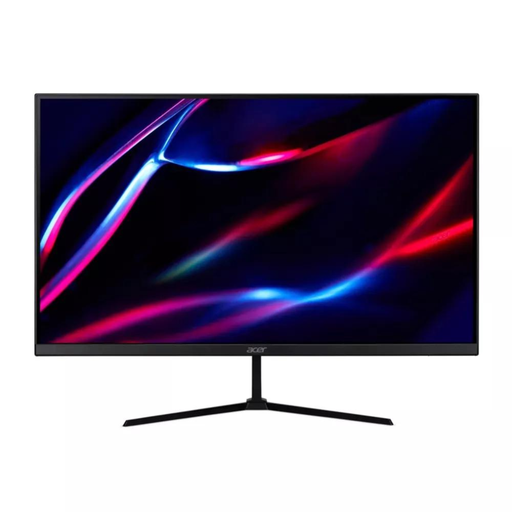
27-inch QHD IPS 180Hz Monitor
Consider this monitor if your assessed setup needs a separate desktop display.
27-inch QHD resolution; IPS; 180Hz refresh rate; 1ms/0.5ms (GTG, Min.).
Joybuy
 No image available
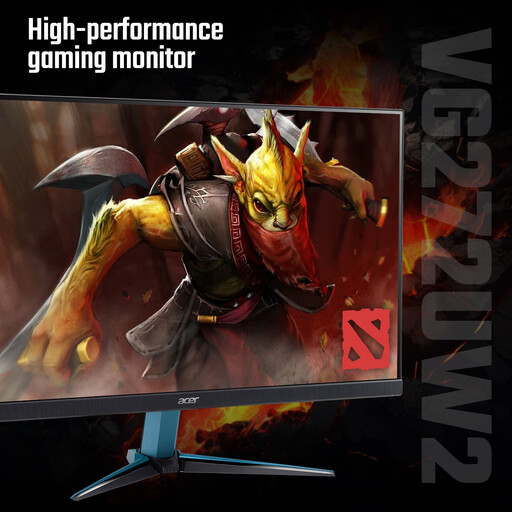
Acer Nitro VG272UW2bmiipx 27-inch QHD IPS Monitor
Consider this desktop monitor if your setup needs a separate screen and its specifications suit your tasks.
27-inch QHD; IPS; 240Hz refresh rate; 1ms/0.5ms (GTG, Min.).
Joybuy
 No image available
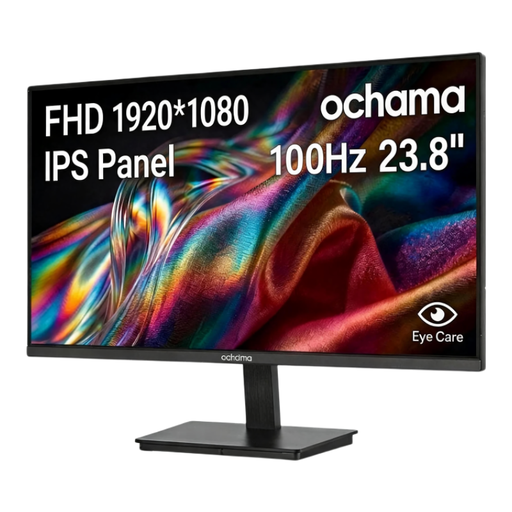
ochama 23.8-inch 1080P 100Hz Office Monitor
Consider this monitor if your assessed home-work setup calls for a separate desktop display.
23.8-inch; 1080P; 100Hz refresh rate; three-sided narrow bezels.
Joybuy
 No image available
Baseus Metal Gleam Series II 10-in-1 USB Hub
Consider this hub if your existing setup needs connections for displays and peripherals.
Two HDMI outputs; USB-A and USB-C ports; RJ45 and SD/TF slots; USB-C PD port. Video output requires a connected device that supports USB-C DisplayPort Alt Mode.
Joybuy
 No image available
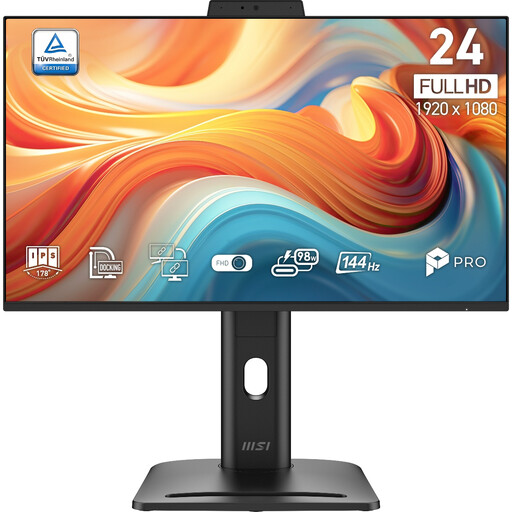
PRO MP245PDG E14 24-inch FHD Monitor
Consider this monitor if your setup needs a separate screen with adjustable positioning.
24-inch; 1920 × 1080 (FHD); 144Hz; height, tilt, swivel and pivot adjustments.
Joybuy
Frequently asked questions
Does regular home screen work mean I need an external monitor or dock?
No universal requirement for a monitor or dock is stated in the guidance. The Health and Safety Executive’s Great Britain guidance covers home DSE use daily for continuous periods of an hour or more; the Health and Safety Executive for Northern Ireland describes daily use for an hour or more at a time. Equipment decisions should follow the individual workstation assessment.
Who pays if my assessment identifies that I need equipment?
In Great Britain, the Health and Safety Executive says workers cannot be charged for action required by a DSE assessment, including providing equipment. The Health and Safety Executive for Northern Ireland states that health-and-safety equipment should be provided free of charge. Discuss required provision with your employer; these statements do not establish reimbursement for an optional upgrade chosen independently.
Can any USB-C cable connect my laptop to a monitor?
Not for video using DisplayPort Alternate Mode: StarTech.com explains that the host port, cable and connected device must all support that mode. Check the computer and accessory documentation rather than relying on the connector shape or a cable’s charging label.
Will a two-display dock give me two independent screens on a Mac?
Not automatically. Plugable Technologies explains that MST does not provide independently extended displays on macOS, while Thunderbolt remains subject to the host computer’s display limits. Apple’s instructions allow two external displays on specified base-M3 MacBook Air and MacBook Pro models with the lid closed, external input devices and power, subject to the stated software requirements. Check the instructions for your exact Mac and dock.
Should my home and office workstation be assessed separately?
If you use DSE both at home and in the office, the Health and Safety Executive says the assessment should cover both situations. Its workstation guidance also calls for reassessment when a workstation or the way it is used changes, so review the arrangement after installing or changing equipment.


