What should you check before choosing?
Start with the installed camera view, then assess visual masking, alerts, audio and storage as separate choices.
| Priority |
What to check |
Your needs |
| Visual capture |
Check the final lens direction and whether a privacy zone obscures the relevant area in both live video and recordings. TP-Link describes Tapo privacy zones as areas that cannot be viewed or monitored. |
I want to see my entrance or drive without unnecessarily capturing a neighbour’s property, pavement or shared space. |
| Motion alerts |
Check whether detection zones and sensitivity can focus alerts on the area of interest. Test them after mounting; do not assume an alert zone masks the image. |
Passing pedestrians or traffic should not repeatedly trigger alerts about activity outside the area I need to monitor. |
| Audio |
Confirm how the exact model disables audio recording and whether that control has any account requirements. The ICO advises that surveillance systems should not normally record conversations between members of the public. |
If I only need video of my property, I want a clear way to leave sound out of recordings. |
| Footage storage |
Check the supported recording destination, any required storage hardware, access controls and deletion settings. Reolink lists microSD, NVR and FTP destinations for its RLC-823A. |
I need to know where clips will be kept and how I can manage access and retention. |
Joybuy outdoor camera option
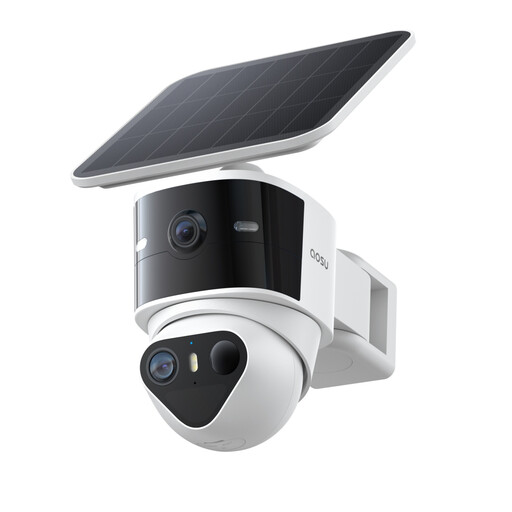
This outdoor camera offers activity-zone settings for monitoring areas such as a driveway. If its moving view could reach beyond your property, check its visual masking and audio controls before choosing it for that position.
 No image available
aosu T2 Pro 3K Outdoor Solar Camera, 5MP Dual Camera
Configurable activity zones can focus alerts on an area such as a driveway, but they should not be treated as visual masking. The listed 360° PTZ and auto-tracking functions make it important to check the live and recorded view as the camera moves. It supports local microSD storage with a separately purchased card. If the view may reach a boundary or shared area, confirm visual masking and audio-off controls for this exact model before buying.
Joybuy
Common questions
When does UK data protection law apply to home CCTV?
The ICO says it applies when home CCTV captures someone else’s property, a public area or communal space. Aim the camera at your own property where possible, and check the ICO’s current guidance before installation because its home-CCTV guidance is under review.
Do activity zones stop a camera recording a pavement or neighbour’s garden?
Not necessarily: activity zones govern detection or alerts, while a visual privacy zone is intended to obscure part of the image. Check what the exact model’s controls do, then inspect both its live view and a recorded clip from the final mounting position.
Should I leave audio recording on near a shared boundary?
If sound is not needed, check that the camera can record without it. The ICO advises that surveillance systems should not normally record conversations between members of the public; confirm how the audio setting works on the exact device.
What footage-storage settings matter before buying?
Check where the camera can save footage, whether compatible storage hardware is needed, who can access recordings and how they are deleted. Recording destinations vary by model: Reolink, for example, lists microSD, NVR and FTP options for its RLC-823A.


