Multi-window tariff researchers
If you compare supplier pages, tariff PDFs, bills and spreadsheets side by side, prioritise enough usable desktop area to read the figures without continually rearranging windows.


Choose a 27-inch QHD monitor if you regularly need a tariff spreadsheet, supplier pages and bills visible together. A compact Full HD display can suit simpler, one-window-at-a-time work; whichever size you choose, check that its stand fits your desk and that any USB-C display connection and charging output meet your laptop’s requirements.
If you compare supplier pages, tariff PDFs, bills and spreadsheets side by side, prioritise enough usable desktop area to read the figures without continually rearranging windows.
If a work laptop is your main computer, check whether the monitor can handle the display connection and, if wanted, charging and desk peripherals through the connections your laptop supports.
Screen positioning and the wider workstation matter alongside display features. The Health and Safety Executive advises that home-working display screen equipment arrangements should support a comfortable, sustainable posture.
For tariff comparisons, decide how much material you need on screen at once, then check how the monitor will fit your desk and connect to your computer. Assess the exact model’s energy information separately from its display and docking features.
| Concern | What to check | Who this matters to |
|---|---|---|
| Room for tariff documents | Compare QHD at 2560 × 1440 with Full HD at 1920 × 1080, then consider whether the screen size fits your desk. | I want a spreadsheet open beside supplier terms and bill PDFs without constantly switching windows. Around 31% of consumers would put that workspace need first. |
| Comfort over long sessions | Check the stand’s available adjustments and whether you can position the screen without troublesome glare. | If I spend much of the working day at this desk, I need to place the screen comfortably rather than rely on an eye-comfort feature alone. That would be the first concern for around 31% of consumers. |
| Monitor energy information | Look at the energy label and product information sheet for the exact model and variant, including the stated use information where shown. | I am comparing household energy costs, so I also want to understand the display’s own documented energy use. Around 23% of consumers would make that their primary concern. |
| Laptop connections | Confirm USB-C display support and compare any stated power delivery with your laptop’s charging requirement; check ports needed for other devices. | When I bring my laptop to the desk, I want fewer cable changes without losing the connections I use. Roughly 15% of consumers would prioritise that setup need. |
A 27-inch Full HD screen and a 27-inch QHD screen have different resolutions: 1920 × 1080 and 2560 × 1440 respectively. Panel size alone therefore does not tell you how much tariff-table detail you can display.
For frequent side-by-side work, choose the resolution before deciding whether a particular screen size fits your desk and viewing position.
USB-C monitor specifications differ. BenQ lists 65W power delivery for the GW2790QT, while Dell lists up to 90W for the P2725DE and P2425HE; those figures do not establish compatibility with every laptop.
Check your laptop’s documented display-connection and charging requirements against the exact monitor model before relying on one cable for both jobs.
An energy class does not tell you whether the monitor also meets your workspace, positioning and connection needs. Energy information should relate to the exact variant you are considering.
Read its label alongside the product information sheet, then weigh that information against the way you expect to use the display.
The Health and Safety Executive notes that workstation design and display screen equipment use can affect comfort. A monitor feature cannot position the screen or address the rest of the workstation for you.
Check that the stand or a compatible mount lets you position the display suitably, and address any applicable workplace assessment requirements separately.
Dell lists compact Full HD and 27-inch QHD USB-C hub monitors relevant to laptop-led desks.
BenQ offers QHD USB-C monitors aimed at home-office desks, including the GW2790QT.
LG’s 27BA850-B combines an office display with built-in equipment for calls and wired desk connections.
These monitors offer different screen sizes and stated display formats for tariff documents, from compact desk options to larger displays. Check each model’s connections, positioning options and energy documents against your own setup before choosing.
 No image available
Consider this WQHD model if keeping tariff pages and documents visible together is your main aim.
The product name identifies an IPS WQHD display. If you plan to charge a laptop through the monitor, confirm the exact USB-C output against the laptop’s requirements; check the model’s energy documents too.
 No image available
Consider the 4K display if you want a higher-resolution screen for reviewing detailed tariff documents.
The product name specifies an IPS panel, Google TV, Dolby Audio and USB-C 65W. Check that 65W meets your laptop’s charging requirement and review the exact model’s energy documents.
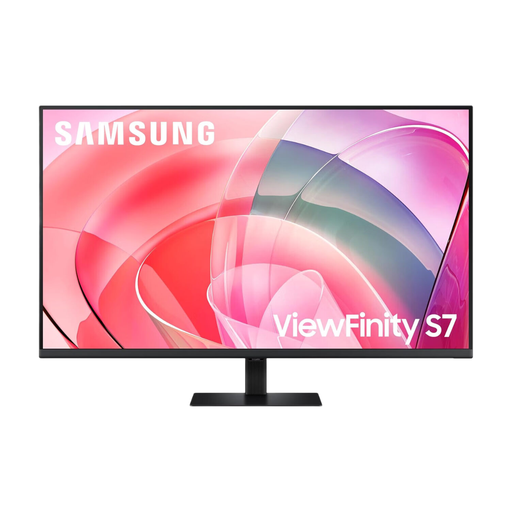 No image available
Consider this larger display only if your desk and viewing position suit a 37-inch screen for tariff documents.
The product name specifies UHD. Confirm the connections and any laptop-charging capability for this exact variant before planning a docking setup, and review its energy documents.
 No image available
Consider this compact-screen route if desk fit matters more to you than keeping several wide documents open at once.
The product name identifies an IPS WUXGA display. Check the exact variant’s USB ports and laptop compatibility, along with its energy documents, before buying.
 No image available
Consider this larger-screen option if you have room at your desk to view tariff tables and reference documents.
The product name specifies a 31.5-inch IPS display and built-in speakers. Confirm the exact resolution and whether the stand or a suitable mount allows the positioning you need; review its energy documents as well.
No: a compact Full HD monitor can suit work centred on one page or spreadsheet at a time. Choose QHD when you regularly need tariff tables, supplier pages and bills visible side by side; Dell lists the P2725DE as a 27-inch 2560 × 1440 example.
Check both the laptop’s supported display connection and its documented charging requirement against the exact monitor specification. For comparison, BenQ lists 65W power delivery for the GW2790QT, while Dell lists up to 90W for the P2725DE and P2425HE.
Look for the energy label and product information sheet that apply to the exact monitor variant. UK guidance from the Department for Energy Security and Net Zero and the Office for Product Safety and Standards covers electronic displays; read the model-specific information rather than judging energy use from a listing headline.
A home-office monitor still needs to be positioned as part of a comfortable workstation. The Health and Safety Executive says display screen equipment rules apply to workers who use it daily for continuous periods of an hour or more, and its home-working guidance addresses comfortable, sustainable posture and relevant employer assessments.