Buying priorities
Start by identifying whether the problem is call audio, camera placement, desk workspace or connectivity. Then check the employer's approved setup and the exact laptop and meeting-platform requirements before choosing an accessory.
| Priority |
What to check |
Your needs |
| Call audio and controls |
Check the exact headset variant, operating-system support, meeting-platform compatibility and whether a USB receiver is required. For physical Teams controls, Microsoft Support describes support for certified devices using installed Teams on Windows and Mac. |
I need a microphone and call controls that work predictably with the conferencing software my employer uses, rather than assuming every Bluetooth or USB headset has mute, answer and hang-up integration. |
| Approval and privacy |
Confirm whether the peripheral, connection method and any companion software are approved for the managed device. If choosing a webcam, consider whether a physical privacy shutter is useful when video is not needed. |
I want to know whether a personal webcam, headset, dock or its setup software is permitted before I buy it. The Information Commissioner's Office advises using approved technology for work involving personal data. |
| Laptop and connection readiness |
Check that the meeting application supports the laptop's operating system and that the connection is stable enough for calls. Zoom Support lists a supported operating system, broadband and appropriate audio or video hardware as separate requirements. |
I need to separate an accessory limitation from an underlying laptop, software or broadband problem before spending on peripherals. |
| Display, ports and charging |
Confirm independent display-output support, USB-C or USB4 capability where relevant, cable specification and the laptop's accepted charging wattage. A display splitter duplicates one signal rather than creating separate extended desktops, according to Microsoft Support. |
I want a monitor or dock setup that my exact laptop can drive, charge and connect without relying on the shape of a USB-C port alone. |
Joybuy product options
Joybuy product options for call audio, a portable second screen and fixed-desk connection expansion for regular remote meetings.
 No image available
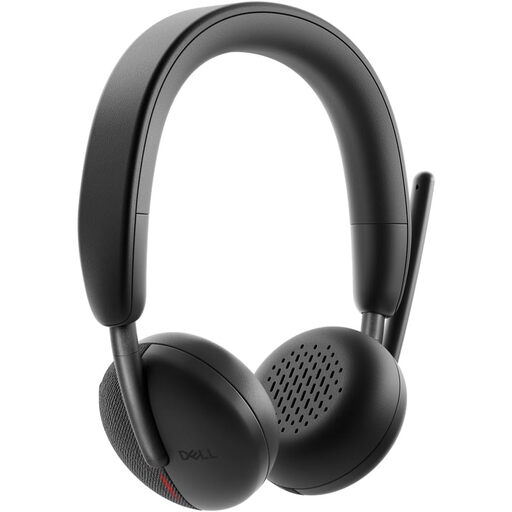
DELL Pro Headset WL3024
A call-focused option for frequent Teams or Zoom meetings where a dedicated microphone and on-ear controls matter.
Stated features include Bluetooth 5.3 multipoint, an included USB-C receiver with USB-A adapter, boom-mic mute and Teams and Zoom certification. Check whether Bluetooth, the receiver and any Dell software are permitted on the managed work device.
Joybuy
 No image available
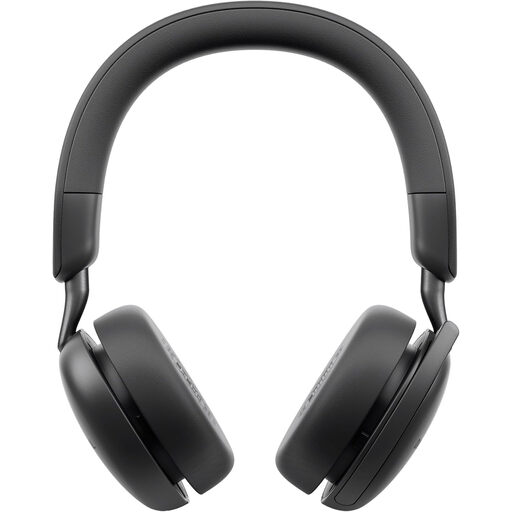
DELL Pro Wireless ANC Headset WL5024
A wireless call headset for regular desk and mobile work where multi-device pairing and a boom microphone are relevant.
The listing states ANC, Bluetooth multipoint, a flip-up mute boom microphone, USB-C charging and memory-foam over-ear cushions. Confirm platform integration, operating-system support and employer approval for Bluetooth before buying.
Joybuy
 No image available
V7 V7UC-U3CRJ45HDVG-BLK USB-C Adapter
For a fixed desk needing one external display, wired network access and additional USB connections from a compatible laptop.
It states HDMI up to 3840×2160 at 30 Hz, VGA up to 1920×1200 at 60 Hz, Gigabit Ethernet, two USB-A ports and 100 W power delivery pass-through. It requires USB-C DisplayPort Alt Mode and states support for one SST display only.
Joybuy
 No image available
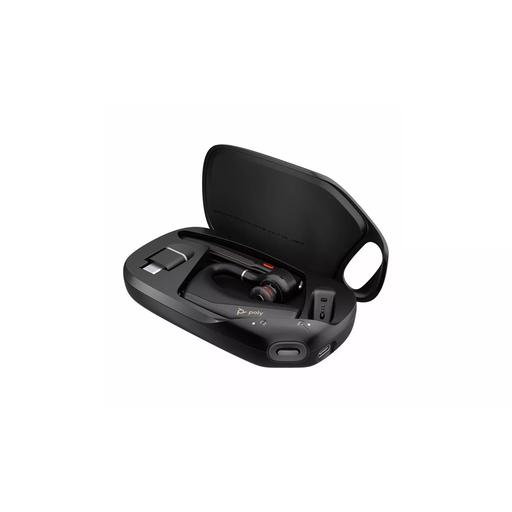
HP Poly Voyager Legend 50-M UC Bluetooth Headset
A lightweight Bluetooth headset option for calls away from a fixed desk, with stated mute and call-management controls.
The listing states Poly NoiseBlock and WindSmart technologies, USB-C charging, voice prompts and optimisation for Teams and Zoom. Verify formal certification, supplied receiver details and whether Bluetooth is allowed on the work device.
Joybuy
 No image available
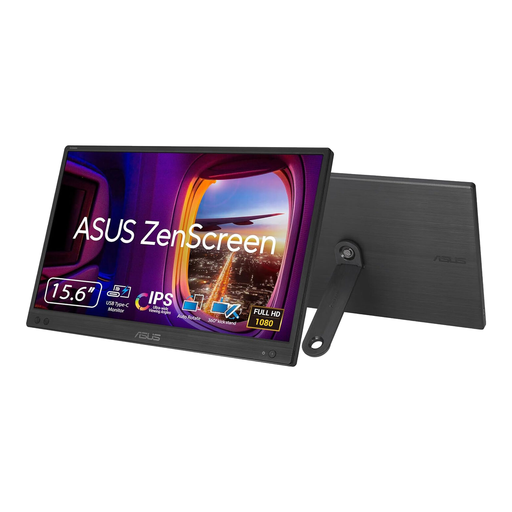
ASUS ZENSCREEN MB166CR FHD
A portable secondary-screen route for keeping meeting windows, documents and chat visible together in a space-limited setup.
The listing states a 15.6-inch 1920×1080 IPS display, USB-C with DisplayPort Alt Mode, 60 Hz operation, a 780 g weight and 11.8 mm thickness. Confirm that the laptop supports USB-C DisplayPort Alt Mode and the intended extended display.
Joybuy
Frequently asked questions
Should I buy a headset before a webcam for regular remote meetings?
Choose a headset first if being heard clearly, keeping calls private or controlling mute is the main problem. Choose a webcam first when camera position, image quality or privacy control is the limitation; Zoom Support lists audio hardware and webcams as separate meeting requirements.
Can I connect any USB headset and expect Teams or Zoom buttons to work?
No. Microsoft Support says Teams call-control features apply to certified devices with installed Teams on Windows and Mac, while Zoom support depends on the supported USB HID model, client and operating system. Check the exact model rather than relying on its connector alone.
Can I use my own webcam or headset with an employer-issued laptop?
Check the employer's IT and security policy first. The Information Commissioner's Office advises home workers to follow organisational policies and use approved technology for handling personal data; this does not mean every personal peripheral is prohibited, but approval should come before setup.
Will a USB-C dock definitely run two external monitors and charge my laptop?
No. Confirm the laptop's display outputs, USB4 or Thunderbolt capability where relevant, cable support and charging requirements. Microsoft Support notes that display splitters duplicate rather than extend a signal, and that insufficient power or incompatible host capability can reduce dock functions.
When should I stop shopping for peripherals and ask IT or improve the underlying setup?
Escalate when the meeting app cannot be installed or is unsupported, hardware or software is not approved, or calls fail because the connection is inadequate. Zoom Support requires a supported operating system and broadband alongside audio and video hardware, while employer-approved technology remains important for work involving personal data.


