What to check before choosing
Two-speaker stereo system
Choose it when: You can position left and right speakers apart around your desk chair and want that physical stereo separation while listening closely.
Allow for: Two suitable positions and the connections needed between the speakers; Cambridge Audio notes that placement for stereo imaging and bass may involve a compromise.
Single wireless speaker
Choose it when: A smaller footprint and convenient wireless playback take priority over physically separated left and right speakers.
Allow for: Model-specific app, network or adapter requirements; one enclosure cannot provide the spacing of two separately positioned speakers.
For folk music at a desk, settle the placement question first, then check how your everyday sources will connect. The concerns below distinguish consumers by the need they would put first.
| Concern |
What to check |
Who this matters to |
| Stereo placement |
Check space for two separate positions. Start with similar distances from each speaker to your chair, then adjust placement near walls. |
If I sit and listen closely to voices and acoustic instruments, I want room to position a left and right speaker apart. Around 33% of consumers would put stereo placement first. |
| Source connections |
Match your laptop or other source to the exact model's inputs, and check whether a cable or adapter is needed. |
When my work laptop is my usual source, an uncomplicated connection matters more to me than a wider setup. For around 27% of consumers, source connectivity would be the primary concern. |
| Desk space and setup |
Measure the available surface and check whether wireless setup needs an app or Wi-Fi network. |
If my desk is already crowded, I need music playback that fits without arranging two speaker positions. That small-footprint need would come first for around 20% of consumers. |
| Later flexibility |
Check the exact model for stereo pairing, multi-room use and the inputs needed by any future source. |
I may add another speaker or connect a different music source later, so I do not want to choose solely for phone playback today. Around 20% of consumers would prioritise that flexibility. |
Joybuy speaker choices
These speakers cover different ways to fit folk-music playback into a home office: a desktop pair, single tabletop speakers and a portable option. Choose by the space and source connections you need rather than treating the products as interchangeable stereo setups.
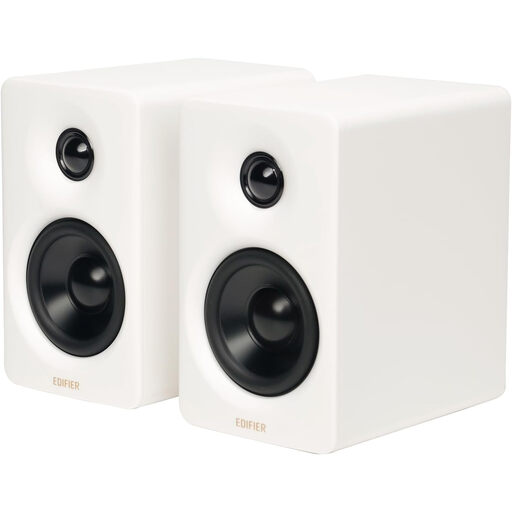 Image unavailable
Edifier M60 Desktop Speaker Pair, 66 W RMS
Consider this pair if you can give each speaker a position around your desk chair. The product title lists Bluetooth 5.3, USB-C and AUX inputs, alongside 3-inch mid-bass and 1-inch tweeter drivers; check that the supplied connections suit your intended setup.
View on Joybuy
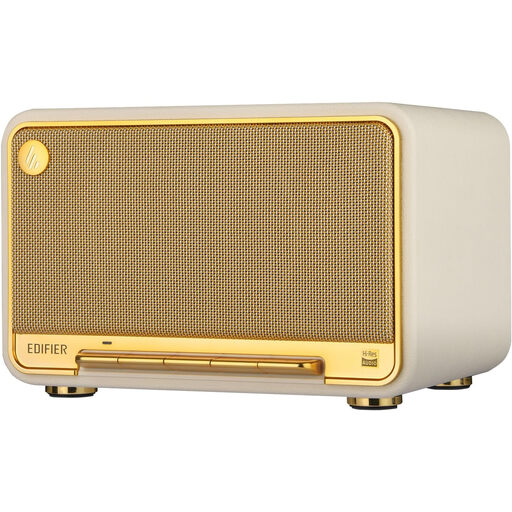 Image unavailable
Edifier D32 Tabletop Wireless Speaker, 60 W RMS
This single tabletop speaker suits a workspace where one main placement is easier than arranging a pair. Its title lists Bluetooth 5.3, AirPlay 2, USB-C and AUX inputs, plus a 2.1 driver arrangement. If unplugged listening matters, check the charging and playback conditions before choosing it.
View on Joybuy
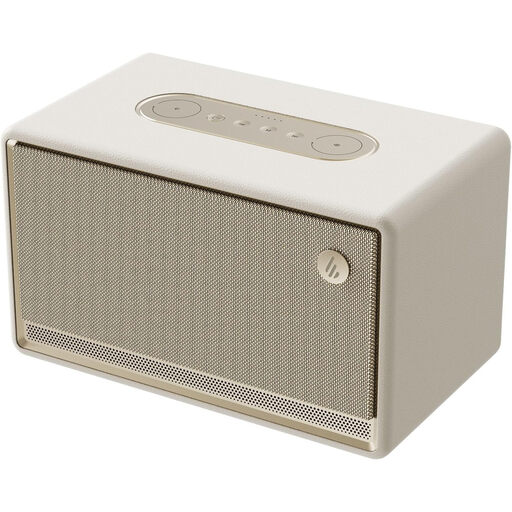 Image unavailable
Edifier ES300 Tabletop Wireless Speaker, Ivory
The ES300 is a one-enclosure option for a home-office surface rather than a physically separated speaker pair. Its product title specifies Bluetooth 5.3; if wired laptop audio is essential, confirm what its USB connection does with your computer before ordering.
View on Joybuy
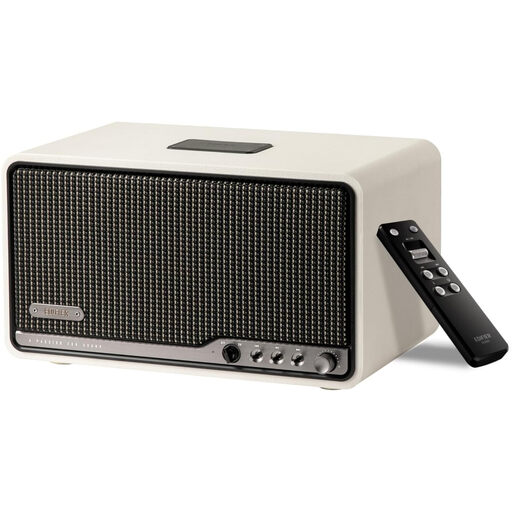 Image unavailable
Edifier S300 Multi-Room Tabletop Speaker, Ivory
This listing is for one tabletop speaker and may appeal if later multi-room use is part of your plan. The product information describes pairing multiple S300 speakers for left and right playback; check the compatible speaker and setup requirements if that is your reason for choosing it.
View on Joybuy
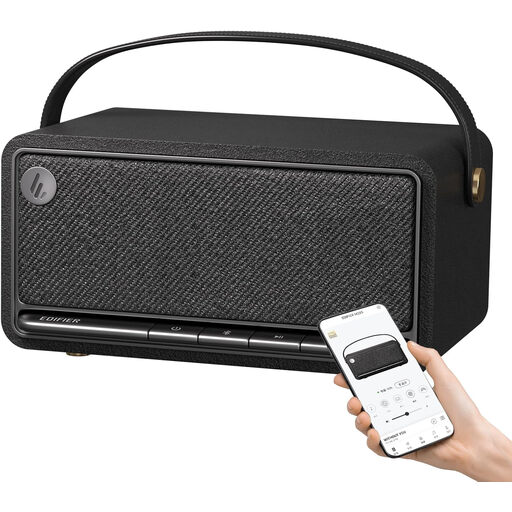 Image unavailable
Edifier MP330 Portable Bluetooth Speaker, 40 W RMS
Consider the MP330 if you want to move a single speaker between your desk and other indoor locations. Its product title describes dual-speaker pairing, which would require a second compatible unit; confirm the pairing method and the connection route if you plan to play music directly from a laptop.
View on Joybuy
Frequently asked questions
Is one compact speaker enough for folk music at my desk?
Yes, if convenient playback and a small footprint matter more to you than physical speaker separation. If you have room for a pair, positioning its speakers apart gives you a different stereo layout; Cambridge Audio notes that the resulting image and bass balance depend on placement.
Where should I put two speakers in a home office?
Start with the speakers apart and at similar distances from your seated listening position. KEF suggests an equal-distance triangle as a starting point, while Cambridge Audio advises accounting for the compromise between stereo imaging and bass in the actual room; adjust the positions rather than treating the starting layout as a fixed rule.
Can I connect a turntable or another analogue source?
You can if the exact speaker has a compatible analogue input or a supported adapter route. Sonos specifies its Line-In Adapter for an auxiliary source on the Era 100; check your source's output and whether a turntable needs a phono preamp separately.
Will I need anything besides the speakers?
That depends on the model, your source and where the speakers will sit. Sonos specifies a separate Line-In Adapter for auxiliary input on the Era 100, while KEF offers optional desk pads and stands for the LSX II LT; check supplied cables, input accessories and available surfaces for the particular setup you choose.


