What should you check before buying?
Start with a wired comparison and the pattern of weak rooms; those observations help distinguish a service issue from a local coverage problem.
| Priority | What to check | Your needs |
|---|
| Broadband service |
Check the provider’s service status and compare a direct Ethernet connection with Wi-Fi. If wired use is also inadequate, review the contracted service and property-level availability; Ofcom warns that predicted availability can differ from what a property receives. |
If every room struggles, including on a wired connection, I want to investigate the service before adding coverage equipment. |
| Router and placement |
Check whether the router is obstructed or poorly positioned, and whether your provider offers an updated hub. Before replacing an ISP router, confirm connection requirements and what support the provider will offer. |
I would rather improve the existing setup first if the signal mainly falls away from the router. |
| One weak area |
Check whether a proposed extender position still receives usable router signal. If cabling is practical, consider a wired access point; confirm its connection and setup requirements. |
One room needs attention, but I do not need to change the wireless arrangement throughout the house. |
| Several weak rooms |
Map the affected floors and rooms before choosing mesh units and their positions. If keeping the ISP hub, check the mesh system’s access-point mode; TP-Link says this is typically the mode used when adding Deco to an existing router. |
I need coverage across more than one area and want to check how the new system will work with my current hub. |
| Simultaneous use |
Check whether slowdowns coincide with calls, streaming, gaming or downloads. Compare wired performance at those times: extra Wi-Fi coverage does not increase the capacity of the underlying broadband service. |
Several of us use demanding services together, so I need to know whether the connection or the in-home network is limiting us. |
| Wired connections |
Check cable routes and available ports for fixed devices or mesh nodes. For TP-Link EasyMesh Ethernet backhaul, TP-Link says both the main and satellite devices must support that feature. |
A desktop, TV or games console could use a cable, provided the route and equipment suit the room. |
Joybuy options for home Wi-Fi
These options cover three-unit mesh systems for several weak rooms, an extender for a contained weak area and a replacement-router route. Check the broadband connection first, then match the equipment to your layout and existing hub.
 No image available
TP-Link Deco BE65 BE9300 Wi-Fi 7 mesh system, 3-pack
A three-unit mesh option to consider when several rooms have weak Wi-Fi. The product name identifies tri-band Wi-Fi 7; check placement, the operating mode needed with your ISP router and whether the UK-market version suits your setup.
 No image available
TP-Link Deco BE22 BE3600 Wi-Fi 7 mesh system, 3-pack
A three-unit option for a home with more than one weak room. Its product name identifies the BE22 and BE3600 Wi-Fi 7 variant; confirm the required mode and features with your ISP router before choosing it.
 No image available
NETGEAR Orbi 370 RBE373 BE3600 WiFi 7 mesh system, 3-pack, white
A three-unit mesh option for coverage across multiple areas. The product name specifies dual-band WiFi 7 and 2.5Gbps Ethernet; confirm port needs, placement and the operating mode required with your ISP gateway.
 No image available
TP-Link RE220BE BE3600 Wi-Fi 7 range extender
A single extender to consider for a limited weak area where it can still receive usable router signal. Check pairing and any EasyMesh features against your exact router and firmware; do not assume it provides the same coverage as a multi-unit system.
 No image available
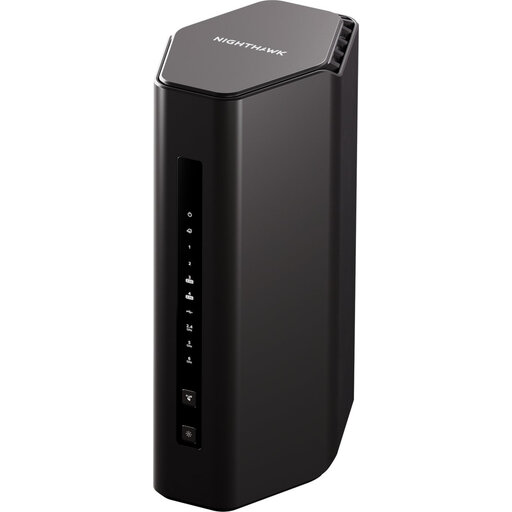
5PT NIGHTHAWK RS300 BE9300 Wi-Fi 7 router
A router-replacement option rather than an extra mesh node. Before replacing an ISP-supplied hub, confirm the broadband connection type, provider setup instructions, required ports and fault-support arrangements.
Home Wi-Fi questions
How do I tell whether I need better Wi-Fi or better broadband?
Compare a computer connected directly to the router by Ethernet with Wi-Fi in the problem room, where practical. Ofcom says Wi-Fi cannot outperform the broadband service; if wired use is also poor, check for a provider fault and review your service before buying coverage equipment.
Can mesh work with my existing broadband router?
It can if the exact system supports the arrangement you need. TP-Link says Deco can connect to an existing router by Ethernet and that access-point mode is typically used when that router remains in charge; check which features are available in the chosen mode.
Can I connect mesh units using Ethernet?
Check support on every device before planning wired backhaul. For TP-Link EasyMesh, TP-Link says both the main and satellite devices must support Ethernet backhaul, and the connections must follow the specified topology.
Can I replace the router supplied by my broadband provider?
Possibly, but confirm your connection type, the provider’s setup instructions and its support arrangements first. Ofcom cautions that third-party routers can be harder to set up and that a provider may be unable to help troubleshoot them.
What should I check if problems start after installation?
Check the provider’s service status and the connections to the router, mesh or booster devices. If you changed the network configuration, restore the previous arrangement where practical; report a persistent service fault to the provider, noting when interruptions occurred.


