What to check before choosing
Start with the screen and input-device positions your workstation needs, then decide whether viewing space, repeated connections or display mounting is the remaining problem. A dock does not take the place of a suitable screen and keyboard arrangement.
| Concern |
Buying checks |
Who this matters to |
| Screen and input-device position |
Check whether the screen can be raised while a separate keyboard and mouse remain suitably positioned. Allow room for both if choosing a riser. |
When I work on a laptop for long stretches, I need to position the screen without making its built-in keyboard awkward to use; around 36% of consumers put this arrangement first. |
| Viewing space |
Check the work surface, laptop video output, monitor inputs and stand adjustment before adding a display. |
If I need a separate place to view work, I want a monitor that fits my desk and connects to my laptop; roughly 29% of consumers prioritise that viewing-space need. |
| Repeatable desk connections |
Match the laptop’s port functions to the hub or dock’s stated display, charging and peripheral connections. |
Moving between desks means I want to reconnect my work devices without rebuilding the setup each time; about 21% of consumers place connection convenience first. |
| Display position and desk surface |
For an arm, confirm the monitor’s VESA pattern and weight against the arm’s limits, and check the desk attachment. |
With an external display already planned, I need room on the desk or a screen I can reposition; around 14% of consumers make that their primary concern. |
Joybuy products for these setups
These monitors offer separate-display options; the USB-C adapters address desk connections, and the mouse is one part of a separate input-device setup. Choose according to the workstation issue you need to resolve, then check the selected product against your laptop and desk.
 No image available
ASUS ProArt PA278CV IPS WQHD monitor
Consider this separate display if your laptop screen does not provide the viewing arrangement you need. The product name specifies an IPS WQHD monitor; check its dimensions, stand adjustment and video connection against your workstation and laptop.
Joybuy
 No image available
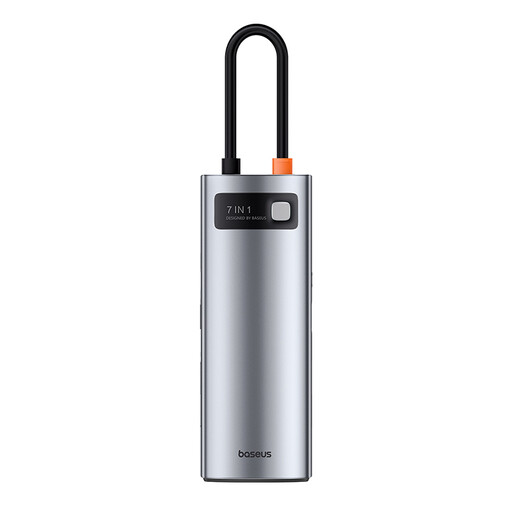
Baseus Metal Gleam Series USB-C seven-port hub, grey
Consider a hub if connecting desk devices is the main inconvenience. This is the grey seven-port USB-C variant; check its exact port functions, laptop video support and charging requirements before relying on it for a display or power.
Joybuy
 No image available
CRUA 32-inch 1500R curved QHD 165Hz monitor, black
Consider this separate display if a 32-inch screen fits your viewing needs and available desk space. The product name specifies 2560 × 1440 resolution, HDMI and DisplayPort connections, and VESA 100 × 100 mm mounting; check laptop video compatibility and whether the stand or a suitable mount provides the position you need.
Joybuy
 No image available
V7 V7UC-U3CRJ45HDVG-BLK USB-C adapter
Consider this adapter if your desk needs display, wired-network and USB connections. Its product name lists 4K HDMI, VGA, Gigabit Ethernet, 100W power delivery and two USB 3.0 ports; confirm the laptop’s port functions and the adapter’s supported display and charging conditions before purchase.
Joybuy
 No image available
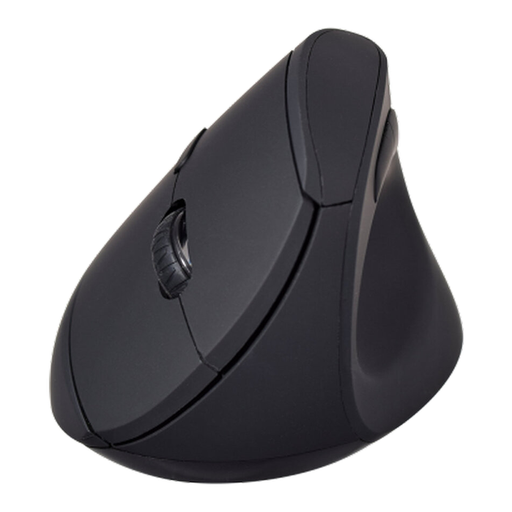
V7 MW500BT Bluetooth vertical mouse
Consider this as a separate mouse when arranging input devices independently of the laptop screen. The product name lists Bluetooth and 2.4GHz modes, six buttons and an adjustable sensor up to 1600 DPI. It is a mouse, not a keyboard-and-mouse set; check device compatibility and whether its shape suits you.
Joybuy
Frequently asked questions
Is working on a laptop alone always unsuitable?
No. HSE advises assessing whether the individual home workstation allows a comfortable, sustainable posture rather than assuming everyone needs the same equipment. For prolonged laptop use, consider whether the screen and input devices can be positioned suitably together.
When does an employer need to assess a homeworking screen setup?
In Great Britain, HSE says employers must assess workstations where workers use display screen equipment daily as part of normal work for continuous periods of an hour or more; home-and-office working should be covered in the assessment. Individual work arrangements and employment status still matter.
Should I buy homeworking equipment before speaking to my employer?
If you are employed, check your workstation assessment and equipment arrangements first. Acas advises employers and staff to agree what equipment is needed, who provides or pays for it and repairs, and what technical support is required.
Will any USB-C dock connect my monitor and charge my laptop?
No: a USB-C connector alone does not establish display and charging compatibility. Kensington’s docking range includes products using different connection standards and capabilities, so compare the exact dock’s specifications with your laptop port, operating system, display setup and cable requirements.


