What to check before choosing
Match the route to the size of the archive, how often it needs updating and whether an off-site copy is needed. Check the exact device and service settings before treating any route as a working backup.
| Priority |
What to check |
Your needs |
| Separate copies |
Keep the backup away from the computer’s internal drive; confirm that files can be opened from the copy; consider an additional off-site copy for irreplaceable files. |
I want photos, household documents and downloaded records to remain accessible if the computer fails, is lost, stolen, erased or affected by malware. |
| Capacity and connection |
Measure the folders to protect and allow for growth; check the exact capacity, USB standard, supplied cable and any formatting requirements. |
My storage needs to hold the current collection and future additions, and connect properly to the computer I use. |
| Keeping backups current |
Confirm the selected folders, backup schedule or cloud mode; compare the account allowance with the backup size; enable 2-step verification for cloud accounts. |
I want a routine that stays current without depending solely on remembering manual copies or leaving important folders out. |
| Sensitive portable files |
Check encryption and PIN-access rules; compare the device capacity with the selected document subset; make a secure recovery plan and retain another copy. |
I need to carry a limited set of sensitive household records without making a USB drive the only place those files exist. |
Joybuy storage options
Joybuy product options for local household backup, including portable SSDs and external hard drives for photo and document collections.
 No image available
Samsung Portable SSD T7 4 TB Grey
A portable local destination for a sizeable photo and document archive that is moved between compatible devices.
Stated 4 TB capacity, USB 3.2 Gen 2, USB-C-to-C and USB-C-to-A cables, plus Windows, macOS and Android compatibility.
Check the current folder size before choosing capacity. Maximum stated transfer speeds depend on a compatible USB 3.2 Gen 2 host, cable and UASP conditions; keep another separately stored or cloud copy for important files.
Joybuy
 No image available
Samsung Portable SSD T7 2 TB Grey
A portable local copy for household photos and documents when the selected collection fits within the stated capacity.
Stated 2 TB capacity, USB 3.2 Gen 2, Windows, macOS and Android compatibility, with USB-C-to-C and USB-C-to-A cables supplied.
Compare the capacity with photos, videos and expected growth. The stated maximum speed depends on compatible USB 3.2 Gen 2, cable and UASP conditions.
Joybuy
 No image available
Samsung T7 Shield Portable SSD 1 TB Blue
A portable local backup option for files carried between devices or locations, provided the selected folders fit.
Stated 1 TB capacity, USB 3.2 Gen 2, Windows, macOS and Android compatibility, IP65 dust and water resistance, and up-to-3-metre drop resistance.
IP65 applies to dust and temporary water exposure, not long-term submersion. Check capacity and host compatibility, and retain a separately stored or off-site copy of important files.
Joybuy
 No image available
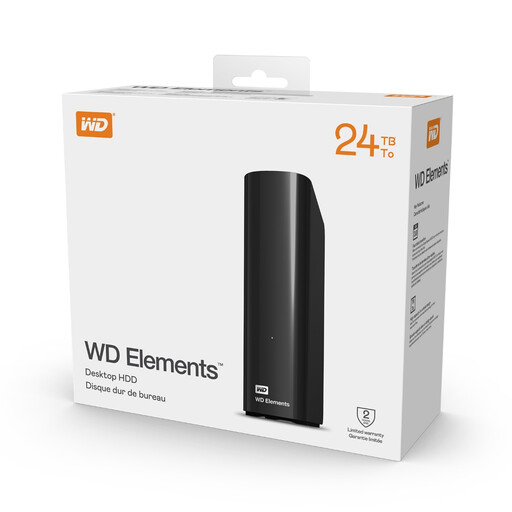
Western Digital Elements Desktop External Hard Drive 24 TB
A fixed-location local backup destination for a very large household media archive.
Stated 24 TB capacity, USB 3.2 Gen 1, Windows and macOS use, plus an external AC adapter and USB cable.
This mains-powered desktop drive is not a portable route. Verify the supplied file system and intended backup method before copying the only working files, and keep another copy elsewhere.
Joybuy
 No image available
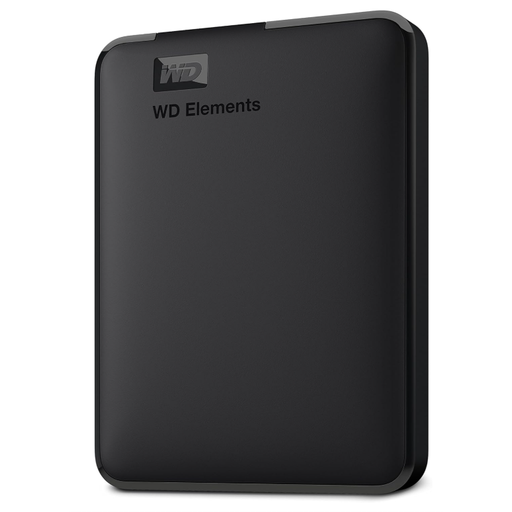
Western Digital Elements Portable External Hard Drive 6 TB
A carryable local destination for a large collection of photos, videos and household documents.
Stated 6 TB capacity, USB 3.2 Gen 1/USB 3.0 connectivity, bus-powered operation and a Micro-USB 3.0-to-USB-A cable.
The listing describes Windows-ready formatting and says macOS use requires reformatting. Measure the folders first and keep an additional off-site or separately stored copy for irreplaceable files.
Joybuy
Frequently asked questions
How do I decide what capacity to buy for household backups?
Measure the folders you need to protect, such as Pictures, Documents, Desktop, Downloads and any photo-library package, then allow room for expected growth. Device-reported usable capacity can differ from the headline figure because of measurement conventions, so compare exact models rather than relying only on a category label.
Can an external hard drive back up files automatically?
An external drive can be the backup destination, but automation depends on backup software and its configuration rather than the drive alone. Confirm the selected folders, schedule, successful completion and how you would restore a file.
Does cloud storage automatically protect every file on my computer?
No. Confirm the folders and backup mode used by the service: OneDrive allows selected important folders, while Google Drive for desktop has streaming and mirroring options. Apple states that iCloud Photos synchronises separately from daily iCloud device backup, so check where photos are held.
What should I do to protect a cloud backup account?
Use a unique password and enable 2-step verification where available, especially for the email account and cloud-storage account. The National Cyber Security Centre explains that 2-step verification adds an extra check, so a stolen password alone is not enough to access an account.
Is an encrypted USB stick suitable as the only household backup?
Usually not for a whole household photo archive. Encrypted USB storage is more suitable for a limited sensitive subset, and access failures can have serious consequences; Kingston states that repeated incorrect Admin PIN attempts on IronKey Keypad 200 crypto-erase the data. Keep another verified copy in a different location.


