For household files, an external drive gives you a local copy you can disconnect after a completed backup; an SSD suits frequent carrying or large file transfers, while an HDD is a local-storage option when capacity matters more than transfer speed. If you also want to recover files when your home storage is unavailable, add a separately managed cloud or off-site copy and check its recovery period and account controls. An ordinary synced folder is not an offline backup simply because it stores a copy.
Who this guidance is for
Households protecting photos and documents
If family photos or important documents would be difficult to replace, consider how to keep a recoverable copy separate from the computer and any routinely connected drive. The National Cyber Security Centre and the NI Cyber Security Centre advise disconnecting an external backup drive when it is not being used for a backup.
Households with growing file collections
If your photo and video folders are expanding, compare capacity with the space needed for your files and retained versions. Check the drive’s connection and format against your computer and backup software; Which? discusses differences between external hard drives and SSDs, while manufacturers specify compatibility for their individual models.
People planning for recovery away from home
If you also want to recover files after losing access to your home storage, consider a separately located copy and check how the service handles account access, deleted files and older versions. Microsoft and Backblaze document recovery features and conditions that differ by service.
What to prioritise
The National Cyber Security Centre describes ransomware incidents affecting connected backup locations, so consider separation alongside capacity, off-site recovery and a routine you can maintain.
| Concern |
What to check when buying |
Who this matters to |
| Keeping a copy separate |
Check when a drive is connected, where it is stored, and whether cloud backup access can be separated from everyday devices or credentials. |
If I want a copy that an everyday device cannot keep writing to during a problem, I would plan when to connect and disconnect it. Around 33% of consumers put an offline or digitally disconnected copy first. |
| Capacity and compatibility |
Compare capacity with the files and versions you want to keep; check the computer’s port, cable, file system and backup software requirements. |
If I have expanding photo or video folders, I need enough usable space and a connection that works with my computer. Around 27% of consumers prioritise capacity and compatibility. |
| Recovery away from home |
Check which folders upload, who can change the cloud copy, and how long earlier or deleted files remain recoverable. |
If a household incident could make local storage unavailable, I would consider a separately located copy and review its account controls and restore period. Around 27% of consumers put off-site recovery first. |
| A workable backup routine |
Check how backups are scheduled, which files are covered and how to restore a representative file. |
If I need a routine I can keep up with, I would check that backups complete and practise restoring a photo or document. Around 13% of consumers prioritise ongoing upkeep and recoverability. |
Backup buying pitfalls
-
Leaving the only backup connected all the time
A connected drive can be affected by an incident involving the computer. The National Cyber Security Centre has described ransomware incidents affecting connected USB and network-storage backups.
Plan a repeatable backup, check that it has completed, and then disconnect the drive if it is intended to be an offline copy. Consider how you will cover files created between backup sessions.
-
Treating cloud sync as an offline copy
A synced account may still be accessible to a compromised device, and deletion or version recovery depends on the service and its terms.
Check the service’s recovery period and account controls, and whether backup-writing access can be separated from everyday use.
A paid plan may be needed for a particular recovery feature or retention arrangement; check the plan details before relying on it.
-
Choosing only by capacity or advertised speed
A drive still needs to work with the computer’s connection and backup software. Samsung’s stated maximum T7 speeds depend on compatible host and cable support, while some backup setups require a particular file-system format.
Check the exact computer connection, drive format and backup software before choosing, then compare capacity and transfer needs.
An additional cable, connection or different drive may be needed if the intended setup is incompatible.
-
Never testing whether files can be restored
A completed upload or connected drive does not by itself confirm that the file and version you need can be recovered.
Check the folders and dates covered, then periodically restore a representative file without overwriting the original.
Relevant brands to consider
Toshiba
The Canvio Basics portable HDD line is a local-storage option for straightforward household file backups.
- Toshiba specifies USB 3.2 Gen 1, USB bus power and an included Type-A-to-Micro-B cable for the line.
- Toshiba says the drive is formatted NTFS for Windows and requires reformatting for Mac use. Check the exact model and backup setup before use.
Samsung
The Portable SSD T7 line is an SSD option to consider when carrying a drive or transferring large files matters.
- For the UK Indigo Blue 2 TB model, Samsung rates sequential reads and writes at up to 1,050 and 1,000 MB/s respectively, with a USB 3.2 Gen 2 host and cable and UASP enabled.
- Those are conditional rated speeds, not a promise of how quickly a particular household backup or restore will run.
Seagate
Backup Plus Slim is a portable HDD line to consider for scheduled local file backups.
- Seagate says its downloadable Toolkit supports scheduled backups and that a USB 3.0 Type-A cable is included.
- Seagate notes that Time Machine use may require reformatting; check the drive’s setup before using it with existing files.
Microsoft
Windows File History and OneDrive offer local and cloud recovery features to assess alongside a disconnected copy.
- Microsoft documents File History for backing up libraries and restoring earlier versions.
- Microsoft says Microsoft 365 subscribers can restore an entire personal OneDrive to a point in the last 30 days. Ordinary OneDrive access alone does not make a digitally disconnected backup.
Backblaze
Computer Backup is a cloud-backup option to assess alongside a separate household copy.
- Backblaze documents a default 30-day version history and an optional one-year setting.
- Under the default history setting, Backblaze says backed-up external-drive data may be removed after the drive has been disconnected for more than 30 days. Check the service conditions if you plan to keep a drive offline.
Joybuy product choices
These choices focus on external drives for keeping a local copy of household files, including portable SSD and HDD options that can be disconnected after a completed backup.
 No image available
Samsung Portable SSD T7 2 TB, USB Type-C, Grey
A portable local drive can be disconnected after a completed backup to keep a copy separate from everyday use.
2 TB capacity; USB Type-C, USB 3.2 Gen 2 (3.1 Gen 2); Grey.
Joybuy
 No image available
Samsung MU-PG4T0B 4 TB, USB Type-C, Black
This portable external SSD is a local-copy option if its connection and capacity suit your backup setup.
4 TB capacity; USB Type-C, USB 3.2 Gen 2x2. The listing says maximum speed requires a USB 3.2 Gen 2x2 port.
Joybuy
 No image available
Samsung Portable SSD T7 1 TB, USB Type-C, Blue
A portable local drive can be disconnected after a completed backup to keep a copy separate from everyday use.
1 TB capacity; USB Type-C, USB 3.2 Gen 2 (3.1 Gen 2); Blue.
Joybuy
 No image available
Samsung MU-PE1T0S 1 TB, USB Type-C, Black
This portable SSD is a local-copy option if its capacity and connection fit the files and computer you plan to use.
1 TB capacity; USB Type-C, USB 3.2 Gen 2 (3.1 Gen 2); IP65 rating. The listing cautions against submerging the drive.
Joybuy
 No image available
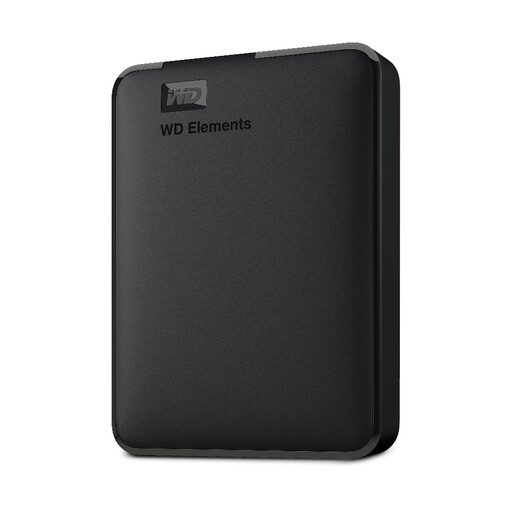
WD Elements Portable External Hard Drive 2 TB, USB 3.0, Black
A portable HDD is a local-storage option if its capacity and connection suit your household backup routine.
2 TB capacity; USB 3.0; formatted for PC and Mac.
Joybuy
Backup storage FAQs
Can I leave an external backup drive connected and still call it offline?
No. The National Cyber Security Centre describes connected USB backups as exposed in ransomware incidents and advises disconnecting a backup when it is not in use. Reconnect the drive for a planned backup, check that it has completed, and then disconnect it; also consider how to cover files created between sessions.
Will an external drive work straight away with Time Machine or Windows File History?
Not necessarily; check the drive’s format, connection and the software’s setup requirements first. Microsoft documents File History with an external drive or network location. Apple says a Windows-formatted disk may need reformatting for Time Machine, which permanently removes its existing data.
Will a cloud copy stay available indefinitely if I disconnect the backed-up drive?
Do not assume that it will; check the service’s retention conditions. Backblaze says its default 30-day version-history setting can result in backed-up external-drive data being removed if the drive stays disconnected for more than 30 days. Its optional one-year setting has different conditions.
Is a cloud recycle bin enough to recover an older version?
Not necessarily; the available recovery features and time limits depend on the service and plan. Microsoft says personal OneDrive items deleted within the last 30 days can be restored, while restoring an entire OneDrive to a point in the last 30 days is available to Microsoft 365 subscribers. Permanently deleted recycle-bin items cannot be recovered through that feature.


