Photo-led home inventory builders
If you plan to photograph each belonging and attach the image to a searchable record, camera features and a plan for storing the files matter more than creative extras.


Choose around how you will record belongings: compare rear cameras and storage for a photo-led catalogue, then check pen or keyboard options if you will add handwritten notes or longer descriptions. The cited Lenovo Tab M11 configuration offers a basic photo-and-note route; the Galaxy Tab S10 FE has stated microSD support and a supplied S Pen, while the iPad (A16) supports optional Pencil and keyboard input. Check that your inventory app works on the tablet and confirm the exact accessory bundle before buying.
If you plan to photograph each belonging and attach the image to a searchable record, camera features and a plan for storing the files matter more than creative extras.
If you will record condition, locations, box labels or serial numbers as you move around the home, check whether handwriting or a keyboard would make entry easier for you.
If your catalogue will be modest, start with the screen, camera and storage your chosen app needs rather than paying for features you do not expect to use.
Decide how you will create and keep records before comparing tablets. Check your chosen inventory app’s compatibility with the operating system, particularly if attaching photos or documents is central to your workflow.
| Concern | What to check | Who this matters to |
|---|---|---|
| Item photos | Check the exact rear camera, whether autofocus is listed, and how your app attaches photos or scans. | If I am recording identifying details as I handle each item, I need a practical way to capture them. Around 40% of consumers put photo capture first. |
| Archive storage | Choose internal capacity for the files you will keep locally; confirm removable-storage support for the exact model if you need it. | Receipts, manuals and original photos could build up in my catalogue, so I want a plan for keeping them. Around 30% of consumers prioritise archive storage. |
| Notes and labels | Confirm pen or keyboard compatibility and whether the accessory comes with your chosen configuration. | When I add condition notes or longer descriptions, I want an entry method I can use comfortably. Handwriting or typing is the primary need for around 20% of consumers. |
| Equipment needs | Compare the exact storage variant, accessories and charging items needed for your workflow. | For a straightforward inventory, I would rather keep the equipment simple than choose extras I will not use. Around 10% of consumers put that consideration first. |
Tablets with similarly sized screens can have different camera, storage and input options. Screen size will not tell you how you will capture and maintain each record.
Identify whether photos, archive growth or written notes will take most of your time, then compare those features on the exact configuration.
Samsung UK lists an S Pen but no travel adapter with the cited Galaxy Tab S10 FE. Apple UK lists Pencil and keyboard support for the iPad (A16), but neither accessory appears in its listed box contents.
Check the package contents for the storage and connectivity variant you intend to order.
You may need to obtain a compatible input accessory or charging adapter separately.
A catalogue containing original photos, receipts and manuals may need a different storage approach from a text-only list. Apple UK lists several fixed-capacity iPad (A16) variants, while Samsung UK states microSD support for the Galaxy Tab S10 FE.
Decide what will stay on the tablet and what, if anything, will be stored elsewhere. Confirm expansion on the precise model if it is essential to your plan.
GOV.UK advises that unwanted electrical products should not go in household rubbish and should be taken to an appropriate recycling collection point.
Use an appropriate electrical-waste collection route when replacing a tablet.
These examples concern the specific tablet lines and configurations described below, not every model from each brand.
The 11-inch iPad (A16) is an option for a catalogue built around photos, document mark-up and optional accessory-based entry.
The Galaxy Tab S10 FE suits a workflow where removable storage, pen input or its stated protection rating affects the choice.
The cited Tab M11 4GB/128GB + Pen configuration offers a photo-and-note option for a straightforward household inventory.
These tablets offer different starting points for recording belongings: compare their stated storage and camera details, then check the exact accessory bundle if you expect to write notes as you go.
 No image available
Consider this model if you want a tablet for a household catalogue and plan to check its camera and accessory options against your workflow.
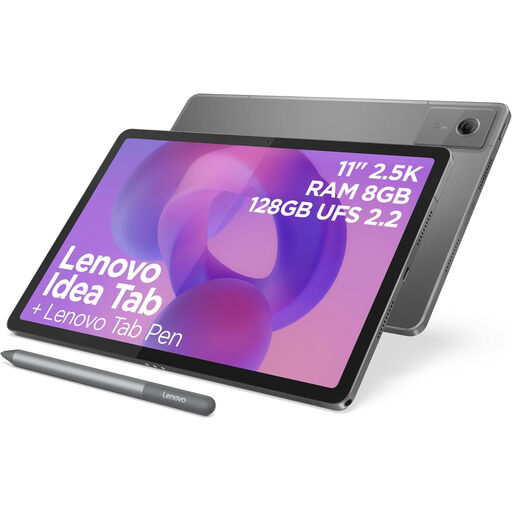
Its listed configuration has an 11-inch 2.5K display and 128GB storage. Confirm the package contents if you need a pen, keyboard or charging adapter.
 No image available
The 256GB variant is worth considering if you intend to keep catalogue files on the tablet.
If handwritten notes or removable storage matter to you, confirm pen compatibility, box contents and storage options for this exact model before ordering.
 No image available
Consider this configuration for a household catalogue if its storage and your chosen app meet your record-keeping needs.
The product name identifies a 6GB/128GB variant. Check pen options if you will handwrite notes, and confirm that you have a compatible charger.
 No image available
The advertised input accessories may suit a catalogue with frequent notes and longer descriptions.
The product name specifies a 12.7-inch 2K display, Helio G99 processor, 256GB storage and Android 15. If photographing fine label details matters, check the rear-camera features; also confirm the charging items in the package.
 No image available
If you want to annotate catalogue entries by hand, check this model’s pen bundle before choosing it for that purpose.
The product name specifies 8GB RAM and 128GB storage and advertises a Focus Pen; confirm the exact box contents. Check the camera features needed for small labels and whether you have a compatible charger.
Choose capacity according to how many original photos, scans and manuals you will keep on the tablet rather than assuming one size suits every catalogue. Apple UK lists 128GB, 256GB and 512GB iPad (A16) variants; the cited Lenovo Tab M11 configuration has 128GB, and Samsung UK states up to 2TB microSD support for the Galaxy Tab S10 FE.
A stylus is optional for a catalogue centred on photos and searchable records, but it may suit regular handwritten notes or document mark-up. Samsung UK lists an S Pen in the cited Galaxy Tab S10 FE package; Apple UK lists Pencil support for the iPad (A16), with no Pencil in its listed box contents.
Check the contents of the exact configuration before ordering. Samsung UK lists a cable but no travel adapter with the cited Galaxy Tab S10 FE, so confirm whether you already have suitable charging equipment.
Take an unwanted tablet to an appropriate electrical-waste collection point rather than putting it in household rubbish, as GOV.UK advises for electrical products.