For household photos spread across phones, computers and cloud accounts, choose a routine that leaves a recoverable copy separate from the live photo library, then check that recent photos can be opened or restored. Completed cloud uploads can help preserve phone photos after device loss, but synchronisation may also carry deletions across devices; a disconnected drive or a NAS backed up to another destination can provide a separate copy. The right arrangement depends on device coverage, account access, storage growth and the time you can give to maintaining it.
Who is choosing a household photo-backup setup?
Families protecting irreplaceable photos
You want to recover pictures after accidental deletion, device loss or damage to the main library, rather than simply see the same synchronised files everywhere. The UK National Cyber Security Centre and Apple Support (UK) provide guidance relevant to keeping a separate copy.
Multi-device households
Photos come from several phones or computers, so you need to check which folders upload, which account receives them and whether a shared destination is manageable. Microsoft Support and Synology describe relevant upload and backup options.
Households leaving a photo account
You need a checked copy of the originals outside the current library before changing services or account storage. Google Photos Help and Apple Support (UK) explain export steps for their respective services.
What matters when choosing a photo-backup setup?
The UK National Cyber Security Centre advises keeping irreplaceable data in cloud storage and on removable media. Before choosing a routine, consider how each copy can be recovered and kept current.
| Concern |
What to check when buying |
Who this matters to |
| Recovery after loss or deletion |
Check whether deletions propagate, whether earlier versions or a disconnected copy are available, and whether a recent photo can be restored. Apple says iCloud Photos is not duplicated in iCloud device backups. |
If a deletion or device loss could leave me without family photos, I want a copy I can restore independently. Around 29% of consumers put recovery from loss or deletion first. |
| Capture across household devices |
Check supported devices, selected accounts and folders, video upload settings and whether uploads have completed. Microsoft says its OneDrive camera-upload feature does not synchronise deletions both ways. |
When several phones or computers add pictures, I need to know that the right folders and accounts actually upload. Consumers whose main priority is automatic capture across devices represent around 24%. |
| Capacity and ongoing storage |
Compare the library size and versions you intend to keep with usable destination space, any cloud allowance and the applicable service terms. |
I want room for photos, videos and any versions I keep, with storage arrangements that suit my budget. Around 18% of consumers prioritise capacity and ongoing storage costs. |
| Moving a library |
Check how to download original files, where the export will be stored, whether expected photos and videos open, and where future uploads will go. Google says downloading data does not delete its online copy; Apple instructs users to download originals before exporting from iCloud Photos. |
Before leaving a photo account, I need the originals downloaded and checked somewhere I can still access them. Account-migration concerns come first for around 17% of consumers. |
| Portable privacy and access |
Check the exact model’s capacity, connector and unlock method, and how another authorised household member could recover access if needed. |
If I carry a copy away from home, I want its access protected but still recoverable by the household. Around 12% of consumers put portable privacy and access first. |
Photo-backup mistakes to avoid
-
Treating a synchronised photo library as a separate backup
With iCloud Photos, Apple says deletions are reflected across devices using the library, and those photos are not duplicated in iCloud device backups. Synchronisation alone may therefore not provide the recovery copy you need.
Keep a separately retrievable export or backup and try restoring a recent photo.
-
Leaving the only backup drive permanently attached
The UK National Cyber Security Centre warns that incidents can affect connected storage as well as the original files, so an attached drive may not remain an independent copy.
After completing and checking a backup, disconnect the drive and store it separately. Plan how the next backup will keep that copy current.
-
Assuming a NAS with RAID replaces another backup
Synology warns that RAID crashes and drive failures can still cause data loss. Centralised storage does not, by itself, create a separately recoverable copy.
Plan a backup from the NAS to a different destination before relying on it as the household’s main photo store.
-
Changing cloud accounts before checking an export
A downloaded library may not contain the files you expect, and an export does not capture new photos automatically. Apple’s instructions say to download originals before exporting photos from iCloud.
Open representative photos and videos in the exported copy, then arrange ongoing uploads before changing the old account.
Brands and photo-backup approaches to know
Apple
iCloud Photos and iCloud+ are relevant when household members use Apple’s photo library and want synchronisation or additional account storage.
- Apple says iCloud Photos stores originals and reflects changes across devices.
- Apple says deletions propagate and photos in iCloud Photos are not duplicated in iCloud device backups. Keep a separate library copy if you need deletion recovery.
Microsoft
OneDrive camera upload is an option for households wanting phone photos uploaded to a selected OneDrive account.
- Microsoft says its Android and iOS camera-upload feature uploads photos and videos to OneDrive and does not synchronise deletions both ways.
- Select the intended account and check folder and video settings; camera upload alone does not establish that every household file is backed up.
Synology
The DS223j illustrates a NAS approach for collecting phone photos and backing up PC folders.
- Synology describes mobile photo uploads and PC backup for the DS223j.
- Synology advises backing up the NAS to another destination; centralised storage or RAID should not be treated as the household’s only recovery copy.
Samsung
The T7 Shield MU-PE2T0S/EU is a 2 TB portable SSD example for households that regularly move a local copy.
- Samsung lists password protection and an IP65 rating based on controlled internal tests for this model.
- Samsung says actual resistance varies; the cited warranty excludes liquid, dust and drop damage. A portable drive still needs an appropriate backup routine.
Kingston
IronKey Vault Privacy 50 illustrates encrypted portable USB storage when controlled access to a smaller travelling copy is a priority.
- Kingston specifies hardware encryption and USB-A and USB-C variants.
- The stated capacities range from 16–512 GB. Check that the exact variant fits the library and keep another recoverable copy.
Western Digital
My Passport and My Book are examples of portable and desktop external-drive approaches.
- PCMag UK’s product-specific selections distinguish the named My Passport portable drive from the named My Book desktop drive.
- That distinction applies to those named products, not every Western Digital drive. Any drive needs a suitable backup routine, separate storage and a restore check.
Joybuy storage choices for household photos
These Joybuy choices cover local external storage for household photos, from portable drives and a USB flash drive to a desktop drive. A storage device still needs a separate, recoverable backup routine.
 No image available
Samsung T7 Shield Portable SSD, 1 TB, USB 3.2 Gen.2, Blue
Suitable when you want a portable local copy to move between household devices; keep a separate copy and check that it can be restored.
1 TB capacity and USB-C connectivity. The product description lists compatibility with Macs, PCs and Android devices, and IP65 protection for temporary water exposure; it warns against submersion.
View on Joybuy
 No image available
Western Digital My Passport 4TB Portable Hard Drive, Black
Suitable when you want a portable local destination for a larger photo library and scheduled computer-file backups.
4 TB capacity. The product description lists password protection, hardware encryption and software for scheduled local backups.
View on Joybuy
 No image available
Western Digital Elements Portable 4TB Black USB3.0
Suitable when you want a portable local copy of household photos and videos.
4 TB capacity and USB 3.2 Gen 1 are listed in the product description. Reformatting may be required for Mac or other operating systems.
View on Joybuy
 No image available
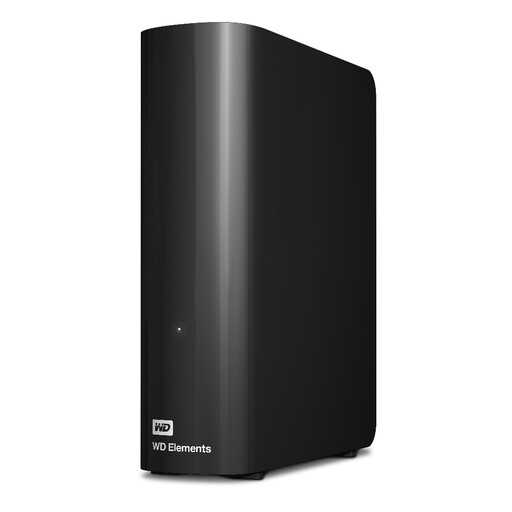
Western Digital 20TB WD Elements Desktop Hard Drive
Suitable when a household wants a desktop destination for a large photo and video collection.
20 TB capacity and USB 3.2 Gen 1 connectivity are listed. The product description includes an AC adapter and USB cable.
View on Joybuy
 No image available
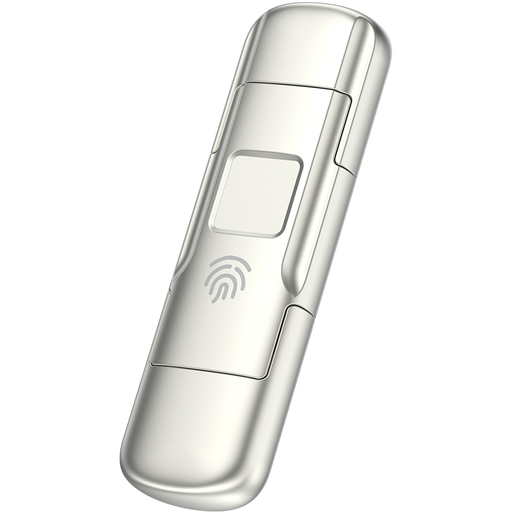
MOVESPEED YSUYC-256GSN 256GB USB Flash Drive
Suitable when you need a compact copy with access controls, provided its capacity fits the files and authorised household members can unlock it.
256 GB capacity, USB-A and Type-C interfaces, AES-256 encryption and fingerprint access are listed in the product information.
View on Joybuy
Household photo-backup questions
Are photos in iCloud Photos also kept independently in an iCloud device backup?
No. Apple says photos using iCloud Photos are not duplicated in iCloud backup, and deleting a photo in the library deletes it on other devices using that library. Keep a separate copy and check that you can open or restore it.
Will deleting a phone photo also delete its OneDrive camera upload?
Microsoft says its Android and iOS camera-upload feature does not synchronise deletions both ways. Confirm that the upload has finished and that the intended account, folders and video settings are selected.
Can a NAS with RAID be the only household backup?
Do not rely on that arrangement alone for a separately recoverable copy. Synology warns that RAID crashes and drive failures can still cause data loss, so plan a backup to another destination.
What should we do before leaving a photo-cloud account?
Download or export the library, check that expected originals open outside the service, and arrange future backups before changing the old account. Google says downloading its data does not delete the online copy; Apple instructs users to download originals before exporting iCloud Photos.
What should we check about storage and subscription terms?
Check the chosen account’s storage allowance, renewal and cancellation terms, and documented recovery options. For a drive, check the exact model’s capacity and the household’s ability to read and restore its files on the devices you use.


