For household records that would be difficult to replace, keep a recoverable copy separate from the main device. A cloud service can keep frequently changed files current, while a local drive gives you a copy you can access without the cloud account; using both reduces reliance on one device, account or location, provided you can restore files from each copy.
Who needs which kind of backup?
People protecting irreplaceable records
If identity documents, property files or family scans would be hard to replace, focus on keeping a separate copy and checking that you can restore it. The National Cyber Security Centre (NCSC) advises storing important backup data in a separate safe location.
People carrying sensitive records
A small offline copy may suit selected confidential files, but a portable device can be lost. The Information Commissioner's Office (ICO) identifies encryption as a way to protect stored personal information; you still need another recoverable copy.
Households updating files across devices
When scans and documents change regularly across phones and computers, automatic copying and multi-device access may matter more than carrying a drive. Plan how you would regain access to the cloud account before relying on it.
What matters when choosing storage?
Choose where a separate copy will live and how you would restore it, then check whether local access, automatic updates or portable protection matters most for your records. An external hard drive, external SSD or encrypted USB drive can provide a local copy; cloud storage offers an account-based route, while using local and cloud copies reduces dependence on either route alone.
| Concern |
What to check |
Who this matters to |
| Recovering lost records |
Confirm where the separate copy is stored and restore a test file without the original device. The NCSC warns that neither local nor cloud backups resist ransomware by default. |
If my computer fails or files are deleted, I need a copy I can actually restore. Around 33% of consumers put recovery first. |
| Current copies across devices |
Check which folders and devices are copied, the storage allowance and the account-recovery options. |
When I add new scans from different devices, I do not want to depend on remembering a manual backup. For around 27% of consumers, keeping copies current is the primary concern. |
| Local, offline access |
Measure your file library, confirm the drive works with your devices and decide where to keep it apart from the computer. |
I want to reach my records without signing in to a cloud account, but I can set aside time to update and safeguard a drive. Local control comes first for around 20% of consumers. |
| Portable protection |
Check the selected files fit, the connector works with your devices and how access is recovered if an unlock method fails. |
If I carry a small set of sensitive documents, I need to limit access if the drive goes missing without making the files my only copy. Around 20% of consumers prioritise this portable protection. |
Backup mistakes to avoid
-
Treating synchronisation or one nearby drive as the whole backup
A copy can be affected by the same loss or damage as the original device. The NCSC also warns that local and cloud backups are not ransomware-resistant by default.
Keep an important copy in a separate safe location and restore a test file before relying on the arrangement.
-
Choosing encryption without a recovery plan
Encryption helps protect a lost drive, but forgotten credentials can also prevent its owner from opening it. Kingston's IronKey Keypad 200 range has failed-PIN controls that can lock access or erase data after repeated administrator PIN failures.
Keep the relevant recovery instructions securely away from the drive and retain another copy that does not depend on the same PIN.
-
Choosing SSD speed without checking the connection
Samsung UK says the T7 Shield's stated maximum speeds require compatible host hardware, cable and UASP support. A drive's headline figure alone therefore cannot tell you the transfer rate your setup will achieve.
Check your device's USB specification and the cable you will use for both backup and restoration.
-
Enabling stronger cloud encryption without preparing recovery
Apple says Advanced Data Protection for iCloud requires an alternative recovery method. Apple cannot recover end-to-end encrypted data for you if you lose access to the methods needed to unlock it.
Set up a recovery contact or recovery key as Apple requires, and make sure you can use that method when your usual device is unavailable.
Relevant brands for reference
Samsung
Its T7 Shield portable SSD line is relevant if you want a compact local copy and regularly move files between compatible devices.
- Samsung UK specifies USB 3.2 Gen 2 connectivity and maximum read and write speeds of 1,050MB/s and 1,000MB/s for the cited 1TB model.
- Those maximum speeds require compatible hardware, cable and UASP support. A portable SSD remains one physical copy, not a replacement for another backup.
Kingston IronKey
The Keypad 200 range is relevant for a compact, PIN-protected offline copy of selected sensitive files.
- Kingston lists keypad access and XTS-AES 256-bit hardware encryption, with Type-A and Type-C versions across the range.
- Failed-PIN controls make credential handling important. Check the capacity and recovery procedure for the exact version you intend to use.
Microsoft OneDrive
OneDrive is relevant when records are updated across devices and you want an account-based cloud copy.
- Microsoft Support describes two-factor verification and additional authentication for files placed in Personal Vault.
- Check that the storage allowance fits your files and keep your account-recovery information usable.
Apple iCloud
iCloud is relevant to households using Apple devices that want cloud access to their records.
- Apple says its optional Advanced Data Protection provides end-to-end encryption for most iCloud data, including iCloud Backup, on supported setups.
- The setting requires an alternative recovery method. Check device software and prepare that method before enabling it.
Local storage options on Joybuy
These drives offer local copies for different file sets: external hard drives and an SSD for a record library, or compact USB storage for selected files. None should be the only copy of records you cannot replace; choose capacity and connections for your devices, then plan a test restoration.
 No image available
Samsung T7 Shield 1 TB portable SSD, blue
Consider this external SSD if you want a portable local copy of household records. Its title specifies 1 TB capacity and USB 3.2 Gen 2; check your device connection and file-library size before choosing it.
Keep another copy of irreplaceable files and test restoring one from the SSD.
View on Joybuy
 No image available
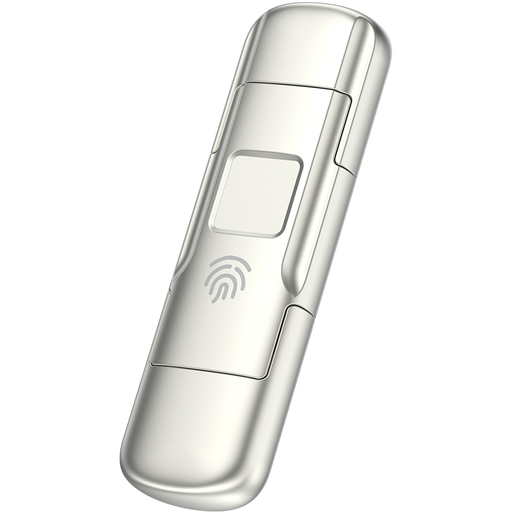
MOVESPEED YSUYC-256GSN 256 GB fingerprint USB drive, silver
This is a compact option for carrying a selected set of records rather than relying on it as the sole archive. Its title specifies fingerprint encryption and USB 3.2 Gen 1 with Type-C connectivity; check the connections on the devices you will use.
Before storing important files, confirm how access can be recovered if fingerprint authentication fails and retain another copy.
View on Joybuy
 No image available
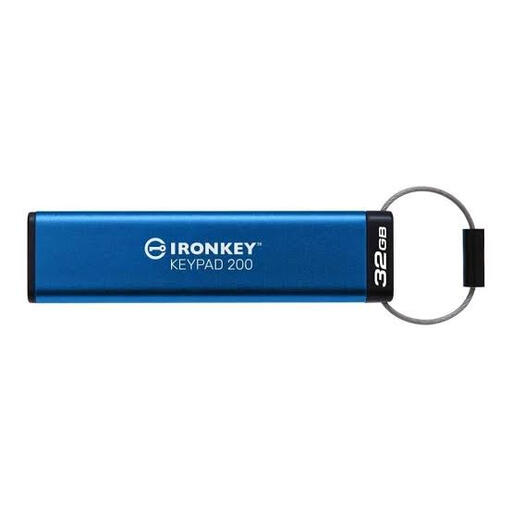
Kingston IronKey Keypad 200 32 GB USB drive
Consider this keypad drive for an offline copy of a limited set of sensitive records. Check that your selected files fit within its 32 GB capacity.
Kingston describes failed-PIN protections for the Keypad 200 range. Confirm the recovery and lockout procedure for this version before relying on it, and keep another copy elsewhere.
View on Joybuy
 No image available
Western Digital My Passport 2 TB portable hard drive, black
This external hard drive is a local-copy option if your household records and other files need the stated 2 TB capacity. Measure your existing library and allow for new files before deciding whether it fits.
Confirm the setup instructions for your computer, particularly if you use a Mac. Store the drive separately from the main device and test a file restore.
View on Joybuy
 No image available
Western Digital My Passport Ultra for Mac 5 TB portable hard drive, silver
This Mac-oriented external drive offers a stated 5 TB for a local archive that extends beyond a small document collection. Check whether that capacity matches your files and whether its setup works with every device you plan to use.
If you also use Windows, confirm the applicable driver requirements. Keep a further copy of irreplaceable records and test how to restore them.
View on Joybuy
Frequently asked questions
Is a drive beside my computer enough for a backup?
A nearby drive holds a copy, but it may be exposed to the same incident as the computer. The NCSC advises keeping important backup data in a separate safe location; check that you can restore a file without the original device.
Does encrypting a USB drive remove the need for another copy?
No. Encryption helps protect stored information from unauthorised access, particularly if a drive is lost, but it does not create another copy. Keep a separate recoverable backup of important files and prepare for a forgotten PIN or failed unlock method.
What should I do before enabling Advanced Data Protection for iCloud?
Set up the alternative recovery method Apple requires and check that your devices meet its software requirements. Apple cannot recover end-to-end encrypted data for you if you lose access to the recovery methods, so make sure you can use yours when your usual device is unavailable.
Is a cloud copy automatically protected against ransomware?
No. The NCSC says neither cloud nor on-premises backups are ransomware-resistant by default. Check how your chosen service protects backup data from deletion or destruction, and plan how to recover records if your usual device or account is compromised.


