What should you check before choosing storage?
The National Cyber Security Centre advises keeping backup media separate from the device and disconnecting removable media when it is not in use. Compare recovery, access and upkeep as well as capacity.
| Concern |
What to check when buying |
Who this matters to |
| A separate, recoverable copy |
Where each copy is kept, when it updates, whether a drive can be disconnected afterwards, and whether a sample file restores. |
If a computer or account becomes unavailable, I need another usable copy; around 30% of consumers put an independent, recoverable copy first. |
| Confidentiality of sensitive records |
The exact encryption method, supported devices, unlock procedure and where recovery credentials will be kept. |
When portable records contain sensitive details, I want to limit access without losing the way back in; around 20% of consumers prioritise confidentiality. |
| Backup and restore compatibility |
Check the computer, connection, operating system, backup application and required file system; test a restore on the intended device. |
I need the backup and restore method to work with the computers I actually use; around 20% of consumers put device compatibility first. |
| Capacity and handling |
Allow for the selected files, retained versions and future growth, and check the exact model’s connection and operating conditions. |
I want room for the files and versions I keep, without choosing features I rarely use; around 20% of consumers prioritise capacity and handling. |
| Coverage across devices |
List the devices and folders to protect, then check account or network access, version and deletion behaviour, and the restore process. |
If several household devices hold records, I need to know what is covered and how to restore it; around 10% of consumers prioritise multi-device coverage. |
Joybuy products for local backups
These Joybuy products cover local household copies, including portable and desktop drives and portable encrypted storage. A local drive does not by itself provide a separately located cloud copy.
 No image available
Samsung T7 Shield Portable SSD, 1 TB, USB 3.2 Gen.2, Blue
A portable SSD option for keeping a local copy of household records.
1 TB capacity; USB 3.2 Gen.2.
View on Joybuy
 No image available
Western Digital My Book 22TB External Desktop Hard Drive
A desktop local-storage option for a household keeping a larger collection at home.
22 TB capacity; USB 3.0; password protection and hardware encryption are listed in the product name.
View on Joybuy
 No image available
SanDisk Portable SSD, 2TB
A portable solid-state option for a local copy of household files.
2TB capacity.
View on Joybuy
 No image available
Western Digital Elements Portable External Hard Drive, 4TB, Black
A portable hard drive option for keeping documents and other files in a local copy.
4TB capacity; USB 3.0.
View on Joybuy
 No image available
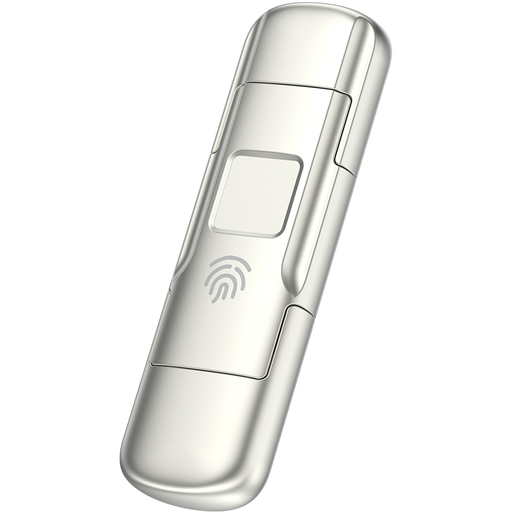
MOVESPEED YSUYC-256GSN USB Flash Drive, 256GB, Silver
A portable storage option for consumers considering encrypted access to sensitive files.
256GB capacity; fingerprint encryption; USB 3.2 Gen 1 and Type-C interfaces; 550MB/s read and 500MB/s write are listed in the product name.
View on Joybuy
Household backup FAQs
Can one disk be used for Windows file exchange and Mac Time Machine backups?
Do not assume that one format suits both tasks. Apple identifies exFAT for ordinary Mac–Windows file exchange and says Time Machine cannot back up to a Windows-formatted disk; APFS or APFS Encrypted is preferred for a Time Machine disk. Formatting erases files, so decide on the backup method before reformatting.
How can I check that a Windows document backup works?
Check that your important folders are included, then restore a previous file as a test. Microsoft’s File History guidance describes using an external drive or configured network location as the backup destination.
Does syncing documents to a cloud folder remove the need for another copy?
Not necessarily; check the service’s deletion, version and restore conditions and test the recovery process. Microsoft says permanently deleted OneDrive recycle-bin files cannot be recovered, while its whole-OneDrive restore feature is for Microsoft 365 subscribers and covers file and folder actions within the last 30 days.
Must a UK household buy an encrypted drive to comply with UK GDPR?
For purely personal or household activity with no professional or commercial connection, the Information Commissioner’s Office says that activity is outside the scope of UK GDPR. This does not cover records processed for professional or commercial purposes; encryption remains a confidentiality consideration for sensitive portable files.
What should I check before choosing cloud backup or a NAS?
For cloud backup, check the storage allowance, subscription conditions, version history and restore rules, as well as access to the account. For a NAS, check which devices and folders it covers and how you will back up and restore the NAS contents separately.


