For household and tax records, choose a setup that keeps a separate copy you can restore, rather than simply moving your only copy to another place. A local drive suits people who want a copy they control; encrypted USB storage adds access controls for portable documents, while cloud services can make files easier to reach across supported devices. If you also want protection from an incident affecting your home, combine local and off-site copies, and check each service’s recovery and deletion behaviour.
Who this guide is for
Private digital record keepers
If you are bringing financial and household documents together, consider how you will organise files, control access and keep a portable copy. HMRC says personal Self Assessment records must be accurate, complete and readable.
Low-effort, multi-device households
If you want to access files across supported phones and computers without relying entirely on manual copying, check what each service actually captures, how account access works and whether the account is for one person or shared use.
Family photo archivists
If photographs and other household files matter as much as documents, consider the space you need and how you could recover files if a device or the copy stored at home is lost. Three UK’s March 2023 release highlighted the loss of sentimental photos and videos.
What to consider when choosing
The NI Cyber Security Centre recommends three copies across two devices, with one copy offline in another location; use this as practical guidance, not as a requirement to buy a particular product. The National Cyber Security Centre also describes a backup as a separate copy kept in a safe location.
| Concern |
What to check when buying |
Who this matters to |
| Recoverable copies |
Identify the original, each backup and where it is kept; test restoring a sample. |
If a device or household incident could affect my records, I want another copy I can restore. Around 28% of consumers put recoverable copies first. |
| Privacy and access |
Check the actual encryption, unlocking method and credential-recovery behaviour. |
For sensitive financial files, I want access controls without risking a preventable lockout. Around 22% of consumers prioritise privacy and credential access. |
| Findable, current files |
Test retrieval of a named document and check which folders, photos and devices are included. |
When files are scattered across devices, I want them easy to find and regularly captured. Around 22% of consumers put accessible, up-to-date files first. |
| Capacity and compatibility |
Check the size of your archive, room for growth, and the required ports or cables. |
If I already have a substantial local archive, I need enough space and a connection my computer can use. Around 17% of consumers prioritise local capacity and compatibility. |
| Ongoing cost and exit |
Check the allowance, billing basis and how you would export files if you stop a subscription. |
For a storage plan I may keep using, I want recurring costs to remain manageable and files straightforward to export. Around 11% of consumers put ongoing cost and a practical exit first. |
Backup pitfalls to avoid
-
Calling a move a backup
If you move your only copy to a new device, there is still only one copy to recover from if it is lost or damaged.
Keep the original and a distinct copy, and identify which is which before deleting anything.
-
Treating cloud synchronisation as an untouchable archive
With iCloud Photos, deleting an item also deletes it from devices using the service. Apple provides a 30-day recovery window for deleted items.
Check the service’s deletion and recovery settings, and keep a separate copy of files you cannot replace.
-
Choosing encrypted storage without a PIN plan
Kingston specifies that, with both Admin and User PINs enabled on the Keypad 200, 10 consecutive incorrect Admin PIN attempts can trigger crypto-erasure.
Follow the manufacturer’s setup instructions, safeguard credentials and keep another copy of important files.
-
Comparing cloud plans only by their initial charge
Storage allowances and subscription terms vary, and reducing an allowance can leave you needing to export or remove files.
Compare the allowance you need over the time you expect to use the service, and plan how you would move files if you downgrade or cancel.
Exporting an archive that exceeds a new allowance can take time.
Relevant brands for reference
Samsung
Samsung’s T7 Shield is a portable SSD option for a local archive when your computer and connection support the required interface.
- For the MU-PE1T0S/EU, Samsung specifies 1TB and up to 1,050/1,000 MB/s read/write under stated host requirements.
- Samsung says its IP65 and drop-resistance claims are based on manufacturer-controlled tests; liquid, dust and drop damage are excluded from the stated warranty coverage.
Kingston
Kingston’s IronKey Keypad 200 is a portable option for confidential documents when keypad unlocking and hardware encryption are priorities.
- Kingston specifies XTS-AES 256-bit hardware encryption, OS-independent access and Admin/User PIN options.
- With both PINs enabled, repeated incorrect Admin PIN entries can trigger crypto-erasure. Encryption does not protect the only copy from loss.
Seagate
The Expansion portable HDD is a straightforward local-storage route when you want to establish your own copying routine.
- The UK listing for STKM2000400 specifies 2TB, USB 3.0, drag-and-drop transfer and compatibility with most Windows and macOS systems.
- A drive that relies on manual transfers still needs a routine; the listing’s specifications and warranty are not independent reliability results.
Microsoft
Microsoft 365 Basic is a cloud-storage option for one person who wants files available through supported devices.
- Microsoft specifies 100GB of cloud storage. For personal OneDrive accounts, Microsoft documents recovery of deleted files within 30 days.
- The allowance is for one person, and personal-account recovery conditions should not be confused with work or school accounts.
Apple
iCloud+ may suit Apple-device households that want cloud storage, photo and file access, and device-backup services.
- Apple describes plan sharing with up to five other family members, alongside access through supported Apple devices, Windows and the web.
- iCloud Photos synchronises deletions, with 30 days to recover deleted items. Apple advises downloading or removing content above a reduced allowance before changing plans.
Joybuy products
These product choices cover portable local storage: external SSDs for household files and encrypted USB drives for portable document copies.
 No image available
Samsung Portable SSD T7 2TB, USB-C, Blue
A portable local copy for household documents and photos. The product description lists USB 3.2 Gen 2 and optional AES 256-bit hardware encryption; check the offered configuration.
Joybuy
No image available
Samsung Portable SSD T7 1TB, USB-C, Blue
A portable local copy for a smaller document or photo archive. The product description lists USB 3.2 Gen 2 and optional AES 256-bit hardware encryption; check the offered configuration.
Joybuy
 No image available
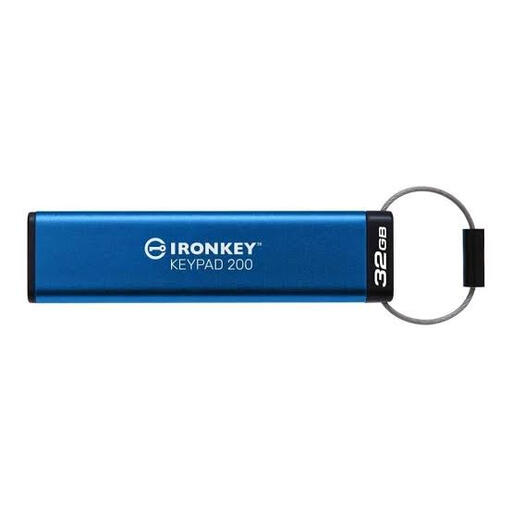
Kingston IronKey Keypad 200, 32GB
A portable copy for sensitive documents where keypad access is useful. Kingston specifies XTS-AES 256-bit hardware encryption and Admin/User PIN options; with both PINs enabled, 10 consecutive incorrect Admin PIN attempts can trigger crypto-erasure.
Joybuy
 No image available
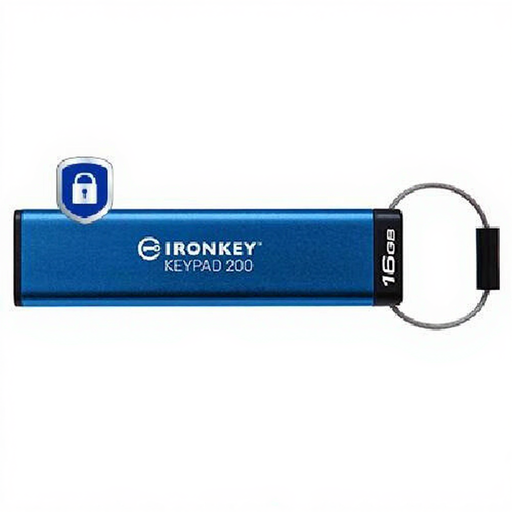
Kingston IronKey Keypad 200, 16GB
A portable encrypted USB copy for a smaller document set. The product description identifies keypad access and AES-256 encryption; consider whether 16GB is enough for the files you plan to keep.
Joybuy
 No image available
Samsung T7 Shield portable SSD, 1TB, Black
A portable local copy for larger files when your host supports the connection. The product description identifies USB 3.2 Gen 2; check your computer and cable before relying on the stated transfer capability.
Joybuy
Frequently asked questions
How can I check that my backup will work?
Restore a sample to a device and open it. The NI Cyber Security Centre recommends automatic or scheduled backups and practising restoration; seeing a copied folder alone does not test whether you can recover its contents.
Should I leave an external backup drive connected?
For a removable backup copy, the NI Cyber Security Centre advises disconnecting the drive when a backup is not being performed. This is security guidance, not a legal requirement.
Does a cloud recycle bin protect files permanently?
No. Apple specifies 30 days to recover deleted iCloud Photos items, while Microsoft specifies 30 days for deleted personal OneDrive files. Microsoft says permanently deleted recycle-bin items cannot be restored through that recovery route.
What should I do before reducing or cancelling iCloud+?
Download or remove content above the new allowance before changing your plan. Apple says a downgrade or cancellation takes effect after the current subscription billing period, so plan any export before then.
Can I keep personal Self Assessment records digitally?
HMRC’s guidance for personal pay and tax records allows paper, digital or software-based records, provided they are accurate, complete and readable. This guidance does not determine which household documents you should keep or how long to retain them.


