What to check before choosing backup storage
Start with the restore you need, then compare where the copy will live, how it will be accessed and what happens when files change or storage fills up.
| Priority |
What to check |
Your needs |
| Recoverable separate copy |
Confirm that the copy is stored separately from the original device; check the restore steps for files and device data; perform a sample restore. |
I want to retrieve photos, documents or device data after loss, failure, deletion or malware, rather than relying on extra space on the same device. |
| Off-site protection and local access |
Consider whether a cloud copy is needed outside the home; if using removable storage, plan where it will be kept when not connected; avoid keeping every copy together. |
I want a copy that can survive a theft, fire or flood at home, while retaining a local option when internet access is limited. |
| Capacity and account limits |
Add photo, video, document and device-backup sizes; allow for future growth; check shared cloud allowances and what happens when the quota is full. |
I need enough room for my household’s files without automatic uploads or synchronisation stopping unexpectedly. Microsoft states that its free personal allowance is 5 GB, while Google says up to 15 GB is shared across Gmail, Drive and Photos. |
| Privacy and access |
Review sharing permissions, account recovery and password protection; check whether encryption is available and how recovery credentials are retained. |
Private records should remain accessible to the intended household members without being broadly shared or becoming inaccessible when credentials are needed. |
| Version history |
Check whether older versions are retained, for how long, and under which subscription or backup mode; distinguish multi-version backup from a copy that overwrites earlier files. |
I want to recover an earlier known-good version after an accidental overwrite, corruption or malware, not only the latest synchronised file. |
Joybuy external backup drive options
These Joybuy options cover removable local storage for household photos, documents and computer files. They can provide a separate local destination, but each still needs a planned backup workflow, a tested restore and storage away from the original device where practical.
 No image available
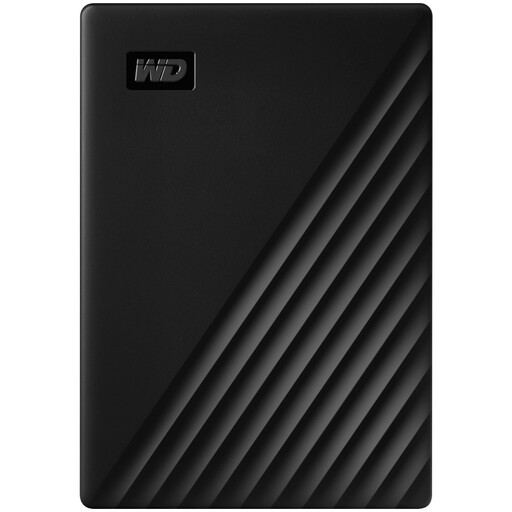
Western Digital My Passport 1TB Black
A local option for scheduled computer backups and household files where 1TB suits the collection size.
Stated USB 3.2 Gen 1 connectivity, password protection, 256-bit AES hardware encryption and Acronis True Image scheduling utility.
It is stated to be pre-formatted for Windows; check macOS use and Time Machine format requirements before relying on it. Keep the drive apart from the computer or maintain an additional off-site copy.
Joybuy
 No image available
Samsung T7 Shield Portable SSD 1TB Blue
A portable local destination for households moving files between compatible Macs, PCs and Android devices.
Stated 1TB capacity, USB 3.2 Gen 2 connection, optional password-enabled AES-256 hardware encryption, 98g weight, and USB-C-to-C and USB-C-to-A cables.
Check the file system, backup application and restore process for every device. For Time Machine, Apple says Windows-formatted disks cannot be used directly and prefers APFS or APFS Encrypted.
Joybuy
 No image available
Samsung MU-PG2T0B 2TB USB Type-C
A larger portable local destination for photo, video and document collections that need a separate copy.
Stated 2TB capacity, USB-C connection, password authentication, 256-bit AES hardware encryption and up-to-3-metre drop protection.
Check ports, file-system support and backup-app compatibility for intended Windows, macOS, Android and tablet devices. Keep recovery credentials securely available and test a restore.
Joybuy
 No image available
SanDisk Portable SSD 2TB
A compact local storage option for growing household photo and video libraries.
Stated 2TB capacity, USB connectivity, read speeds of up to 800MB/s and up-to-2-metre drop protection.
Check operating-system, connector, file-system and backup-application compatibility. If encryption, automated backups or version history matter for your files, confirm the workflow before choosing it.
Joybuy
 No image available
Western Digital Elements Port 4TB Black
A high-capacity local destination for large family photo, video and document collections, particularly in a Windows household.
Stated 4TB capacity, USB 3.2 Gen 1 and USB 3.0 connectivity, Windows 10+ recognition, and an included USB-A cable.
The listing indicates that Mac or other operating systems may require reformatting, so preserve existing files and check file-system requirements first. It is not stated to be waterproof or dustproof.
Joybuy
Frequently asked questions
What is the difference between synchronisation and an independently recoverable backup?
Synchronisation copies changes between devices or between a device and a provider account; the Information Commissioner’s Office describes cloud folders where files and later changes are copied to the provider’s servers. Treat it as a recoverable backup only after checking separate storage, version history, deletion retention and the actual restore process. The National Cyber Security Centre defines a backup as a separate copy that can be restored after access to the original is lost.
Can one external drive back up both a Mac and Windows PC?
It can hold files in a cross-platform format, but do not assume it can be the same automated system-backup disk for both. Apple says ExFAT is compatible with Windows, while Time Machine cannot back up to a Windows-formatted disk and prefers APFS or APFS Encrypted. Check the backup software requirements before choosing separate volumes or drives, and remember that reformatting erases data.
How can I check whether a cloud plan is large enough before subscribing?
Add the data types you intend to protect, including photo and video libraries, documents, desktop folders and device backups, then compare the total with the provider’s shared allowance and expected growth. Microsoft says its free personal allowance is 5 GB and that exceeding the quota stops new OneDrive uploads, edits and synchronisation; Google says its 15 GB allowance is shared across Gmail, Drive and Photos.
What should I test before relying on a NAS?
Test a real restore of a sample file and, where relevant, a whole folder; also confirm that each household device can connect and that the backup destination is separate from the NAS. Synology says its Hyper Backup multi-version option can use encryption and compression, whereas its single-version option keeps ordinary files but overwrites previous versions and does not offer encryption or compression.
How often should I test restoration?
Use a schedule based on how much recent work or photography you could afford to lose, and test whenever you change provider, storage hardware, encryption password, operating system or backup settings. The National Cyber Security Centre stresses that a backup is useful when you can restore a copy, rather than simply assuming stored data remains usable.


