
24/7 Customer Support

Free returns

Same-day & Next-day Delivery

Quality Guaranteed

Unlock Your Welcome Offers: FREE Delivery | Up to 80% OFF | Free 30-day JoyPlus trial
Download the APP
Navigating the world of smart TVs can feel overwhelming. With a dizzying array of acronyms, features and marketing claims, it's easy to end up with a television that doesn't live up to its promises. As a Joybuy Product Recommendation Officer, my role is to help you sidestep the common pitfalls and identify the features that genuinely matter for your viewing experience.
Before you spend your hard-earned money, be aware of these frequent traps:
To make an informed choice, focus on these core specifications. They are the true indicators of a quality Smart TV.
The foundation of any great television is its display panel. While standard LED TVs are perfectly capable, QLED (Quantum Dot Light Emitting Diode) technology represents a significant step up.
The Smart TV's operating system (OS) dictates your entire user experience, from navigating menus to finding content. The main platforms in the UK market each have their own approach:
A key feature to look for in 2026 is a TV with Freely built-in. This new UK service allows you to stream live and on-demand TV from providers like the BBC, ITV, Channel 4 and Channel 5 directly over your Wi-Fi, with no need for an aerial or a separate box.
For any screen larger than 40 inches, a 4K TV (3840 x 2160 pixels) should be your minimum standard. This resolution provides the sharpness and detail needed for modern content.
However, resolution is only half the story. A true HDR TV enhances that detail with better contrast and colour. Look for support for premium formats like Dolby Vision or HDR10+, as these use dynamic metadata to optimise the picture scene-by-scene. A television that supports these formats, combined with a high-quality QLED panel, will deliver a far more impactful and cinematic viewing experience than one that simply lists "HDR" on the box.
To help you connect these features to a real product, we've matched a few models from our catalogue to common UK buyer profiles.
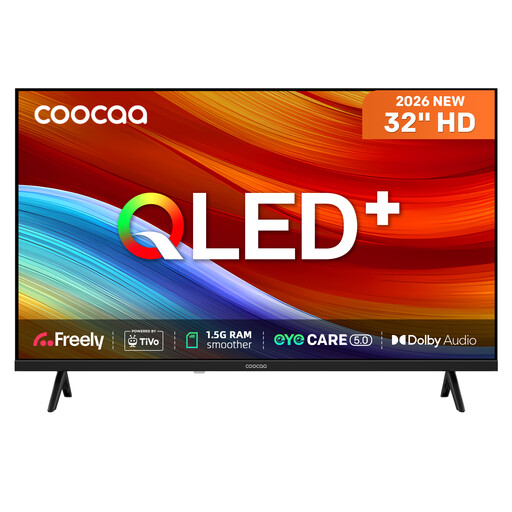
Why This Fits Their Persona: Ideal for a bedroom, kitchen, or student flat, this 32 inch TV offers premium features in a compact size. It's perfect for those who want modern streaming convenience without a large screen taking over the room.
It counters the "sluggish smart" pitfall with upgraded 1.5GB RAM for a responsive TiVo OS. The QLED panel provides genuine colour enhancement, avoiding the "misleading HDR" issue common on smaller sets.
Features Freely built-in for subscription-free live TV over Wi-Fi. The QLED technology is a notable inclusion for a TV of this size and price point.
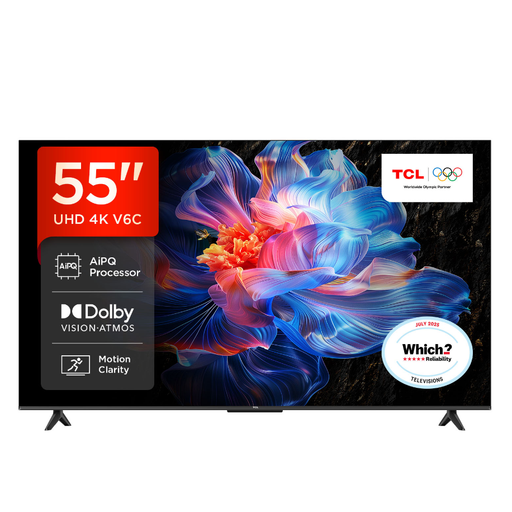
Why This Fits Their Persona: The popular 55 inch TV size is the sweet spot for most UK living rooms. This model is a versatile workhorse for family movie nights, streaming and casual gaming, powered by the content-rich Google TV platform.
Its support for multiple HDR formats, including Dolby Vision, ensures you get an optimised picture from a wide range of sources. The AiPQ Processor and Google TV OS provide a smooth, intelligent user experience.
Features Dolby Atmos for more immersive audio and Game Master mode with ALLM (Auto Low Latency Mode) for responsive gaming.
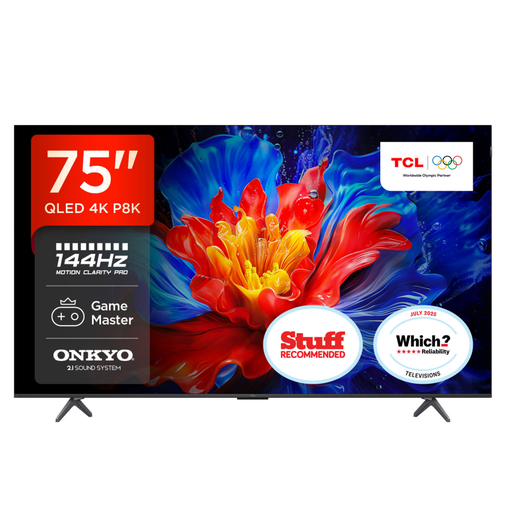
Why This Fits Their Persona: For those seeking a truly cinematic and high-performance experience, this large 75-inch screen delivers. It's a dedicated gaming TV and home cinema centrepiece for users who demand top-tier picture quality and responsiveness.
This model demolishes all three pitfalls. Its AiPQ Pro Processor ensures a fast OS, its QLED panel with Dolby Vision IQ provides exceptional HDR and its 144Hz native refresh rate with VRR offers genuinely smooth motion, not a marketing gimmick.
Equipped with four HDMI 2.1 ports for next-gen consoles and a powerful 2.1 ONKYO sound system with a built-in subwoofer for immersive audio straight out of the box.
We have compiled a complete, real-time list of products that fully satisfy these strict selection criteria and UK safety regulations.
A modern smart TV's panel should function for many years, often well over 60,000 hours of use. The more practical consideration is software support. Major brands typically provide security and feature updates for their smart platforms for around 5-7 years. After this period, the TV will still work, but you may find some newer streaming apps are no longer supported.
Yes. In the UK, you need a TV Licence if you watch or record programmes as they are being shown on TV or live on an online TV service, or if you download or watch any BBC programmes on BBC iPlayer. This applies regardless of the device you use, including a smart TV with Freely.
The primary difference is their interface philosophy. Google TV focuses on content discovery, pulling shows and movies from all your apps into a single, recommendation-driven home screen. Roku TV uses a simpler, app-focused grid layout where you launch each service individually, much like a smartphone. The choice comes down to personal preference: a curated experience versus a straightforward app launcher.