Start with a laptop, protective bag and correctly rated charger that you can carry on every commute. Add a stand, portable monitor or headset when your work at changing desks or in shared spaces calls for one; each addition brings extra weight, setup or compatibility checks.
Who needs which kit?
Frequent public-transport commuters
If you carry equipment on trains, buses or walking routes, consider the weight of the whole packed kit, how securely the bag holds your laptop and how much charging equipment comes with you. Posturite describes this home-to-office carrying scenario in its commuter-accessory guidance.
Desk-intensive hybrid workers
If you compare documents, work across spreadsheets or spend long sessions at changing desks, a stand or second screen may address a recurring limitation. Check the extra weight and the laptop connections before making either part of your commute. The Health and Safety Executive includes mobile workers and hot-deskers in its display screen equipment guidance where the rules apply.
Shared-space meeting workers
If calls are a regular part of working away from a private desk, look for a headset that packs easily and connects to your work devices. Voice pickup matters, but a headset does not make a public space suitable for confidential conversations.
What should you check before buying?
Choose the essentials you carry every time, then judge optional equipment against the work you actually do away from a settled desk.
| Concern |
What to check |
Who this matters to |
| Carry weight and protection |
Check the packed weight with charger and cables, plus the bag’s laptop fit and padding. |
If I carry my kit on public transport, I want it protected without making the journey unnecessarily heavy. Around 33% of consumers put carrying and protection first. |
| A usable desk setup |
Decide whether you need a stand, separate input devices or a second display; check the monitor connection and added weight. |
When I work for long periods at different desks, screen position or limited display space can get in the way. For roughly 27% of consumers, the temporary workspace is the primary concern. |
| Calls in shared spaces |
Check the headset’s connection variant, microphone arrangement and compatibility with your calling platform. |
If I take frequent calls near other people, I need a practical way to hear and be heard while keeping sensitive conversations private. Around 20% of consumers prioritise calls and shared-space use. |
| Charging and connections |
Compare the laptop’s required wattage with the charger’s output, including output shared between ports; check cable and display-port requirements separately. |
If I rely on one compact charging setup at several locations, a connector that fits is not enough—I need the devices to work together. Charging and compatibility come first for roughly 20% of consumers. |
Common buying mistakes
-
Assuming every USB-C port does the same job
A USB-C connector does not by itself establish video output, charging power or driver-free monitor use. ASUS distinguishes USB-C video through DisplayPort Alt Mode from DisplayLink operation, which can require a driver.
Check the exact laptop port, monitor connection method, charger output and cable capability. Keep your original charger until a replacement works with your intended setup.
-
Adding a portable monitor to every commute
A second display is most useful when work repeatedly needs more screen space. ASUS lists its 15.6-inch ZenScreen MB16ACE at 0.71 kg, so even that portable example adds a noticeable item to carry.
Identify the tasks and locations where you would use a second screen before making it part of your regular bag.
The display may also mean carrying another cable or arranging a compatible video connection.
-
Expecting a stand alone to fix the workstation
Raising a laptop changes the position of its built-in keyboard as well as its screen. The Health and Safety Executive addresses display screen equipment as a workstation issue, rather than a decision about one accessory.
For regular desk sessions, consider the screen, separate keyboard and mouse, chair, desk and breaks together. Ask your employer about its workstation assessment process where applicable.
-
Treating noise cancellation as privacy
A headset cannot stop nearby people overhearing a conversation or seeing sensitive material on a screen.
Use a suitable headset for routine calls, but take confidential conversations and documents to an appropriate private location.
Relevant brands to consider
Lenovo ThinkPad
A business-laptop line to consider when laptop weight and charging arrangements shape the commute.
- Lenovo specifies a 65 W USB-C adapter for a cited ThinkPad X1 Carbon Gen 13 Aura Edition configuration.
- Check the exact configuration’s weight, ports, memory and supplied charger; one configuration does not describe the whole ThinkPad range.
ASUS ZenScreen
Portable displays for work that needs a second screen at more than one desk.
- ASUS lists the ZenScreen MB16ACE as a 15.6-inch display weighing 0.71 kg and using one USB connection for power and video.
- Check the chosen monitor against your laptop’s video output; USB-C DisplayPort Alt Mode and driver-dependent DisplayLink operation are not interchangeable.
Anker
USB-C chargers to consider when consolidating charging for a laptop and smaller devices.
- Anker offers multi-port chargers in its 100 W USB-C range.
- Match the exact model’s single-port and shared output, cable and plug arrangement to your laptop’s requirements; the headline wattage alone does not establish compatibility.
Jabra Evolve2
A work-headset line relevant to people taking regular calls across locations.
- Jabra describes the Evolve2 65 Flex as a folding headset with active noise cancellation and noise-cancelling microphones.
- Check the exact connector or dongle variant and meeting-platform support. Neither feature makes a public call confidential.
Targus
Laptop bags to consider when carrying protection and comfort matter on the journey.
- UK retailer Posturite recommends a Targus commuter backpack for public-transport travel and highlights padded straps; this is retailer guidance, not comparative testing.
- Check the particular bag’s laptop-compartment dimensions, padding and weather protection against your packed kit.
Joybuy products for a portable kit
These options cover carrying a laptop, portable computing, adding a display, taking calls and USB-C charging. Choose additions for the tasks you do away from your usual desk, rather than packing every accessory on every journey.
 No image available
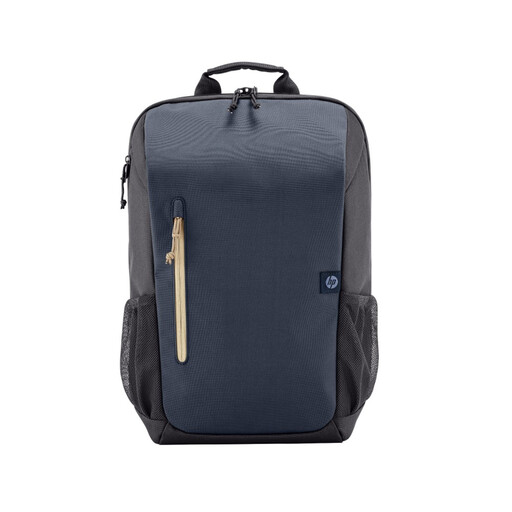
HP Travel 18L 15.6 BNG Laptop Backpack
A backpack to consider when carrying a laptop and daily essentials between locations.
The name identifies an 18L bag; check its laptop-compartment fit against your device. The product guidance recommends a maximum load of 5 kg and describes the fabric as water-repellent, not waterproof.
Joybuy
 No image available
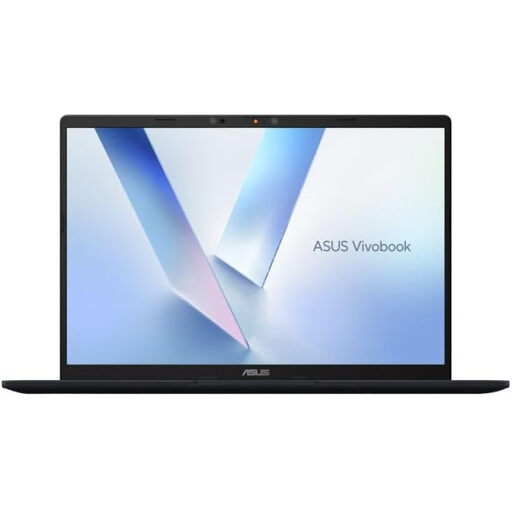
ASUS Vivobook 14 X1407QA-LY003W Copilot+ PC, Snapdragon X, 16GB RAM, 512GB SSD, Quiet Blue
A laptop option for work that moves between desks; check that your required software and connections suit this model.
This variant is named with a 14-inch format, Snapdragon X, 16GB RAM and 512GB SSD. Confirm battery runtime for your workload and include the charger when assessing what you will carry.
Joybuy
 No image available
ASUS ZenScreen MB166CR FHD
Consider an additional display if you repeatedly need more screen space at different desks.
Before choosing this MB166CR variant, confirm that your laptop supports the required USB-C video connection and check which cable and carrying accessories are supplied.
Joybuy
 No image available
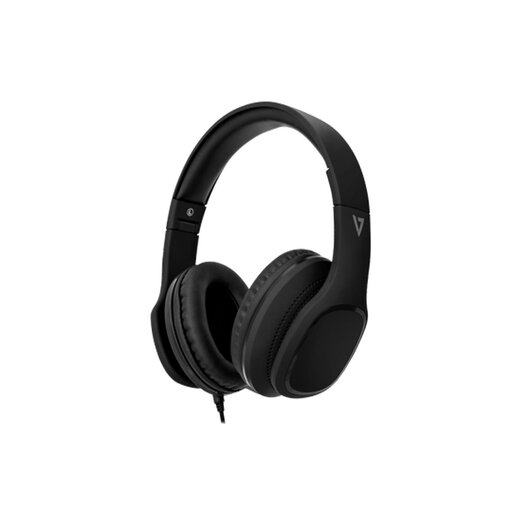
V7 HA701-3EP Wired Over-Ear Headphones, 40mm Drivers, Inline MEMS Mic
A wired option to assess if you take routine calls while working across locations.
The named variant has 40mm drivers, passive noise cancellation and an inline MEMS microphone. Check your device’s 3.5 mm microphone compatibility; passive noise cancellation does not establish how well the microphone handles background sound.
Joybuy
 No image available
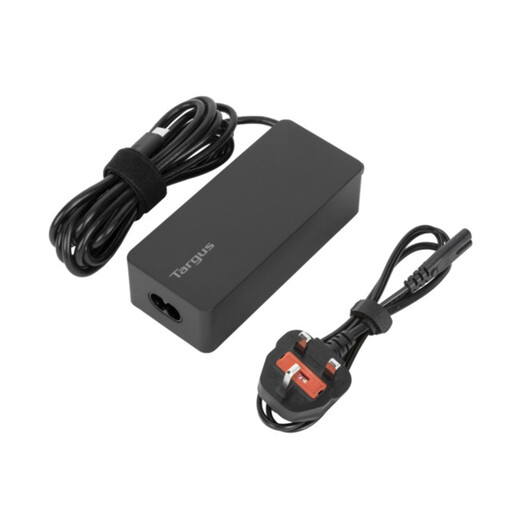
Targus 65W USB Type-C Charger
A charger to consider if you want a separate USB-C power option for work across locations.
Match its stated 65W rating to your laptop’s requirements, and check the exact output profile and cable rating before replacing the supplied adapter.
Joybuy
Frequently asked questions
Do I need a portable monitor for hybrid commuting?
A portable monitor is worth considering if one laptop screen repeatedly limits tasks such as document comparison, spreadsheets or presentations at different desks. It also adds weight: ASUS lists its ZenScreen MB16ACE example at 0.71 kg. Check the chosen monitor’s connection method and your laptop’s video capability before buying.
Can any USB-C charger replace my laptop charger?
No: the connector alone does not establish the power your laptop will receive. Compare the laptop maker’s required wattage with the charger’s single-port and shared-output figures, then check the cable. The USB Implementers Forum describes USB Power Delivery capability of up to 240 W, but that is not the output of every charger or combination of devices.
Do I have to buy a stand or monitor myself for hybrid work?
A stand or monitor is not a universal personal purchase requirement for hybrid work. The Health and Safety Executive says display screen equipment rules can apply to mobile workers, home workers and hot-deskers who use it daily for continuous periods of an hour or more; employers must assess and reduce applicable workstation risks. Discuss your setup and your employer’s equipment arrangements before choosing an accessory as the solution.


