Buying priorities
Work through posture and employer assessment first, then confirm the laptop, displays and accessories can operate together at the configuration you need.
| Priority |
What to check |
Your needs |
| Screen and input placement |
Check whether the screen can sit near eye level, with the keyboard below elbow height and the mouse close to it. For prolonged laptop work, use separate keyboard and mouse if raising the laptop screen. |
I want to raise the screen without having to type or point on a raised laptop. The Health and Safety Executive advises considering the screen, keyboard and mouse together rather than as separate fixes. |
| Dock and display compatibility |
Confirm the laptop’s host port, video protocol, charging requirement, operating system, cable specification and the monitor’s required resolution and refresh rate. USB4 operates at the best mutual capability of connected devices. |
I need the desk connection to support my intended display, charging and peripherals, not simply fit a USB-C-shaped port. Check the laptop manual and the dock’s compatibility requirements before ordering. |
| Assessment and funding |
Record the home and office tasks, existing equipment, laptop model and any discomfort. Use the employer’s DSE assessment process before purchasing equipment that may be needed for the workstation. |
I need to separate an optional personal upgrade from equipment identified as necessary for my work. In Great Britain, the Health and Safety Executive says workers cannot be charged where an applicable assessment indicates DSE equipment is needed. |
Joybuy product options
These Joybuy options cover laptop docks and hubs for a desk connection, plus webcams where video calls are part of the workflow.
 No image available
Targus USB-C Dual HDMI 4K Docking Station
Consider this for a fixed desk needing two external displays, charging and common peripherals through one connection.
Stated features include two HDMI 2.0 outputs at 4K@60Hz, Ethernet, USB-A ports, card readers and up to 100W pass-through charging. Check USB-C Alt Mode support, the laptop charging requirement, monitor inputs and cable specification; the stated pass-through charging requires an external 100W+ adapter.
Joybuy
 No image available
Mokin USB-C Hub with HDMI 4K@60Hz
This is a compact hub route for one HDMI display, USB peripherals and card access from a laptop.
Stated connections include HDMI at 4K@60Hz, two USB-A 3.0 ports, USB-C 3.0 data and SD/TF readers. Confirm laptop docking support, charging capability, operating-system support and the required monitor configuration before buying.
Joybuy
 No image available
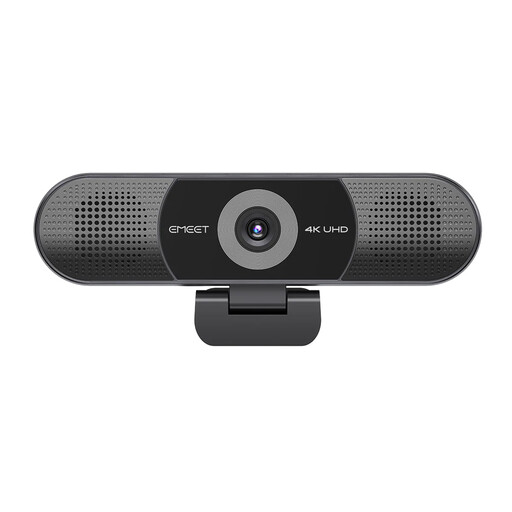
EMEET All-in-One 4K Conference Webcam
Consider this only where the workflow needs an integrated video and audio unit for remote or shared calls.
Stated specifications include a 4K Sony-sensor camera, four-microphone array, dual speakers, fixed focus and an adjustable 98° field of view. Check USB compatibility, conferencing-platform support, desk distance and room acoustics.
Joybuy
 No image available
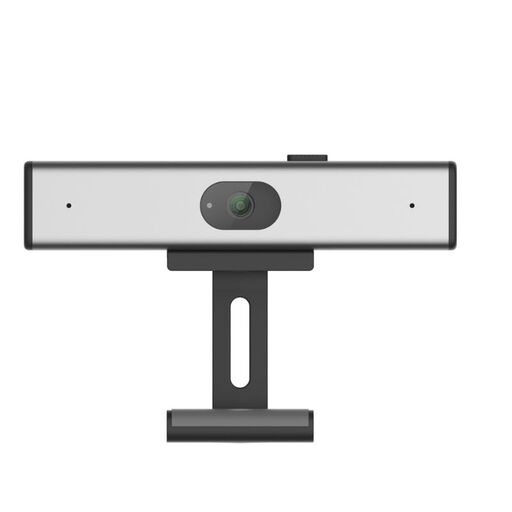
Philips 2K QHD PC Webcam SPL6308S/00
This webcam route is relevant for individual home or hybrid video calls, not for solving display height or dock compatibility.
It is stated to offer 1440p QHD video, a noise-reduction microphone and a clip-on mount. Confirm computer and conferencing-software compatibility, frame-rate needs, field of view and whether the clip suits the intended screen.
Joybuy
 No image available
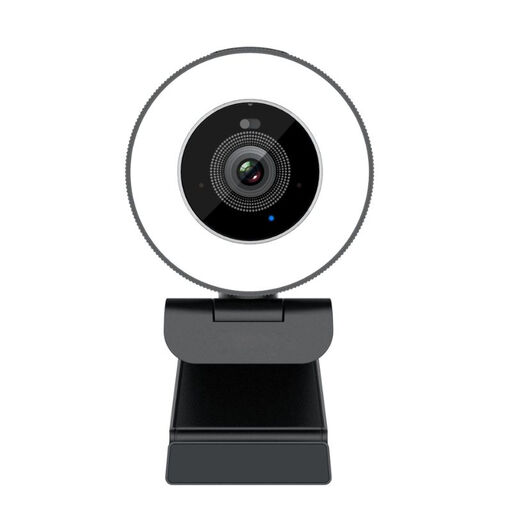
SPL6408BT/00 EU Version Webcam
This option suits a basic video-call setup where a suitable USB-A connection is available.
Stated features include Full HD 1080p at 30fps, automatic light correction, a noise-cancelling microphone, USB-A connection and a flexible clip mount. Check the computer port, conferencing application and whether 1080p/30fps meets the workflow requirement.
Joybuy
Frequently asked questions
Do I need to buy an external monitor, dock and accessories myself for home working?
Not necessarily. In Great Britain, where DSE Regulations apply, the employer should assess the individual workstation; the Health and Safety Executive says that if an assessment identifies action such as providing DSE equipment, the worker cannot be charged. Personal purchases are more appropriate for optional upgrades or where no assessment-identified need applies.
What is the minimum practical change for prolonged laptop work?
A laptop riser alone is not a complete solution. The Health and Safety Executive advises using a separate keyboard and mouse so the laptop screen can be elevated, with the screen in front and input devices positioned together. An external display is an option, not an automatic requirement.
Will any USB-C dock run my monitors and charge my laptop?
No. USB-C is a connector type, not a guarantee of video output, charging wattage or multi-display support. Check the laptop manual, dock compatibility list, monitor inputs, required resolution and refresh rate, charger wattage and cable specification before buying.
What changes for a worker in Northern Ireland?
Northern Ireland is administered by the Health and Safety Executive for Northern Ireland rather than Great Britain’s HSE. HSENI states that its DSE Regulations can apply to daily use of an hour or more at a time, including permanent, long-term and hybrid home working; use HSENI guidance and the employer’s assessment process for the individual case.
What if a personally bought dock, monitor or input device is faulty?
For UK consumer purchases, goods must be as described, fit for purpose and of satisfactory quality under the Consumer Rights Act 2015. Keep the order record, product model and compatibility information, as a mismatch with an undisclosed laptop requirement may not indicate a product fault.


