Buying priorities
Work from the laptop outward: confirm what the computer can support, then choose the screen, dock and peripherals that fit the workstation and the work you actually do.
| Priority |
What to check |
Your needs |
| Laptop, dock and display compatibility |
Confirm the exact laptop model’s external-display limit, supported resolution and refresh modes, video-capable ports, cable or adapter path, charging requirement and dock operating-system support. USB-C describes a connector, not a guaranteed video, data or charging feature set. |
I need the monitor and dock arrangement to deliver the displays, charging and peripheral connections required at my desk. Apple, Microsoft and the USB Implementers Forum each note that capabilities depend on the device, ports and connection path. |
| Sustained laptop working position |
When elevating a laptop screen, allow space for a separate keyboard and mouse. Alternatively, assess whether an external display gives the required screen position while keeping input devices usable. |
I want the screen, keyboard and mouse to be positioned for regular desk work rather than short laptop sessions. The HSE advises separate keyboard and mouse when a laptop screen is raised for prolonged use. |
| Assessment-led equipment choices |
Identify the workstation issue first, then match the product to the required function, such as separate input, screen position or call equipment. Keep assessment findings and planned actions available when comparing products. |
I need to distinguish a personal convenience upgrade from equipment or workstation changes identified through my employer’s process. The HSE says employers must assess qualifying DSE workstations and address identified problems. |
| Video and voice-call equipment |
Check webcam resolution, field of view, mounting position and USB connection. For headsets, confirm the connection method, microphone controls, charging needs and compatibility with the device and meeting platform. |
I make enough video or voice calls to need more control over framing, microphone placement or connection than my laptop provides. Choose only the features that fit the room and work software you use. |
Joybuy product options
Joybuy product options for the external-input and call-equipment parts of a hybrid home-working setup. Confirm laptop connections, operating-system requirements and any assessment-led equipment needs before purchase.
 No image available
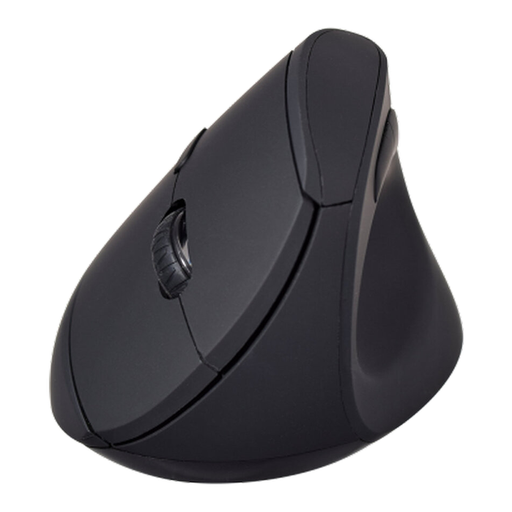
V7 MW500BT Bluetooth Vertical Ergonomic Mouse
A separate pointing device to consider for a sustained laptop desk setup where the listed connection and operating-system requirements fit the work device.
Stated features include 2.4GHz and Bluetooth connectivity, six buttons, 800/1200/1600 DPI settings and one supplied AA battery.
Check hand fit, vertical grip, button placement, Bluetooth or free USB availability, and macOS 13.6 or later where applicable.
Joybuy
 No image available
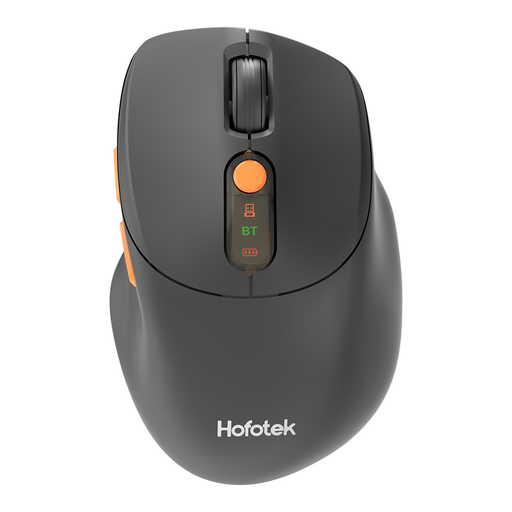
HOFOTEK M311 Bluetooth and 2.4GHz Office Mouse
An external mouse for a hybrid desk where switching between compatible devices is useful.
The listing states 2.4GHz and Bluetooth 5.1 connections, switching for up to three devices, adjustable DPI, Windows/macOS/Android compatibility and one AA battery.
Confirm hand fit, a free USB port for receiver use or Bluetooth availability, and the intended multi-device switching behaviour.
Joybuy
 No image available
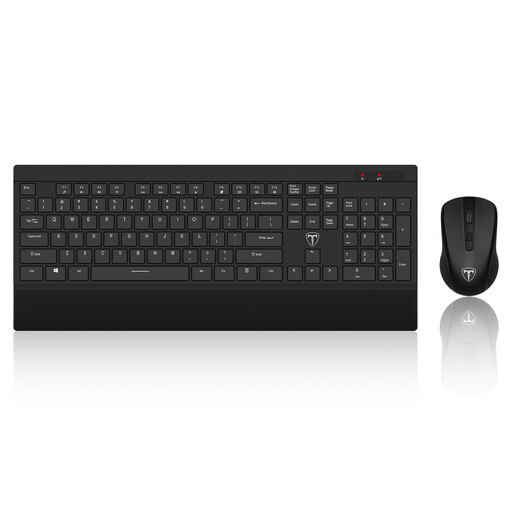
ET Silent Wireless Keyboard and Mouse Combo
A paired input-device option for a fixed desk where a raised laptop requires separate typing and pointing devices.
The listing specifies a 104-key keyboard, optical mouse, shared 2.4GHz receiver, adjustable mouse resolution, integrated wrist rest and a stated 10-metre range.
This is explicitly a US-layout keyboard, so it is not suitable where a UK layout is required. Check operating-system support and ensure a USB-A port is available.
Joybuy
 No image available
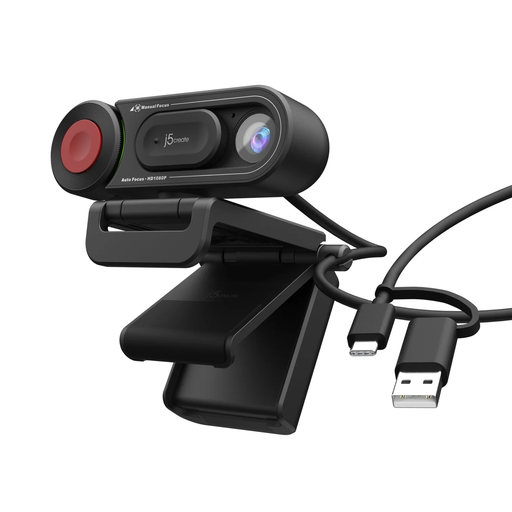
j5create JVU250 HD Webcam with Focus Switch
A separate camera to consider for regular video calls where adjustable framing and focus are required.
The listing states 720p HD video, a built-in microphone, USB-A plug-and-play connection, Windows/macOS/ChromeOS compatibility, an adjustable mounting clip and auto/manual focus selection.
Check whether 720p meets meeting needs, whether a USB-A port is available, and whether the microphone and mounting position suit the room.
Joybuy
 No image available
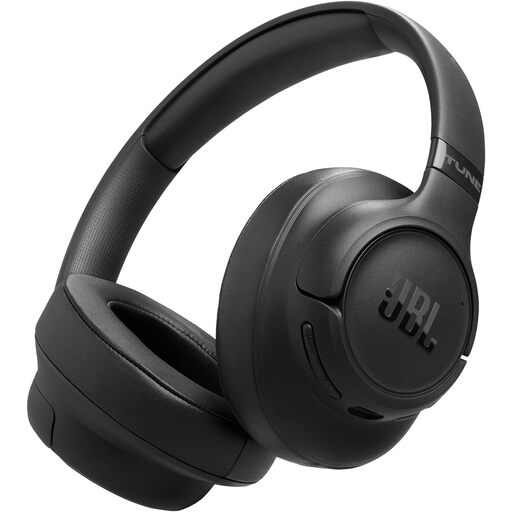
JBL Tune 780NC Wireless Over-Ear Headphones
A headset option for frequent calls where a Bluetooth or wired connection suits the work device.
The listing states adaptive noise cancelling, two beamforming microphones, Bluetooth 6.0 multipoint connection, a foldable design and a detachable USB-C-to-3.5mm audio cable.
Check meeting-platform microphone compatibility, connection policies, over-ear fit and long-session comfort. Listed noise-cancelling and call features do not guarantee call quality in every room.
Joybuy
Frequently asked questions
When does a UK employer need to assess a home or hybrid worker’s DSE workstation?
The HSE says the DSE Regulations can apply to people working at home on a permanent or long-term basis, or routinely splitting time between home and a workplace. For workers using DSE daily as part of normal work for continuous periods of an hour or more, the HSE says employers must carry out a workstation assessment.
Should I buy a monitor or accessory before asking for a DSE assessment?
You can choose a personal convenience upgrade, but it should not replace the employer assessment process where DSE duties apply. The HSE says problems identified through assessment should be corrected, for example through changes to DSE or the workstation.
Does USB-C guarantee that a dock can run my monitor and charge my laptop?
No. The USB Implementers Forum explains that USB Type-C can support different functional capabilities, while Apple and Microsoft state that external-display support depends on the exact device, ports, cables and adapters. Check the laptop documentation, dock specification, display input and charging requirement together.
What should I check before buying a dock for dual monitors?
Confirm the exact laptop model’s documented external-display limit, the intended resolution and refresh rate for each monitor, available video-capable ports, cable and adapter requirements, dock power delivery and operating-system compatibility. A dock’s maximum advertised display mode is not automatically available to every host laptop.
What is the HSE approach to prolonged laptop desk work?
For prolonged laptop use, the HSE advises using a separate keyboard and mouse so the laptop screen can be raised on a riser or similar, or using a display separate from the laptop. Screen, keyboard, mouse and workstation environment should all be considered together.


