Buying priorities
Start with the connection your laptop can actually support, then decide whether you need a portable second screen, a regular desk connection or a focused call-quality upgrade.
| Priority |
What to check |
Your needs |
| Laptop and dock compatibility |
Check the laptop specification for DisplayPort Alt Mode, Thunderbolt or USB4 video capability. Match dock power delivery to the laptop’s charging requirement, and confirm supported display count, resolution and refresh rate. |
I want monitors, charging and peripherals to work through the connection I plan to use, rather than relying on the shape of the USB-C socket. |
| Portable screen space |
Compare screen size, weight, thickness, stand design and connection type. For USB-C video and power, confirm the monitor’s stated host requirements before relying on a single cable. |
I need room for documents or reference material at home and another workplace without carrying a permanently installed desk monitor. |
| Video-call quality |
Identify whether lighting, camera position, voice pickup, room noise or privacy is the actual issue. Check whether enhanced webcam functions depend on companion software, operating system or processor type. |
I want calls to be easier to join and follow without replacing a laptop that still handles my document work well. |
| Comfort across both locations |
Check available screen positioning, stand adjustment and desk space in each location. Plan for sustained display work rather than treating portability as a substitute for a suitable workstation position. |
I need a setup that can be positioned comfortably at home and at another regular desk, especially during longer screen sessions. |
Joybuy product options
Joybuy product options for a portable second screen, a fixed desk connection and clearer hybrid-work calls.
 No image available
ASUS ZenScreen MB166CR FHD
A portable second screen for hybrid document work where the laptop supports USB-C DisplayPort Alt Mode.
15.6-inch Full HD IPS display; 780 g; 11.8 mm thickness; anti-glare surface; USB-C DisplayPort Alt Mode for compatible hosts.
HDMI and built-in speakers are not supported. Confirm that the laptop can provide the required USB-C video output and power.
Joybuy
 No image available
ARZOPA A1M 17.3-inch Portable Monitor
A larger portable display for keeping documents and reference material visible across two work locations.
17.3-inch 1920 × 1080 display; 0.92 kg; matte finish; integrated kickstand; USB-C and HDMI connections.
Check the required display-output path for the laptop or phone. The listing does not state a height-adjustment range beyond the kickstand.
Joybuy
 No image available
UPERFECT 14-inch Touchscreen Portable Monitor
A compact second-screen option for mobile document work where adjustable positioning matters.
14-inch Full HD touchscreen; 60 Hz; 180-degree adjustable stand; VESA compatibility; USB-C one-cable operation for video-capable hosts.
Separate monitor power may be needed where the host cannot provide USB-C video output. Check touchscreen and screen-extension support for the intended operating system.
Joybuy
 No image available
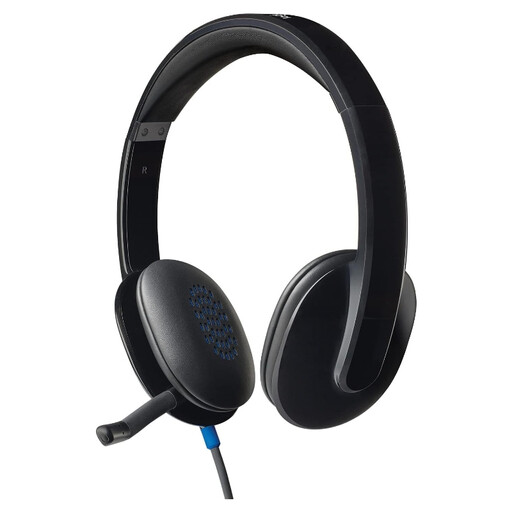
Logitech H540 Wired Headset
A targeted audio option for recurring calls affected by room noise or weak laptop microphone pickup.
USB connection; noise-cancelling boom microphone; inline volume and mute controls; 1.8 m cable; stated compatibility with Windows, macOS and ChromeOS.
It requires an available USB-A connection, and the cable length should suit the desk arrangement. Check the intended meeting software if specific headset controls matter.
Joybuy
 No image available
Targus USB-C Universal Dual HDMI 4K Dock
A fixed-desk option for connecting displays, network access and peripherals through a compatible USB-C laptop.
Dual HDMI 2.0 ports; USB ports; Gigabit Ethernet; card readers; USB-C Alt Mode host connection; 100W Power Delivery pass-through.
The 100W rating is pass-through and requires an external 100W+ adapter. Confirm laptop Alt Mode support, charging needs and supported multi-display configuration before buying.
Joybuy
Frequently asked questions
Is a USB-C port enough to use a dock or portable monitor?
No. USB-C describes the connector rather than every capability behind it. VESA explains that DisplayPort Alt Mode can carry video, USB data and power through USB-C, while Lenovo requires DP1.2 Alt Mode and PD2.0 for the cited ThinkVision M14 portable monitor. Check the laptop manufacturer’s technical specifications, not only the socket shape.
How should I check whether a dock will charge my laptop properly?
Compare the laptop’s stated charging requirement with the dock’s host power-delivery specification, and check whether the figure changes by laptop type. Dell lists 130W for Dell systems and 96W for non-Dell systems on its WD25TB4 dock, so the higher figure should not be assumed for every connected laptop.
Can a dock’s display ports run several monitors at the advertised resolution?
Not automatically. A dock’s port count does not establish what the laptop can output. Confirm the host computer’s supported external-display count, resolution and refresh rate, as well as the cable or adaptor path and operating-system limitations before buying.
When is a separate webcam more useful than replacing the laptop?
A dedicated webcam is a focused upgrade when the laptop is otherwise suitable but calls are limited by low-light image quality, microphone pickup, camera framing or the lack of a privacy shutter. Logitech lists these features for its Brio 500 and Brio 505 models, but software-dependent functions should be checked for the computer and operating system in use.
Do UK display-screen rules matter when working from home?
They can. The Health and Safety Executive says the Display Screen Equipment Regulations can apply to workers who use display screen equipment daily for continuous periods of an hour or more and work at home long term or routinely split time between home and workplace. The guidance is directed at employers and includes assessment of relevant work locations; it does not determine an individual entitlement in every case.


