Buying priorities
Work through posture and screen placement first, then check display, port and software compatibility before choosing accessories.
| Priority |
What to check |
Your needs |
| Comfortable sustained laptop use |
Check whether the screen can be raised while a separate keyboard and mouse remain at workable heights. Allow enough desk depth to place the screen around an arm’s length away, with the keyboard and mouse centrally positioned. |
I need to work for extended periods without being locked into the laptop’s screen and input position. A riser or stand should be paired with separate input devices for prolonged use. |
| Independent external screens |
Confirm the exact laptop graphics hardware or Mac model supports the planned display count. Check that the dock, adapter and cables support extended displays rather than simply duplicating one signal. |
I regularly compare documents, spreadsheets or meeting material side by side, so a second screen is useful only if it can run as an independent desktop. |
| Dock and charging compatibility |
Check whether the laptop port supports Power Delivery and DisplayPort Alt Mode, the charging input required by the laptop, and the monitor ports you intend to use. Compare the dock’s stated output limits with the host device. |
I want one desk connection for displays, charging and peripherals, but the USB-C connector shape alone is not enough to confirm these functions. |
| Video-call equipment |
Check compatibility with the required meeting platform, microphone behaviour, privacy controls and any software or processor requirements for enhanced camera features. |
For frequent calls, I need equipment that fits my room noise, lighting and privacy needs rather than choosing on camera resolution alone. |
Joybuy product options
These Joybuy product options cover keyboard and mouse input, call headsets, an external monitor and a USB-C dock for a hybrid home workstation.
 No image available
HP 680 CFT Dual-Mode Keyboard and Mouse Combo
A separate keyboard-and-mouse set for use when a laptop screen is raised for sustained work.
- Quiet keys, wrist rest and negative tilt are stated in the listing.
- Bluetooth or HP Unifying Dongle connection for up to three devices is stated.
- Confirm the required UK keyboard layout and whether Bluetooth or the USB receiver is permitted on each work laptop.
Joybuy
 No image available
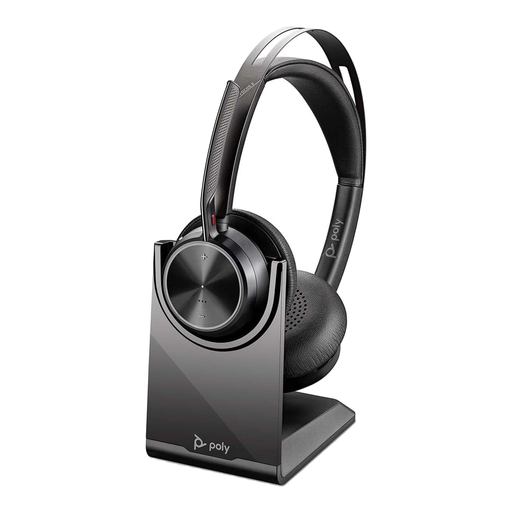
Poly Voyager Focus 2-M USB-C Headset with USB-C/A Adapter
A headset option for regular calls where clearer voice capture and switching between work devices matter.
- The listing states three ANC levels, Bluetooth 5.1, multipoint pairing and a charging stand.
- A USB-C dongle and USB-A adapter are listed.
- Check compatibility with the employer’s required calling software before buying.
Joybuy
 No image available
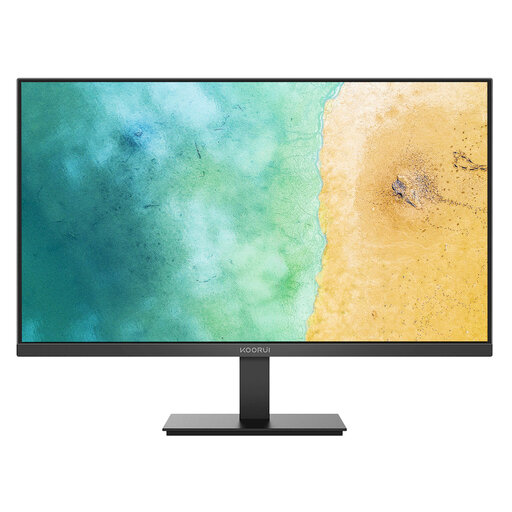
KOORUI MB27V29FS2 27-inch IPS Monitor
An external-screen option for a fixed desk setup when the work laptop can provide a compatible display connection.
- Stated specifications include a 27-inch IPS panel, 1920 × 1080 resolution, HDMI 1.4, VGA and VESA 100 × 100 mm mounting.
- The listing states tilt adjustment, anti-glare surface and flicker-free technology.
- Height adjustment is not stated; check whether a compatible VESA arm or monitor riser is needed.
Joybuy
 No image available
Targus USB-C Universal Dual HDMI 4K Docking Station
A desk dock for a compatible laptop that needs external displays, charging and peripheral connections through USB-C.
- The listing states USB-C Alt Mode, dual HDMI 2.0 outputs, Ethernet, USB-A ports and SD/microSD card readers.
- It states up to 100 W Power Delivery pass-through with an external 100 W or higher adapter.
- Confirm the laptop supports charging input and the intended independent display configuration; the power adapter is not confirmed as included.
Joybuy
 No image available
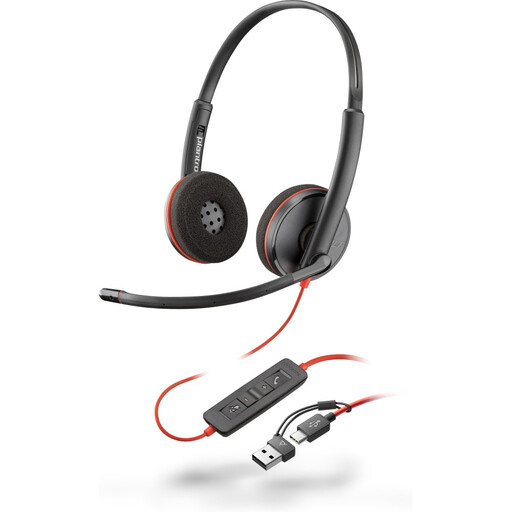
Poly Blackwire 3220 Stereo USB-C Headset with USB-C/A Adapter
A wired headset for fixed workstation calls where a USB connection and in-line controls suit the desk setup.
- The listing states wired USB-C connectivity, an included USB-C-to-USB-A adapter and an adjustable microphone.
- In-line volume, mute and call controls are stated, along with Windows, macOS and ChromeOS support.
- Check that the cable arrangement and available USB-C or USB-A port suit the desk and dock configuration.
Joybuy
Frequently asked questions
Do I need an external monitor for hybrid work?
Not automatically. For prolonged laptop use, the Health and Safety Executive’s practical route is a separate keyboard and mouse so the laptop screen can be elevated on a riser or similar. A separate monitor can suit the work and desk better, but check the laptop’s video output and the monitor’s connection requirements first.
Can I use a display splitter to get two extended monitors?
Usually no. Microsoft states that a display splitter duplicates the same signal instead of creating two independent signals. For an extended two-screen arrangement, confirm that the laptop graphics hardware and chosen dock or adapter support the intended display count.
Does any USB-C laptop work with any USB-C dock?
No. USB-C describes the connector, not guaranteed video output or charging features. Anker states that its 575 dock requires a laptop USB-C port supporting both Power Delivery and DisplayPort Alt Mode, while Mac external-display capability also varies by exact model, resolution and refresh rate.
What should I check before buying a dock that charges my laptop?
Check the laptop manufacturer’s required charging input and the exact dock’s host Power Delivery capability, then confirm that the laptop port accepts charging and supports the needed display mode. Do not infer these capabilities from connector shape alone.
If a Great Britain employer DSE assessment says I need equipment at home, should I buy it personally?
Ask the employer to implement the assessment finding before purchasing. The Health and Safety Executive says that where a DSE workstation assessment indicates action such as providing DSE equipment, workers cannot be charged for it. This applies to Great Britain DSE guidance and does not determine individual reimbursement arrangements.


